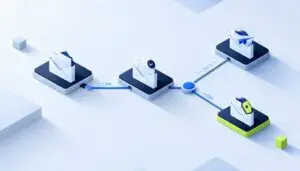
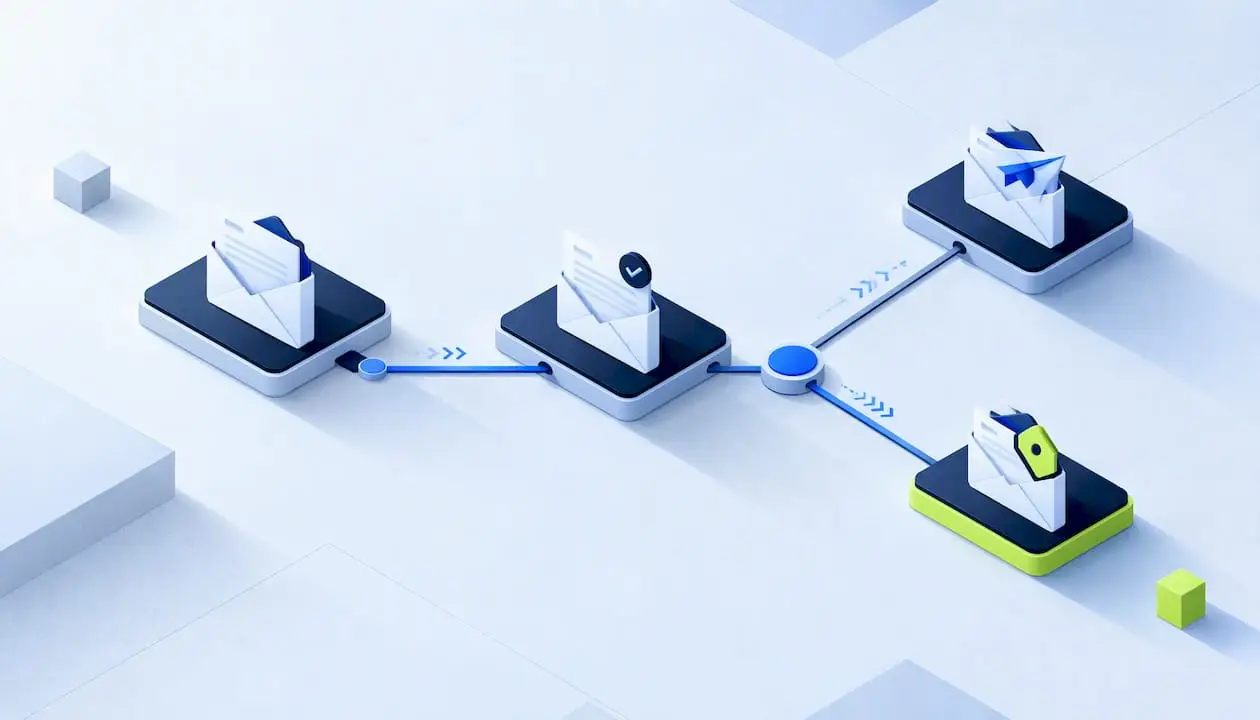
An email automation strategy is a plan for which automated emails you send, to whom, triggered by what, and toward which business goal. The tools are the easy part. The strategy decides whether your welcome series, drip campaigns and reminders work together as one conversation or pile up as unrelated sends. This guide walks through the planning steps, shows practical examples for each customer stage, and covers measurement and the U.S. rules you need to follow.
TL;DR
- Start with one business goal (acquisition, nurturing, repeat purchase or loyalty), then pick the automations that serve it.
- Map your flows to lifecycle stages, find the gaps, and build first where revenue potential is highest.
- Every journey needs a trigger, an audience, delays, branches and exit rules, so people stop receiving emails that no longer apply.
- Measure opens, clicks and conversions, test one variable at a time, and keep a holdout group when you can.
- Follow CAN-SPAM and mailbox provider rules on opt-outs, authentication and spam complaints before you scale.
Table of Contents
- What an email automation strategy actually covers
- Step 1: Choose one goal before you choose a flow
- Step 2: Map your journeys to the customer lifecycle
- Step 3: Set up triggers, audiences, timing and personalization
- Email drip campaign and automation examples by customer stage
- How to measure, test and improve your automation
- Compliance and deliverability rules for U.S. senders
- Our perspective: strategy before software
- Get help building your automation program
- A starter checklist for your first 90 days
- FAQ
- Sources
What an email automation strategy actually covers
Email automation sends targeted messages automatically based on predefined triggers, behaviors or schedules, with workflow logic deciding which message goes out and when. A trigger can be a signup, a purchase, an abandoned cart or a date. Behind it sits conditional logic and audience data, such as preferences and purchase history, which is how a personalized message gets assembled.
A strategy sits one level above that. It answers four questions:
- What outcome is each journey meant to produce?
- Which customer state or behavior starts it?
- How many messages, spaced how far apart, and what ends it?
- How will you know it worked?
Single triggered email versus automated email journey
A single triggered email is one response to one action: an order confirmation or a password reset. A journey is different. One marketing publication describes a journey as generally three or more connected emails that guide a recipient toward a conversion, with branches based on clicks, purchases or non-engagement. The same article argues that each email in a good journey has a specific role and builds on the one before it, instead of acting like an unrelated send.
Think of it like plumbing. The pipes (your data and triggers) have to be connected correctly before the water (your content) reaches the right tap. Most owners who struggle with automation have good copy and leaky pipes.
Step 1: Choose one goal before you choose a flow
The most common mistake is building a welcome series because every guide says to, without deciding what it should achieve. Start with the primary objective, such as acquisition, lead nurturing, customer lifetime value, cross-sell or satisfaction, and then align messages, recipients and timing to it. The right flow is different when the goal is revenue than when it is loyalty.
A simple way to decide:
- Need more first sales? Prioritize welcome, browse and cart recovery flows.
- Long sales cycle? Prioritize lead nurturing and educational sequences.
- Customers buy once and disappear? Prioritize post-purchase, replenishment and winback.
- Churn is the problem? Prioritize onboarding and engagement flows.
Write the goal as a measurable line, for example: “Increase second purchases within 60 days.” That sentence tells you which flow to build, which segment receives it, and which number to watch.
Step 2: Map your journeys to the customer lifecycle
Lifecycle mapping means messaging responds to where a customer is in the relationship with you, not to your campaign calendar. Most programs resolve to five stages: acquisition, onboarding, engagement, retention and winback, according to one CRM reference. Treat that as a working model rather than a standard, and adapt the labels to your sales process.
A practical audit approach is to list every automation you already run, assign each to a stage, spot the empty stages, and then prioritize new flows by revenue potential. Many small businesses discover they have a welcome email and nothing else.
| Lifecycle stage | Goal | Typical automation |
|---|---|---|
| Acquisition | Turn a subscriber into a first customer | Welcome series, lead magnet follow-up |
| Onboarding | Help new customers get value fast | Setup guidance, first-purchase feedback |
| Engagement | Keep interest and deepen use | Educational series, product recommendations |
| Retention | Encourage repeat business | Post-purchase, anniversary, replenishment reminders |
| Winback | Revive lapsed contacts | Re-engagement series, sunset sequence |
The winback stage is often the cheapest revenue to find, because those contacts already know you. If your CRM holds a long list of dormant leads or past customers, reactivating dormant CRM contacts can be treated as its own program alongside your email sequences, with its own goal and measurement.
For a deeper planning framework, our 90-day marketing automation strategy guide lays out a data-first sequence for leaders.
Step 3: Set up triggers, audiences, timing and personalization
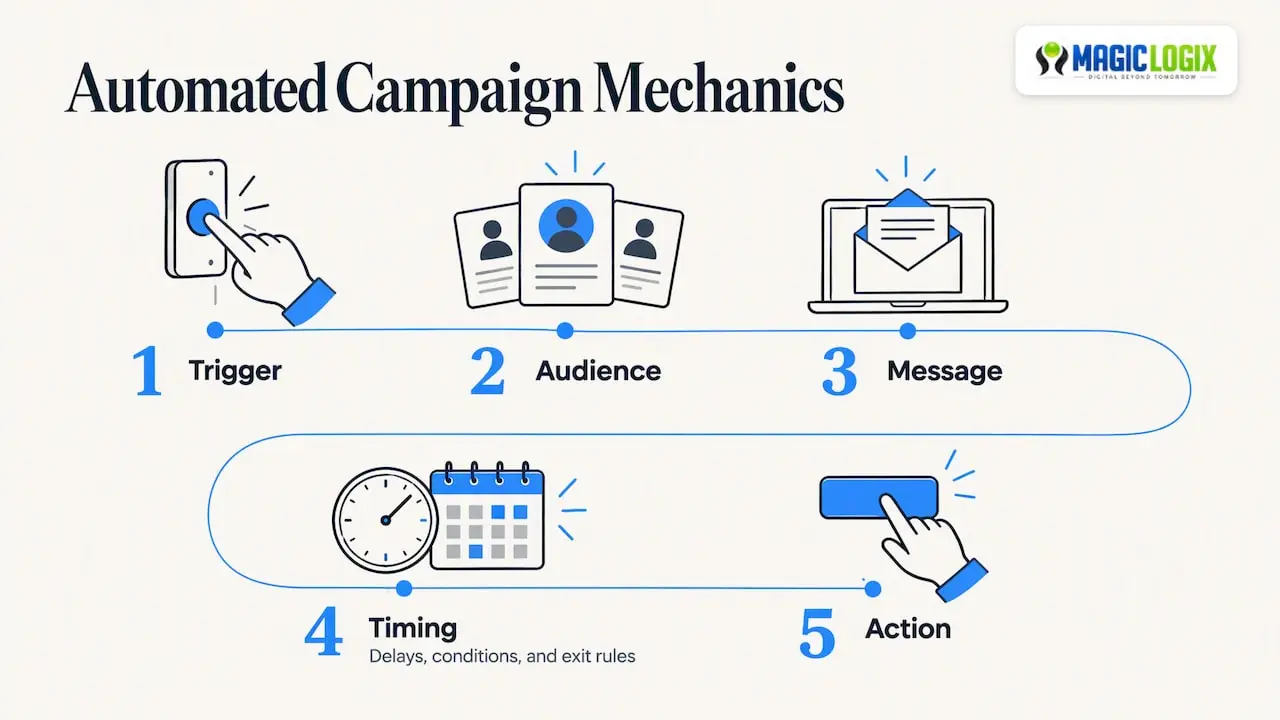
Once the journey exists on paper, define its mechanics. A basic automated-campaign pattern is made of a trigger, an audience, a message, timing and an action, plus delays, conditions and exit rules. In practice that looks like this.
Pick the right trigger type
Triggers fall into two families: event-based and time-based. Event-based triggers react to behavior, such as joining a list, submitting a form or abandoning a cart. Time-based triggers fire on a date, such as a renewal or a subscription reminder. One e-commerce survey found the most-used automation trigger was a subscriber joining a group, followed by form completion.
Platforms offer a range of trigger options. One platform’s help center lists list, segment, metric, date-property, price-drop and low-inventory triggers, and notes that profile filters are rechecked before each step. That detail matters: it lets a journey adapt as a customer’s situation changes, instead of sending a stale message.
Build exit rules and suppression first
Exit rules are the most skipped part of a flow. If someone buys during your welcome series, they should leave it. One example from the research describes removing a purchaser from a welcome flow to prevent irrelevant follow-up. Before you launch, ask three questions:
- What action means this journey has done its job?
- Who should never enter it (current customers, unsubscribed contacts, people already in another flow)?
- What happens if the same person qualifies for two journeys at once?
Space messages and personalize with real data
Spacing should give recipients time to receive and read each message. Use the data you actually have: synced data to target and personalize rather than guessing. Personalization beyond a first name usually means a product viewed, a purchase category, a stated preference or a lifecycle stage.
Send timing is worth testing, not assuming. In a U.S. survey of more than 150 marketing experts, 27% named Tuesday as the day their emails drew the most engagement, followed by Monday (19%) and Thursday (17%). Those are practitioner opinions, not a rule for your list. Use them as a first hypothesis and let your own data decide.
Email drip campaign and automation examples by customer stage
A drip campaign is a pre-written series of emails released over time, usually after one starting action. It is the simplest kind of automated journey. Common examples include a welcome series, anniversary offers, first-purchase feedback requests and timed educational series. Lifecycle examples also include welcome, abandoned-cart, browse-abandonment and post-purchase flows, each tied to a distinct behavior.
Below are illustrative structures. They are examples to adapt, not benchmarks or client results.
Welcome series (acquisition)
- Trigger: joins your list.
- Email 1: deliver what was promised and set expectations for frequency.
- Email 2: explain who you are and the problem you solve.
- Email 3: show a useful resource or a popular product.
- Exit: makes a purchase or books a call.
Abandoned cart or abandoned inquiry (conversion)
- Trigger: starts checkout or a quote form without finishing.
- Email 1: a short reminder with the item or form link.
- Email 2: answer the likely objection, such as shipping, timeline or fit.
- Branch: if they click but do not convert, send one more message; if they ignore both, stop.
Post-purchase and onboarding (retention)
- Trigger: order or contract completed.
- Email 1: confirmation and what happens next.
- Email 2: how to get the most from the purchase.
- Email 3: ask for feedback.
- Later: a reorder or renewal reminder on a date-based trigger.
Re-engagement (winback)
- Trigger: no opens or clicks for a period you define, based on your sales cycle.
- Email 1: a helpful update or reminder of value.
- Email 2: ask what they want to hear about, or offer a preference choice.
- Final step: if there is still no engagement, suppress the contact to protect your sender reputation.
If you want ready-to-adapt versions, our copy-ready marketing automation workflows for small teams walk through several of these in more detail.
How to measure, test and improve your automation
Track opens, click-through rates and conversions, test versions against a metric you set in advance, and review performance regularly to catch errors. Opens are a weak signal on their own because mailbox privacy features can inflate them, so tie each flow to a conversion tied to its goal: a purchase, a booked call or a reorder.
A simple measurement routine
- Per flow: record conversions, revenue or booked meetings, plus unsubscribes and complaints.
- Per email: note clicks and where people drop off.
- Monthly: compare against the previous period and your own baseline.
- Quarterly: retire, merge or rewrite the weakest messages.
One B2B guide cites healthy benchmarks of 40 to 60% open rates for welcome emails, 3 to 6% click rates and unsubscribe rates under 0.5%. Treat figures like these as rough reference points from a single source. Your industry, list quality and measurement method will shift them, so your own trend line matters more.
Test one thing at a time
Subject lines, call-to-action wording, email length and send time are the usual candidates. The same guide suggests continuous testing can target conversion gains of 10 to 20% per quarter. That is a target some teams set, not a promise, and small lists may not produce reliable results from every test.
Where you can, keep a holdout group that does not receive the flow. Holdouts help measure incrementality, meaning they separate what the automation caused from what would have happened anyway. Also document your logic and dependencies, keep templates modular and use version control for major changes, as that same guidance recommends. Six months from now, you will not remember why a branch exists.
Finally, limit volume. Serial messages should be spaced according to customer needs, with limits to reduce fatigue and unsubscribes, and every email should offer an easy opt-out.
Compliance and deliverability rules for U.S. senders
Automation multiplies mistakes as efficiently as it multiplies wins, so check the rules before you scale.
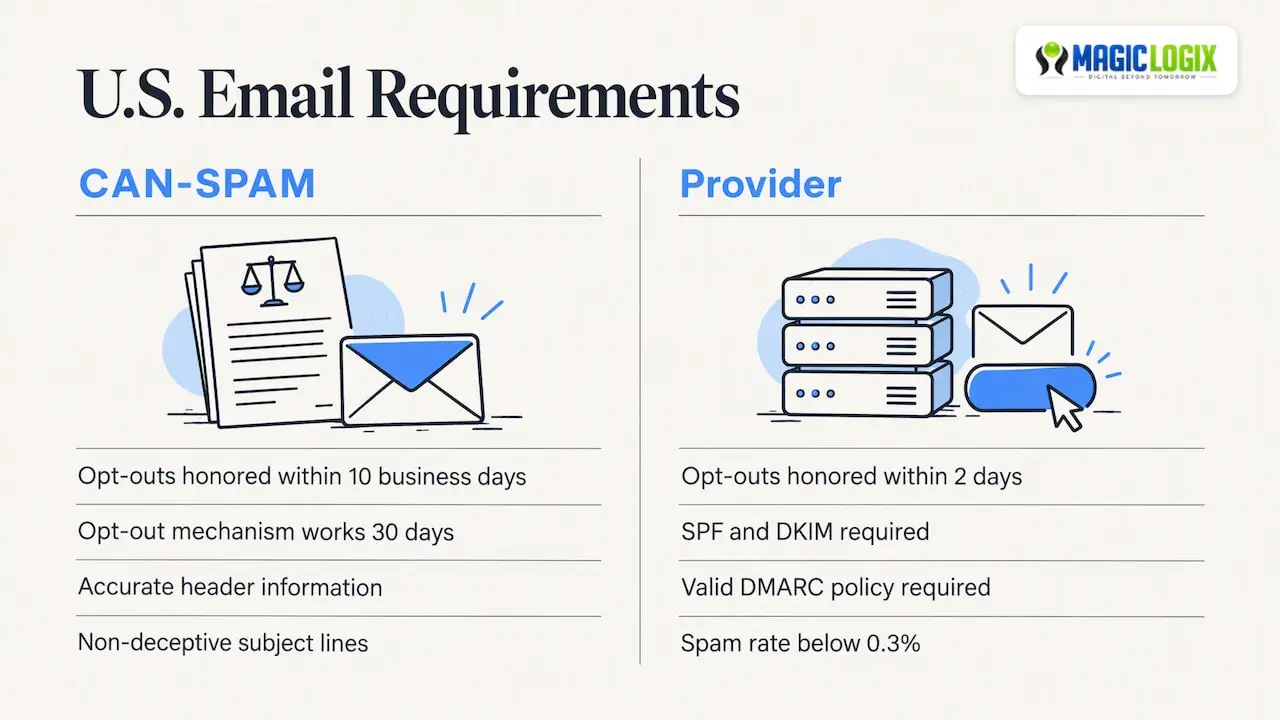
CAN-SPAM (federal law). The FTC’s guide says commercial email needs accurate header information, non-deceptive subject lines, identification as an ad, a valid physical postal address and clear opt-out instructions. You must honor opt-outs within 10 business days, and the opt-out mechanism must work for at least 30 days after sending. Build suppression into every flow so an unsubscribe in one journey stops all marketing journeys. If you have legal questions about your specific program, ask a qualified attorney.
Mailbox provider requirements. One major provider’s sender guidance says bulk senders must implement SPF and DKIM, publish a valid DMARC policy and keep spam rates below 0.3%. It also requires honoring unsubscribe requests within two days and offering an obvious unsubscribe process that needs no login. These are stricter than the legal minimum, so design to the stricter standard. Our guide to email deliverability and bulk sender rules covers the technical setup.
Our perspective: strategy before software
At Magic Logix, our brand promise is Digital Beyond Tomorrow, and for email that means connecting data, creative and automation instead of treating them as separate projects. We see the same pattern often in marketing automation: teams buy a platform first and decide on goals later. We would reverse that order.
Here is how we approach it. Pick one goal. Map the lifecycle. Clean the data that feeds your triggers. Launch one flow with exit rules, measure it, then add the next. A small set of well-built journeys usually beats a sprawling set of half-tested ones, and it is far easier for a small team to maintain.
We also think AI can help with segmentation, send-time choices and content variations, but it works best on top of a clear strategy and trustworthy data. It cannot rescue a flow with no goal.
— Hassan Bawab
Get help building your automation program
If you would rather have a team design the journeys, connect your CRM and set up measurement, our marketing automation services cover strategy, workflow build and ongoing optimization. We start with your goals and lifecycle, then recommend where automation will help most. You can also look at the marketing automation overview to see how it fits with the rest of your growth systems.
A starter checklist for your first 90 days
- Weeks 1 to 2: write your goal, audit existing automations, and assign each to a lifecycle stage.
- Weeks 3 to 4: clean your list, confirm data syncs between your website, CRM and email platform, and set up SPF, DKIM and DMARC.
- Weeks 5 to 8: build your highest-priority flow with triggers, delays, branches and exit rules, and test it with internal addresses.
- Weeks 9 to 12: launch, review conversions and complaints, run your first single-variable test and plan the second flow.
The point is a sustainable rhythm. One reliable journey each quarter is a realistic pace for many small teams.
FAQ
What is the difference between email automation and email drip campaigns?
Email automation is the broader practice of sending emails based on triggers, behaviors or schedules. A drip campaign is one type: a fixed series of emails released over time after a starting action. Automation can also branch based on what the recipient does, which a basic drip may not.
How many emails should an automated journey have?
There is no universal number. One industry guide describes a journey as generally three or more connected emails, but the right length depends on your goal and sales cycle. Start with the fewest messages that can complete the job, then add steps only if your data shows people need them.
Which email automation should I set up first?
Pick the flow tied to your main goal and your biggest gap. For many businesses that is a welcome series or an abandoned-cart or inquiry flow, because they respond to clear intent. Auditing your current flows by lifecycle stage and revenue potential will show where to start.
Do I need to follow CAN-SPAM for automated emails?
Yes. CAN-SPAM applies to commercial email in the United States whether you send it manually or automatically. That includes accurate headers, a physical postal address and a working opt-out honored within 10 business days, per the FTC’s guidance.
Sources
- Email automation definition and workflow logic (HubSpot glossary)
- Email marketing automation beginner’s guide (Mailchimp glossary)
- The email marketer’s guide to effective marketing automation (MarTech)
- How to set up a strong marketing automation strategy (Klaviyo blog)
- Lifecycle mapping reference (CRM Knowledge Base)
- Email marketing automation strategy guide (Omnisend blog)
- Automated email marketing campaigns: examples and tips (MoEngage)
- Email sequence guide (Shopify blog)
- E-commerce email marketing statistics (MailerLite)
- Getting started with flows (Klaviyo Help Center)
- How to create successful email drip campaigns (HubSpot blog)
- Automation journeys 101 (Campaign Monitor)
- 9 steps to create an email marketing strategy (Klaviyo blog)
- Email marketing automation for B2B SaaS startups (Athenic)
- Automation plan guide (Wizbrand)
- Email automation: how to send automated email campaigns (Twilio)
- CAN-SPAM Act: a compliance guide for business (FTC)
- Sender best practices (Yahoo Sender Hub)
- AI reactivation module for CRM revenue recovery (VoiceB.ai)