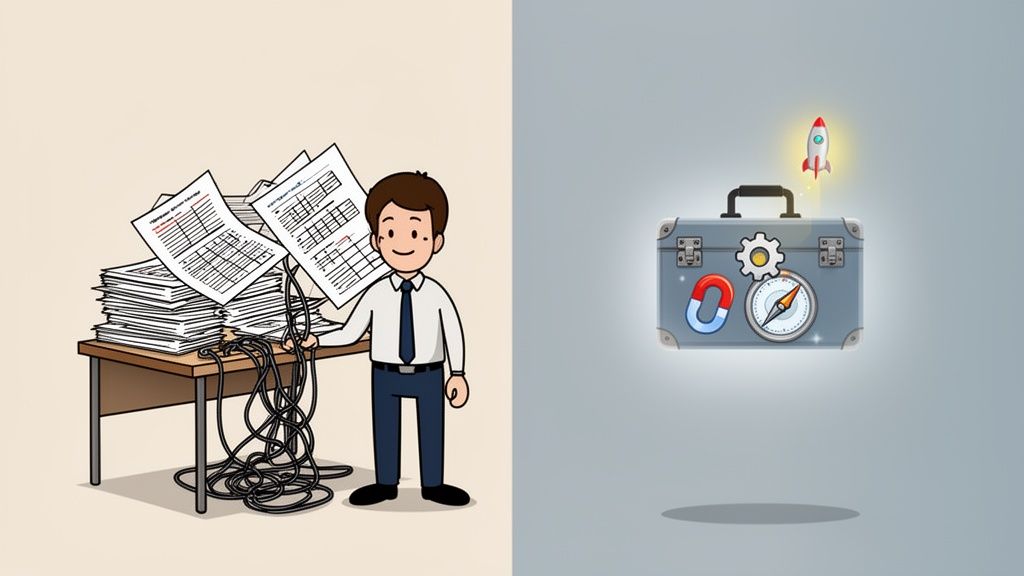
If your business still runs on a patchwork of spreadsheets, text threads, sticky notes, and memory, you are not behind because you lack ambition. You are behind because growth makes old systems break.
A lot of owners reach the same point. Orders are coming in, but inventory lives in one file, customer details sit in another, invoices are tracked in email, and marketing feels like posting into a void and hoping someone notices. The business is moving, yet every day feels heavier.
That is the moment when people start searching for small business tech solutions. Not because they want flashy software. Because they want fewer dropped balls, better follow-up, clearer numbers, and more time to run the company.
Many owners get stuck at this point. They assume advanced technology belongs to larger companies with large IT teams and large budgets. In practice, the shift is more accessible than that. The useful question is not “What software is trending?” It is “What problem costs me time, margin, or customers every week?”
This guide takes that approach. It is built for small businesses of all kinds, including owners in underserved communities who often need practical, affordable systems more urgently than anyone else. The goal is not to hand you a giant shopping list. The goal is to help you choose technology that earns its keep.
Beyond the Spreadsheet The New Reality for Small Business
Maria owns a small retail and service business. She starts the day by checking a notebook for inventory counts, a spreadsheet for customer requests, and her phone for messages from staff. By lunch, she has answered the same customer question five times, missed one supplier email, and forgotten to follow up on a promising lead.
Nothing in that routine sounds dramatic. That is why it is dangerous.
Small inefficiencies rarely arrive as one big failure. They show up as slow quotes, inconsistent service, forgotten renewals, extra payroll hours, and decisions made with partial information. Over time, the business hits a ceiling. Not because demand is missing, but because the owner cannot scale manual work.
That ceiling is why technology has become a basic business tool, not a luxury purchase. In 2025, generative AI usage among U.S. small businesses reached 58%, and 83% credited platforms for helping them compete with larger firms, according to the U.S. Chamber of Commerce Empowering Small Business Report 2025.
Those numbers matter for one reason. They show that small businesses are no longer waiting for “someday” to modernize. They are adopting tools now because the gap between organized businesses and overloaded businesses gets wider every month.
If that sound familiar, a useful next step is thinking about digital transformation for small business as a series of practical upgrades, not one giant overhaul.
Key takeaway: Good technology should remove friction from the business you already run. It should not force you to become a different company overnight.
Your Digital Toolkit Essential Tech Categories Explained
Most owners get overwhelmed because they shop for software tool by tool. A better way is to think in categories, the same way you would organize a physical toolbox.
A toolbox does not solve one problem. It gives you the right tray for the job. Small business tech solutions work the same way.
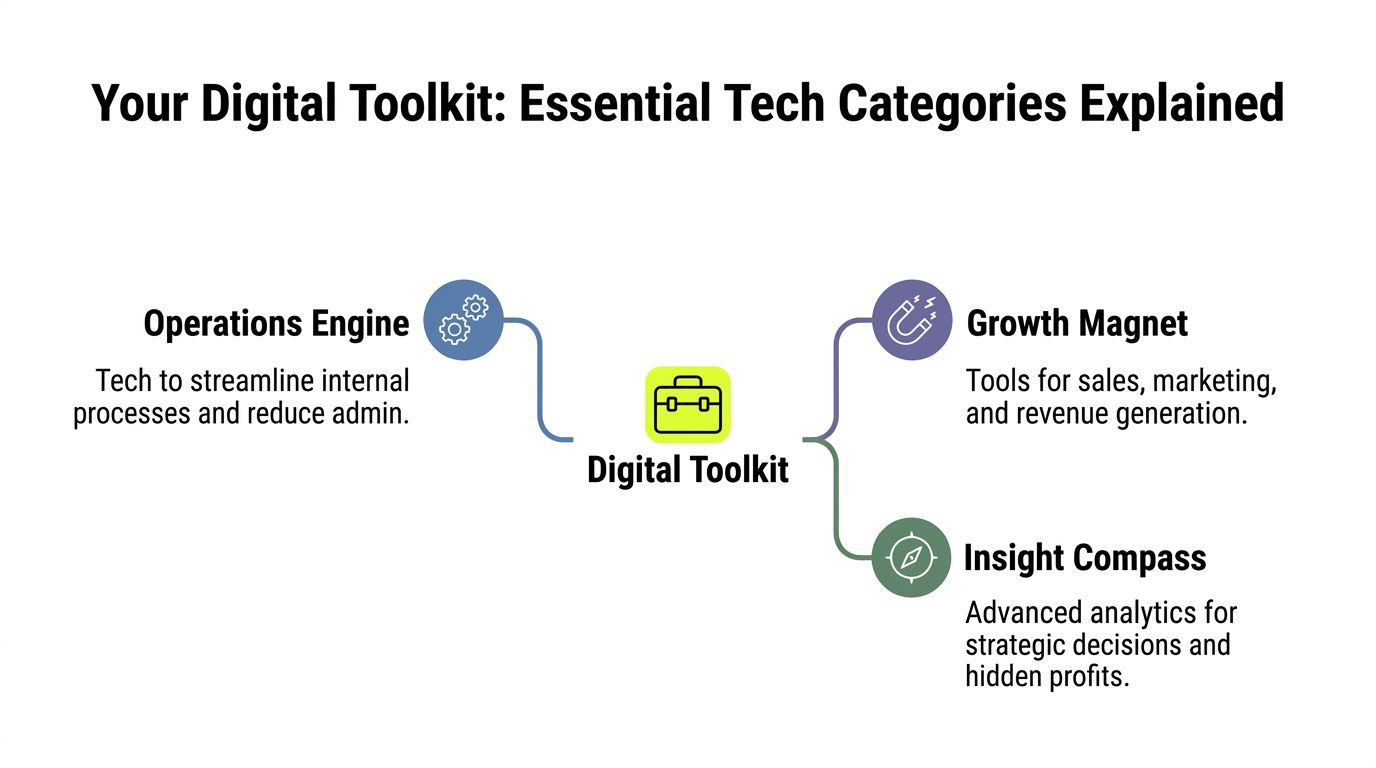
The operations engine
This is the part of your stack that keeps the business from wobbling.
It includes tools for accounting, payroll, scheduling, file storage, inventory, internal communication, and task management. If you have ever said, “We keep re-entering the same information,” you have an operations problem.
Examples include QuickBooks for accounting, Xero for bookkeeping, Google Workspace or Microsoft 365 for documents and communication, Asana or Trello for project tracking, and cloud storage systems that keep files available to the right people at the right time.
Think of this tray as your business plumbing. Customers may never see it, but they will notice when it fails.
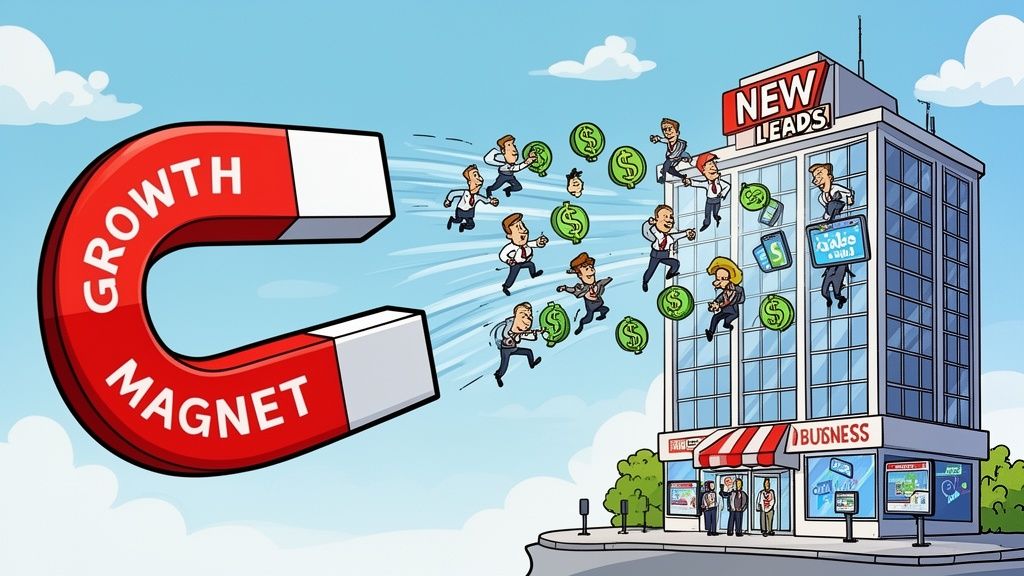
The growth magnet
This category helps you attract attention, generate demand, and move leads toward a sale.
It includes your website, email marketing tools, CRM, SEO tools, social scheduling platforms, and ad platforms. If your business depends on referrals alone and follow-up happens manually, this tray is probably underbuilt.
Tools here can include HubSpot, Mailchimp, Klaviyo, Semrush, Google Business Profile, and social management platforms. The point is not to use all of them. The point is to create a simple path from stranger to lead to customer.
The customer hub
Relationships develop here after someone buys or asks a question.
A customer hub can include a CRM, help desk, appointment system, chatbot, live chat, and feedback tracking. Many businesses lose revenue here without realizing it. They spend to acquire customers, then make service slow or inconsistent because information is scattered.
If a customer has to repeat their issue every time they contact you, your systems are forcing frustration.
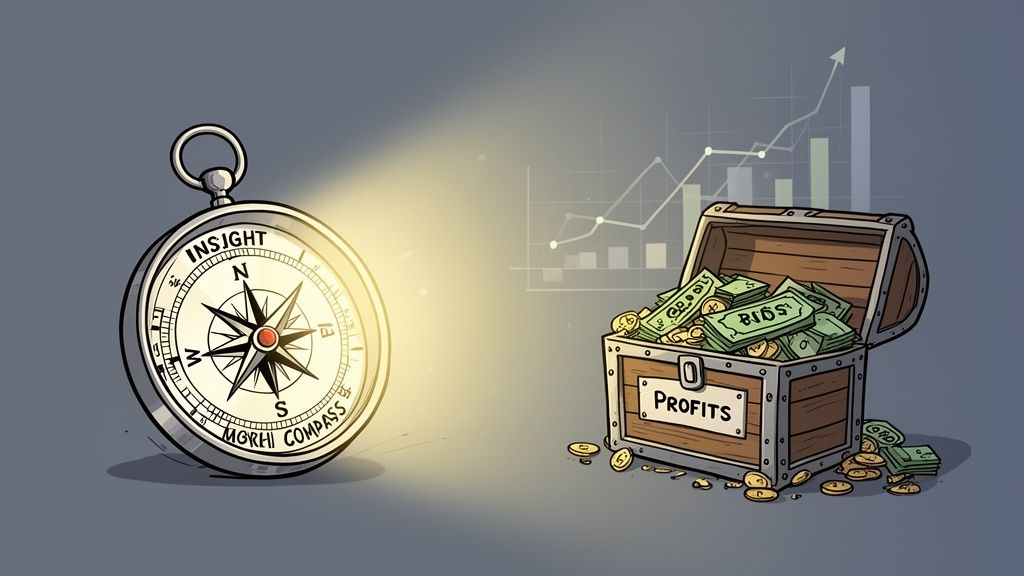
The insight compass
This is the tray that many small businesses ignore until they feel serious pain.
Analytics tools gather signals from sales, campaigns, customer behavior, operations, and social channels so you can make sharper decisions. Without this tray, owners guess. With it, owners see patterns.
A simple example is knowing which service line produces repeat business, which marketing channel brings qualified leads, or which product sells better on certain days.
Here is a simple way to compare the categories:
| Toolkit category | What it does | Common business problem |
|---|---|---|
| Operations engine | Keeps daily work organized | Staff spend time on admin and duplicate tasks |
| Growth magnet | Attracts and converts leads | Marketing activity does not turn into revenue |
| Customer hub | Improves service and retention | Follow-up is inconsistent and customer history is scattered |
| Insight compass | Supports better decisions | Owners rely on gut feel instead of evidence |
Practical tip: If you feel overwhelmed, do not buy one tool from every category. Start with the category attached to your biggest recurring bottleneck.
Streamline Your Operations with Foundational Tech
The fastest wins come from fixing internal friction. Not glamorous work. Profitable work.
When owners ask me where to begin, I look for the tasks that steal time every single week. Manual invoicing. Chasing approvals. Hunting for the latest file. Staff asking the same status questions. Those habits do not waste hours. They create errors.
Cloud systems reduce the weight of infrastructure
A lot of small businesses still think “better technology” means buying more hardware or hiring a full IT department. That is outdated.
Cloud computing allows small businesses to achieve enterprise-grade scalability without the heavy capital expenditure, and the pay-as-you-go model lowers maintenance burden, according to Small Business Coach on key components that drive small business tech solutions.
In plain language, cloud tools let you rent capability instead of building everything yourself.
That matters because you can:
- Add capacity when needed: If your team grows, cloud systems scale without a major rebuild.
- Reduce upfront spend: You avoid large purchases for servers and related infrastructure.
- Improve access: Staff can work from the office, at home, or on the road without relying on a single machine.
- Lean on provider security features: You still need good internal habits, but the platform handles a lot of maintenance work that is hard for small teams to do alone.
A bakery owner, for example, does not need to think about server architecture. They need shared files, dependable access, secure backups, and systems that do not break when demand spikes around holidays.
Financial tools should do more than bookkeeping
Many owners use accounting software as a digital shoebox. They log transactions and stop there.
That leaves value on the table. Strong financial systems should support invoicing, recurring billing, expense categorization, payroll workflows, payment reminders, and cash visibility. QuickBooks, Xero, and similar platforms can become an operating system for money movement, not tax prep.
Here is the before-and-after pattern I often see:
| Before | After |
|---|---|
| Invoices created manually | Invoices generated from standard templates |
| Receipts stored in email or paper folders | Expenses attached and categorized in one place |
| Payroll handled through separate manual steps | Payroll linked to time tracking and reporting |
| Owner checks balances reactively | Owner reviews cash position in one dashboard |
The benefit is not only speed. It is decision quality. When financial information is organized, you spot margin pressure sooner and make cleaner pricing decisions.
Collaboration tools cut repeat conversations
Slack, Microsoft Teams, Asana, ClickUp, Trello, and Notion all solve a similar problem. They reduce the need to ask, “Who is doing what, and where does this stand?”
That sounds small until you count how often teams ask it.
A project board gives work a visible home. A shared document keeps everyone on the same version. A team channel replaces scattered text chains. When that structure exists, owners stop acting as the human router for every task.
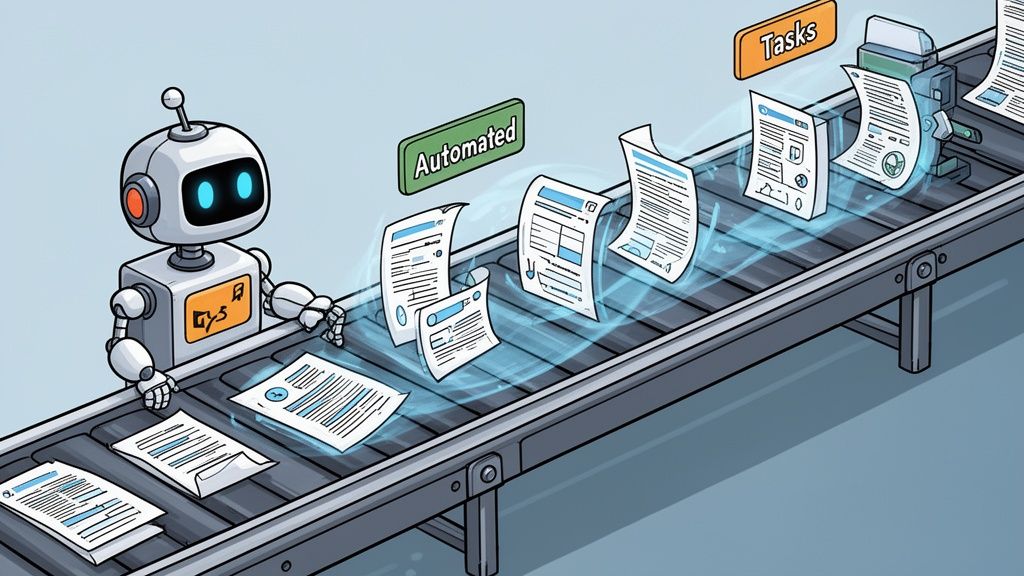
If you want a practical starting point for reducing repetitive admin, this guide on how to automate business processes is a useful complement to your operations cleanup.
Rule of thumb: If a task follows the same steps every time, document it first. Then automate it. Automation without a clear process creates faster confusion.
Fuel Your Growth with Marketing and Sales Technology
Operational efficiency keeps the lights on. Growth technology helps more customers find you, trust you, and buy.
Many small businesses waste money in this area. They buy ads before they fix follow-up. They post on social media without a clear offer. They collect leads but never build a system for nurturing them.
The right marketing and sales stack does not make your business louder. It makes your message more organized.
A CRM is your memory system
A customer relationship management system, or CRM, is not a contact list. It is a record of conversations, needs, quotes, activity, follow-ups, and next steps.
That matters because small businesses often lose sales in ordinary ways:
- A lead inquired, but no one replied quickly
- A proposal was sent, but no reminder was scheduled
- A repeat buyer was ready to reorder, but nobody reached out
- A sales conversation happened by phone, and the details stayed in one employee’s head
HubSpot, Zoho CRM, Salesforce, and Pipedrive each approach this differently, but the core value is the same. The system remembers what people need when humans get busy.
A local service company can use a CRM to track estimate requests, assign follow-up, and note which neighborhoods or service types lead to the best customers. A wholesale seller can track reorder timing. A professional firm can connect website forms to consult scheduling.
Marketing platforms help small teams act consistently
Marketing fails when it depends on bursts of motivation.
Technology fixes that by making campaigns repeatable. Email platforms such as Mailchimp or Klaviyo can schedule outreach, segment audiences, and trigger messages based on actions. SEO tools like Semrush or Ahrefs can help businesses understand how people search for their services. Social management tools can batch content and reduce last-minute posting.
The business benefit is consistency. Customers rarely buy because they saw you once. They buy after several useful touchpoints.
As of 2025, 58% of SMBs were using TikTok for outreach, 38% were deploying AI for marketing and customer service, and 8 in 10 owners credited technology with helping them cope with inflation and supply chain issues, according to Verizon’s 2025 State of Small Business Survey.
That last point matters. Marketing technology is not only about promotion. It also helps businesses respond faster when market conditions shift.
Social media works better with a system
Owners often ask whether social media is worth the effort. Often, the issue is not the channel. It is the workflow.
A simple content system includes:
- A clear audience: Know who you want to attract.
- A content rhythm: Decide what gets posted weekly or monthly.
- A conversion path: Send attention somewhere useful, such as a booking page, product page, or contact form.
- A review loop: Track which topics create questions, leads, or sales conversations.
Video can help teams think more clearly about that process:
Choosing tools that fit your actual funnel
Not every business needs the same stack.
A home services company may need a CRM, quote workflow, review generation, and local SEO. An online store may need cart recovery, email segmentation, and better product feed management. A B2B firm may need lead scoring, webinar follow-up, and content tracking.
Here is a simple matching view:
| Business situation | Helpful technology |
|---|---|
| You get inquiries but slow follow-up | CRM with task automation |
| Your website gets traffic but few leads | Better forms, landing pages, and analytics |
| You post often but sales stay flat | Social management tied to offers and conversion pages |
| Customers buy once and disappear | Email automation and retention campaigns |
If you are comparing platforms, a practical reference point is this marketing automation platform comparison.
Key takeaway: Marketing tools create ROI when they support a complete path. Attention alone is not enough. Your systems must capture, qualify, and follow up.
Unlock Hidden Profits with Advanced Analytics
Most small businesses already collect more data than they use. Sales records, repeat purchase patterns, abandoned forms, support tickets, campaign clicks, social comments, booking times, seasonal spikes. The problem is not lack of information. The problem is turning scattered signals into better decisions.
Advanced analytics changes the conversation at that point. Instead of asking, “What happened?” you start asking, “What is likely to happen next, and what should we do about it?”
For many owners, that sounds advanced or expensive. It does not have to be. The practical version is simple. Use your existing business data to reduce guesswork.
The bakery that planned for demand instead of reacting to it
Consider a neighborhood bakery with a loyal customer base. The owner knows some products sell better on weekends, some during holidays, and some after local events. But memory is uneven. Staff make production decisions based on habit.
Once sales data, preorder behavior, and marketing responses are reviewed together, a pattern becomes visible. Certain product combinations attract repeat buyers. Some promotional themes trigger larger basket sizes. Some days need more staff prep and different inventory ordering.
The owner does not need a giant data science department. They need one dashboard that answers practical questions:
- Which products lead to repeat visits?
- Which promotions attract first-time buyers?
- Which days create waste?
- Which customer segments respond to preorder offers?
That is predictive thinking in a small business context. Not futuristic. Operational.
The online store that stopped treating every shopper the same
An e-commerce store often sends one broad email list the same message and hopes enough people click. Analytics lets the store behave more intelligently.
A first-time browser might need education. A repeat buyer may need replenishment reminders. A cart abandoner may need a softer nudge. A high-intent shopper from a particular product category may need content that answers objections. Automated customer journeys then become valuable. Instead of one campaign for everyone, the business builds paths based on behavior.
A store can ask:
- Did the visitor browse but not buy?
- Did they buy once but ignore follow-up?
- Did they keep returning to one category?
- Did they engage with educational content before purchasing?
Those signals support segmentation, timing, and personalization.
One option in this category is Magic Logix, which offers services in areas such as predictive analytics, automated immersion marketing, business intelligence, and social intelligence for businesses that need more customized guidance than off-the-shelf dashboards provide.
The service company that found a revenue opportunity in complaints
Service businesses often learn the most from what customers repeat, not what they praise once.
A home services company, clinic, agency, or professional firm may hear the same friction points again and again. Customers ask similar questions. Reviews mention the same confusion. Social comments reveal missing information. Internal teams notice recurring handoff issues.
When that feedback is structured instead of treated as noise, it becomes a product roadmap.
The company might discover:
| Signal | What it may mean |
|---|---|
| Repeated questions before purchase | Your website or sales process is missing key explanations |
| Drop-off after quote delivery | Your pricing presentation is unclear or poorly timed |
| Complaints about response speed | You need automation, routing, or staffing changes |
| Praise for one service feature | That feature may deserve its own offer or campaign |
This kind of business intelligence does more than improve reporting. It uncovers where profit leaks and where expansion makes sense.
Why this matters for underserved businesses too
Advanced analytics is important for owners in underserved communities because they often have less room for waste. Every marketing dollar and staff hour has to count.
A March 2026 Accion Opportunity Fund survey found that 65% of small businesses in underserved communities prioritize AI-powered tools, compared with 54% of other SMBs, while also facing a gap in customized, affordable solutions that fit their constraints, as reported in this Prnewswire summary of the national survey.
That pattern makes sense. When resources are tight, owners need technology that improves efficiency and decision-making quickly. They do not need bloated platforms with features they will never touch.
Practical advice: If budget is limited, do not start with “advanced analytics” as a software category. Start with one business question that matters, such as which leads close, which products repeat, or which customers leave.
What to measure first
Owners often ask which metrics matter most. The answer depends on the model, but a few are generally useful:
- Sales source quality: Which channels produce real customers, not just traffic
- Repeat customer behavior: What happens after the first purchase
- Lead response timing: Whether speed affects conversion in your business
- Product or service mix: Which offerings create stronger margins or retention
- Customer sentiment: What reviews, support requests, and social comments keep revealing
If you are evaluating reporting tools and dashboards, this business intelligence software comparison can help frame what to look for.
Analytics is not a luxury layer on top of the business. It is a way to stop making preventable guesses.
Building Your Small Business Tech Roadmap
The biggest implementation mistake is buying software before defining the problem. The second biggest is trying to modernize everything at once.
A strong roadmap keeps you from doing both.
Start with friction, not features
Audit your business like an operator, not a shopper.
Look for moments where work slows down, information gets lost, or customers wait. Ask your team where they repeat steps, where they copy data from one place to another, and where they rely on memory.
Write those issues down in plain language. For example:
- Leads come in, but follow-up is inconsistent
- Invoices take too long to send
- Staff cannot see project status without asking someone
- Customer questions repeat because information is hard to find
- Reporting takes too much manual effort at month end
That list becomes your real tech roadmap.
Prioritize by business impact
Once the pain points are clear, rank them by two factors:
| Priority lens | What to ask |
|---|---|
| Business impact | Does this affect revenue, customer experience, or margin? |
| Implementation effort | Can we adopt this without major disruption? |
A simple win might be digital invoicing. A more complex project might be migrating to a new CRM. Both matter. They belong in different phases.
This step protects you from buying attractive tools that solve minor problems while bigger issues remain untouched.
Tip: Your first tech project should remove a recurring operational headache or a recurring sales bottleneck. If it does neither, it is probably not the right first move.
Budget for flexibility, not just price
The cheapest tool is not always the most affordable. If it forces manual work, weak reporting, or a painful migration later, the low monthly fee can become expensive.
This is important for growing businesses and mid-market firms. Mid-market companies are often underserved by rigid SaaS models because of high costs, inflexible contracts, and migration challenges, according to Brainsell’s analysis of why mid-market companies are underserved by the SaaS world.
That lesson applies to smaller firms too. Before you commit, ask:
- Can this tool integrate with the systems we already use?
- Can we export our data easily if we leave?
- Does pricing stay reasonable as users, contacts, or workflows grow?
- Will staff use it, or is it too complex for our current stage?
Sometimes a hybrid setup is smarter than one giant suite. A simple accounting platform plus a focused CRM plus an analytics layer may fit better than an all-in-one product that does each job poorly.
Implement in stages and train for behavior change
Technology adoption is not a purchase. It is a change in habit.
The rollout works better when you define:
- Who owns the system
- What process changes
- What success looks like
- How the team gets trained
- When you review performance
If you skip training, people fall back to old habits. If you skip ownership, the system decays. If you skip review, you cannot tell whether the investment is helping.
A phased rollout works best. Start with one workflow, one department, or one customer journey. Get it working. Then expand.
The smartest roadmap is not the most ambitious one. It is the one your business can absorb and use well.
Your Tech Stack as a Strategic Growth Partner
A good tech stack does more than save time. It changes how a business thinks.
The owner who once checked three places for one answer now sees the business in one view. The team that used to react now follows a process. The marketing effort that felt random starts feeding a pipeline. Customer service improves because context is available. Decisions get less emotional and more grounded.
That is the fundamental shift behind small business tech solutions. Technology stops being a pile of subscriptions and starts acting like a growth partner.
The change does not begin with a giant platform rollout. It begins with one sharp decision. Fix the lead follow-up problem. Clean up invoicing. Organize customer data. Centralize reporting. Then build outward.
For small businesses in every market, including underserved communities and firms caught between startup simplicity and enterprise complexity, accessibility matters. The right tools are the ones your team can afford, understand, and use with discipline.
The business from the opening scene does not become perfect. It becomes calmer. Fewer things depend on memory. More things run on systems. That is what creates room for growth.
Frequently Asked Questions About Small Business Tech
What is the best first tech investment for a very small business
Start with the bottleneck that repeats every week.
For many small businesses, that is one of three things: accounting and invoicing software, a basic CRM, or a shared collaboration platform like Google Workspace or Microsoft 365. If money collection is messy, fix finance first. If leads go cold, fix follow-up first. If your team keeps losing files and version control, fix collaboration first.
The right first investment is the one tied to the clearest business pain.
How do I keep data secure when using multiple cloud tools
Begin with process, not panic.
Use strong passwords, turn on multi-factor authentication where available, limit access by role, and review who has access when staff responsibilities change. Keep a simple inventory of the tools you use and what kind of customer or business data each one stores.
Cloud platforms can improve resilience, but your internal habits still matter. Security gets weaker when too many people have broad access and nobody owns oversight.
Are free plans good enough to start with
Sometimes, yes.
Free plans can be useful for testing whether a tool fits your workflow. They are less useful when they block core features like automation, reporting, integrations, or user permissions. The mistake is not starting free. The mistake is building an important process on a free plan that cannot support the next stage of the business.
Use free versions to learn. Upgrade when the limitation starts creating friction.
Should I buy an all-in-one platform or separate best-fit tools
It depends on your complexity.
An all-in-one platform can simplify setup and reduce the number of vendors you manage. Separate tools can give you more flexibility and better fit for specific functions. Small teams often do well with a compact stack. Growing firms may prefer a hybrid approach so they can avoid contract lock-in and adapt over time.
Choose the setup your team will maintain. Elegant software architecture does not matter if no one uses it consistently.
If you are sorting through small business tech solutions and want a clearer roadmap, Magic Logix works with businesses on digital marketing and technology strategy, including analytics, automation, and customer engagement systems. A useful next step is to identify your biggest operational or growth bottleneck, then evaluate which tool or partner can solve that problem with the least complexity.