
To optimize a LinkedIn company page, complete every profile field with the words your buyers search for, post useful content on a steady schedule, get your employees sharing it, give visitors one clear next step, and review your analytics on a fixed cadence. Most pages stall because one of those five pieces is missing. The page looks finished but nobody is told why to follow it, or the posts are regular but nothing on the page invites a conversation.
This guide walks through each piece in order, with a checklist you can work through in an afternoon and a measurement routine you can keep for a year. At Magic Logix, our approach to digital marketing is built around “Digital Beyond Tomorrow”: treating your LinkedIn page as one part of a connected search, content and engagement system, not a standalone profile.
TL;DR
- A company page is your brand’s home base on LinkedIn. HubSpot’s guide describes it as the place where members discover your products, services and career opportunities.
- Fill in every field, use keywords in your About section, set a custom call-to-action button and keep your branding consistent.
- Post on a regular schedule and follow a balanced mix: the 4-1-1 rule gives you four educational posts for each soft promotion and each hard promotion.
- Employees often reach far larger networks than your page does, so a voluntary advocacy routine multiplies every post.
- Judge results by trends in your own analytics, not by one viral post.
Table of Contents
- Why a company page deserves real attention
- The profile checklist: what to complete first
- Build a content rhythm you can keep
- Put your employees to work for the page
- Turn visitors into conversations
- Measure what the page is doing
- When paid promotion belongs alongside organic work
- A 30-day plan to get started
- Where Magic Logix fits
- Our perspective
- FAQ
- Sources
Why a company page deserves real attention
For B2B companies, LinkedIn is where buyers check you out before they take a call. They read your page, scan your recent posts and look at who works there. An empty or neglected page quietly costs you credibility at exactly that moment.
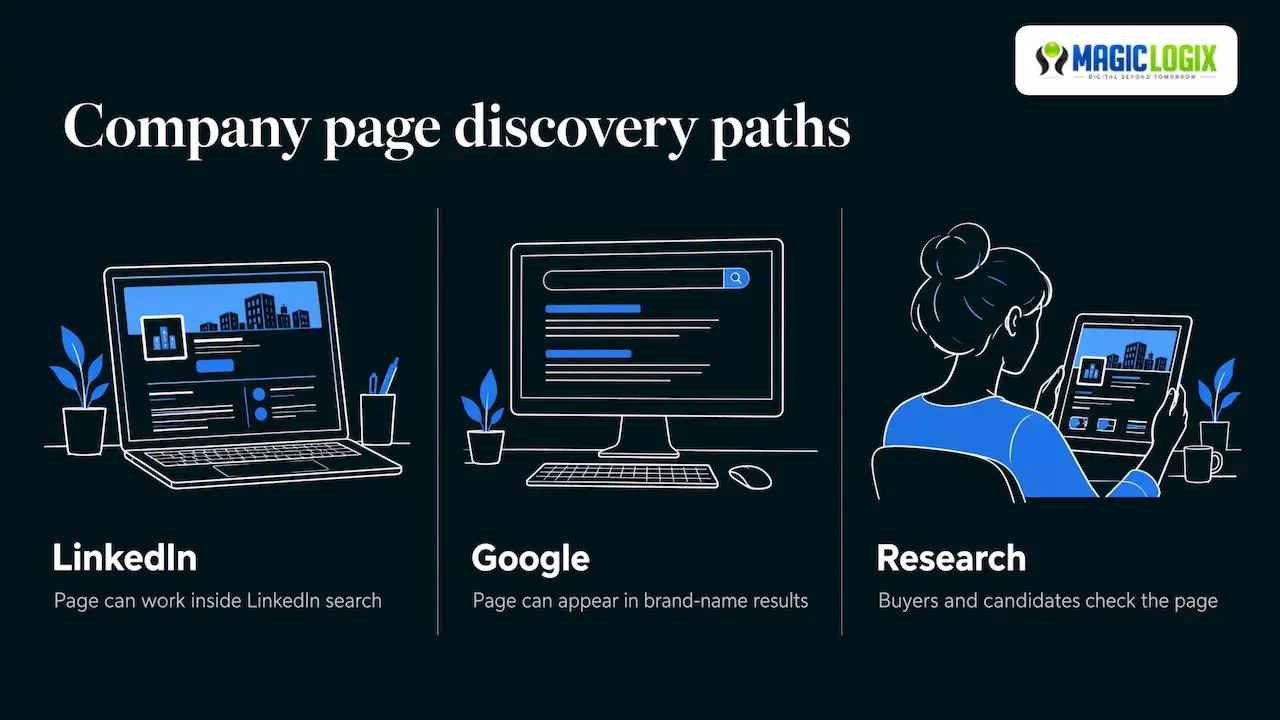
There is also a search benefit. Martech’s October 2026 marketer’s guide notes that a well-optimized company page can improve search ranking in much the way a website does. Shopify’s guide lists LinkedIn pages among results that tend to rank well, and adds recruiting and employee engagement to the benefits. That means the page can work for you in three places: inside LinkedIn search, in Google results for your brand name, and in the research trail of buyers and job candidates.
A useful way to think about it: your website is the store, and your LinkedIn page is the storefront window on a busy professional street. People glance in for a few seconds. The window has to say who you are, what you do and why it is worth stepping inside.
The profile checklist: what to complete first
Start with the parts of the page that do not change week to week. These are the foundation, and they take less time than most owners expect.
| Page element | What to do | Why it matters |
|---|---|---|
| Logo and cover image | Use your actual logo and a cover image sized at 1,128 x 191 pixels | A correctly sized image avoids awkward cropping and looks deliberate |
| Tagline | One plain sentence on who you help and how | It shows beside your name in search results and feeds |
| About section | Describe your services, audience and location in natural language with relevant keywords | HubSpot notes it can run up to 2,000 words and helps discovery on LinkedIn and search engines |
| Hashtags | Add up to three community hashtags tied to your industry | Helps LinkedIn connect your page to topics |
| Locations | List your headquarters and any other offices | Supports local and regional discovery |
| Custom button | Choose the action you most want visitors to take | One clear next step beats five competing ones |
| Admins | Add more than one page admin | Keeps the page running when someone is out or leaves |
Write the About section for people first
Keywords matter, but a paragraph stuffed with them reads badly and does nothing for a buyer. Later’s guide says keywords in the summary, overview and even the company name help a page rank higher in LinkedIn search, and cites LinkedIn’s figure that completed pages get 30% more weekly views. Use that as a reason to be thorough, not repetitive.
A simple structure works well:
- Opening sentence: who you serve and what you do, in the words a customer would use.
- Services: a short list of what you offer, using the terms buyers search (for example, “local SEO,” “marketing automation,” “web development”).
- Who you are: your size, your location, your approach.
- Next step: where to go to talk to you.
Read it aloud. If it sounds like a brochure, rewrite it the way you would explain your business to a new neighbor.
Choose the call-to-action button deliberately
HubSpot recommends customizing the button rather than leaving the default. Pick the action that matches your sales process: visiting your website, contacting you, or signing up. If your page gets mostly visitors who are researching, a softer action will convert better than a hard sell.
Build a content rhythm you can keep
A complete profile earns you the first look. Content earns the follow. The most common mistake is posting in bursts and then going quiet for six weeks.
How often to post
Benchmarks vary, so treat them as starting points. Buffer’s analysis of more than 100,000 users recommends two to five LinkedIn posts per week. HubSpot suggests sharing engaging content at least weekly. If you are a small team, start with one strong post a week and add a second once you have a repeatable process. Consistency beats volume.
The 4-1-1 rule
The 4-1-1 rule is a simple way to balance giving and asking. In the version Taplio describes, out of every six posts, four are educational or industry-relevant, one is a soft promotion such as company culture, and one is a hard promotion with a direct call to action. Other writers define the split slightly differently, with some counting curated content and original content differently, so pick the version that suits your team and stick with it.
The principle is what counts: five of every six posts give the audience something before you ask for anything.
Here is what that might look like for a regional B2B services firm over six posts:
- A short how-to based on a question customers ask often.
- A useful industry statistic with your plain-language take on it.
- A checklist or template your audience can use.
- A relevant article from someone else, with your comment on why it matters.
- A behind-the-scenes post about your team or process.
- A clear offer, such as an invitation to talk about a specific problem.
This is an illustration, not a result from any client.
Write like a person
HubSpot’s Allie Decker makes a point worth repeating: LinkedIn is a professional platform with more distance between brand and reader, so brands need to close that gap by liking, commenting and replying in a human voice. Reply to comments on your posts within a day where you can. Comment on posts from customers, partners and people you want to reach. A page that only broadcasts feels like a robot is behind it.
Reuse your best long-form thinking
Your blog, case studies and guides are a ready supply of LinkedIn posts. A single in-depth article can become several short posts, each pulling out one idea and linking back. If you need help shaping that material, our guides on long-form content strategy and B2B case study writing show how to structure it for engagement.
Put your employees to work for the page
Your company page is one account. Your team is dozens of them. Hootsuite reports that employee networks are, on average, ten times larger than a company’s follower base. Taplio’s March 2026 playbook goes further, saying employee-shared content drives eight times more engagement and that leads from personal networks convert more often. Treat those as vendor-reported figures that indicate direction, not guarantees.
The same playbook notes that LinkedIn removed its native employee advocacy tools in late 2024, so any program now relies on your own routine. A workable one looks like this:
- Start small. Invite 10 to 30 people for a pilot.
- Keep it voluntary. Forced sharing reads as forced.
- Make it easy. Send a short weekly note with two or three posts and suggested talking points.
- Encourage their own words. A personal comment beats a copied caption.
- Disclose when needed. Taplio mentions tags such as #Employee or #CompanyLife for clear disclosure.
If your offer reaches buyers through peer recommendation, extend the thinking beyond staff. Our piece on B2B influencer marketing covers how outside voices can carry your message. Software and tech companies can also widen their footprint by listing their product where buyers compare tools; this SaaS directory submission guide explains how to choose, submit and track those listings.
Turn visitors into conversations
A visitor who likes your page but has nowhere to go will leave. Give them a next step.
Use the lead gen form
Since June 2022, company pages can show organic lead gen forms directly below the About section. The forms collect first and last name, company name, job title and email address. The headline is limited to 50 characters and the introduction to 200. Button options include “Get started,” “Request a demo,” “Start free trial” and “Contact Sales.” Because these details are limited in length, write the headline around one concrete benefit.
Expect influence, not instant sales
LinkedIn rarely works like a checkout page. Autoposting.ai’s May 2026 guide argues that prospects consume content for weeks, build trust, and then move toward a sales conversation. It suggests comparing time-to-close for contacts who engaged with your content against those who did not, and using multi-touch attribution over a 30-day window. That fits how B2B buying works: the page earns trust long before anyone fills in a form.
Make sure the path continues past LinkedIn. The links in your posts should land on pages built to convert, with a fast, clear layout and a single focus. Our guide to redesigning a website for business growth covers that side.
Measure what the page is doing
Optimization without measurement is guessing. IONOS (November 2026) lists the analytics available on a company page:
- Followers: total, growth over time, industries and job functions.
- Visitors: page views and unique visitors.
- Search appearances: how often the page shows up and for which terms.
- Content performance: reach, reactions, comments, shares and video views.
- Newsletters: views, impressions, interactions and subscriber growth.
Martech adds that you can look at audience insights, content performance, campaign tracking and industry benchmarking.
A monthly review routine
Set a recurring 45-minute slot and answer five questions:
- Which three posts earned the most engagement, and what did they have in common?
- Are the followers who joined the job titles and industries you want?
- Which search terms led people to the page?
- How many visitors clicked through to your website, and what did they do next?
- Which one change will you test next month?
Change one thing at a time, such as post format, posting day or the opening line, so you know what moved the numbers.
Benchmarks, with care
Autoposting.ai publishes ranges, for example an engagement rate of 1% to 2% as a baseline and 3% to 5% as good. These come from one company’s guide and your sector may differ, so use them as a rough orientation and mainly compare your page against its own past months.
When paid promotion belongs alongside organic work
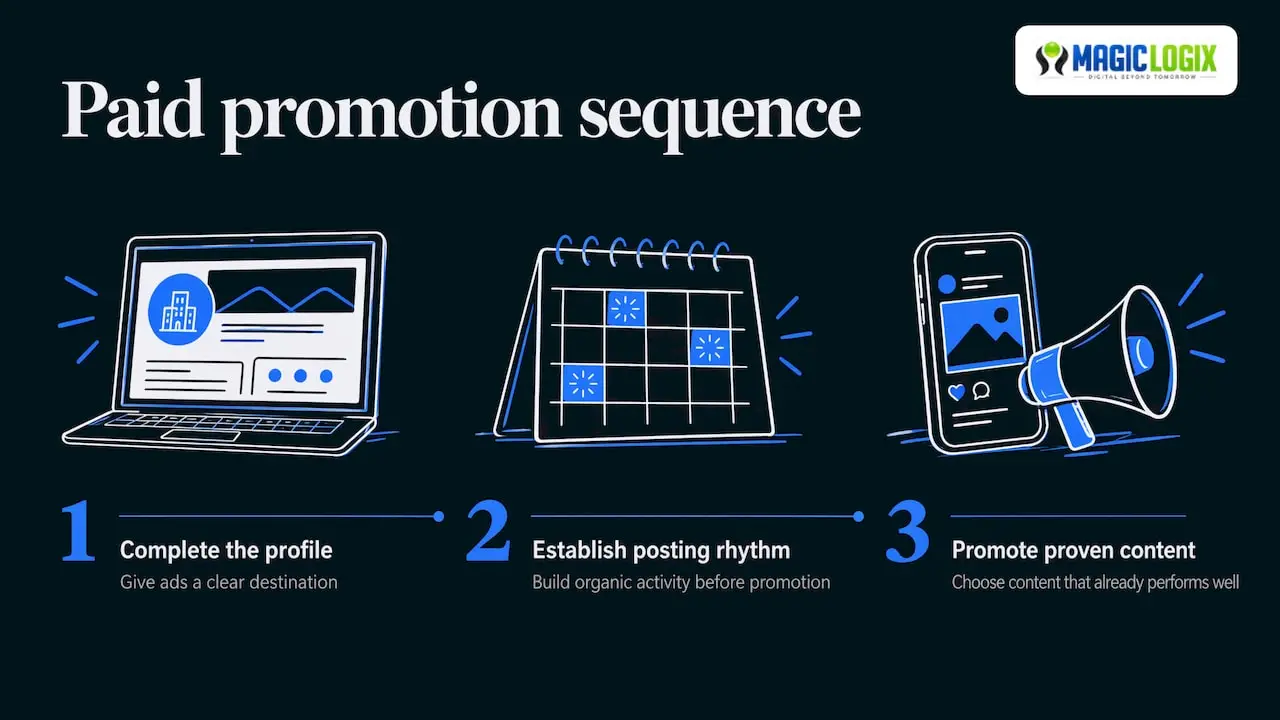
Organic optimization gives paid campaigns something to point at. When a buyer clicks an ad and lands on a page with a clear description, recent posts and real people behind it, the ad has an easier job. A sensible order is to complete the profile and establish a posting rhythm first, then promote the content that already performs well.
Measure paid work on its own terms: cost per lead, conversion rate, and how many of those leads become real sales conversations. For examples of how B2B campaigns on the platform are structured, see our overview of LinkedIn ad examples for B2B growth. Platform formats and pricing change, so check LinkedIn’s own advertising documentation for current specifications before you plan a budget.
A 30-day plan to get started
| Week | Focus | Output |
|---|---|---|
| 1 | Profile | Logo, cover, tagline, About section, hashtags, locations, button, second admin |
| 2 | Content | Six posts drafted using the 4-1-1 mix and scheduled |
| 3 | People | Pilot group of employees invited, first weekly share note sent |
| 4 | Measure | First analytics review, one change chosen for next month |
Where Magic Logix fits
If your team has the profile in place but not the time to run the content, search and conversion work around it, we can help. Magic Logix offers social media strategy and marketing, SEO and AI search visibility services for small businesses, mid-market companies and enterprise brands. You can start a conversation about your goals through magiclogix.com.
Our perspective
We treat a LinkedIn company page as a piece of your search presence, not only a social profile. The same clarity that helps a buyer understand your page also helps search engines and AI answer tools understand who you are and what you do.
That is why we ask clients to line up the page with the rest of their digital presence: the same service names, the same descriptions, the same proof points as the website. When these match, every channel reinforces the others.
We also believe in realistic expectations. No one can promise a specific ranking or an AI citation, and platform behavior keeps changing. What you can control is the quality and consistency of what you publish, the people who share it, and how carefully you review the numbers.
Hassan Bawab
FAQ
What is the 4-1-1 rule on LinkedIn?
It is a content mix that keeps you from over-promoting. In one common version, you share four educational or industry posts, one soft promotion and one direct promotion for every six posts. The idea is that your audience gets value before you make an ask.
How often should a company post on LinkedIn?
Start with at least one post per week, then build toward two to five once you have a reliable process. A published analysis from Buffer recommends that range. Regular, useful posts matter more than a high count.
How long does it take to optimize a company page?
The profile itself can be completed in a few hours: images, tagline, About section, hashtags, locations and button. The ongoing work is content, engagement and the monthly review. Most teams see the page start to feel active within the first month of steady posting.
Do employees need to share company posts?
No, and participation should be voluntary. A small pilot group that shares in its own words usually produces more natural results than a company-wide request. Use clear disclosure tags where appropriate.
Sources
- 10 Best Practices for Creating (and Growing) LinkedIn Company Pages, HubSpot
- Marketing on LinkedIn: What you need to know, Martech
- How To Create and Use a LinkedIn Company Page, Shopify
- How to Optimize Your LinkedIn Business Page, Later
- How Often to Post on Social Media, Buffer
- LinkedIn Employee Advocacy: The B2B Playbook, Taplio
- Employee advocacy in 2026, Hootsuite
- 4 LinkedIn Company Page Features to Start Using Now, Social Media Examiner
- LinkedIn Company Page Optimization, Autoposting.ai
- How to use your LinkedIn company page effectively, IONOS