
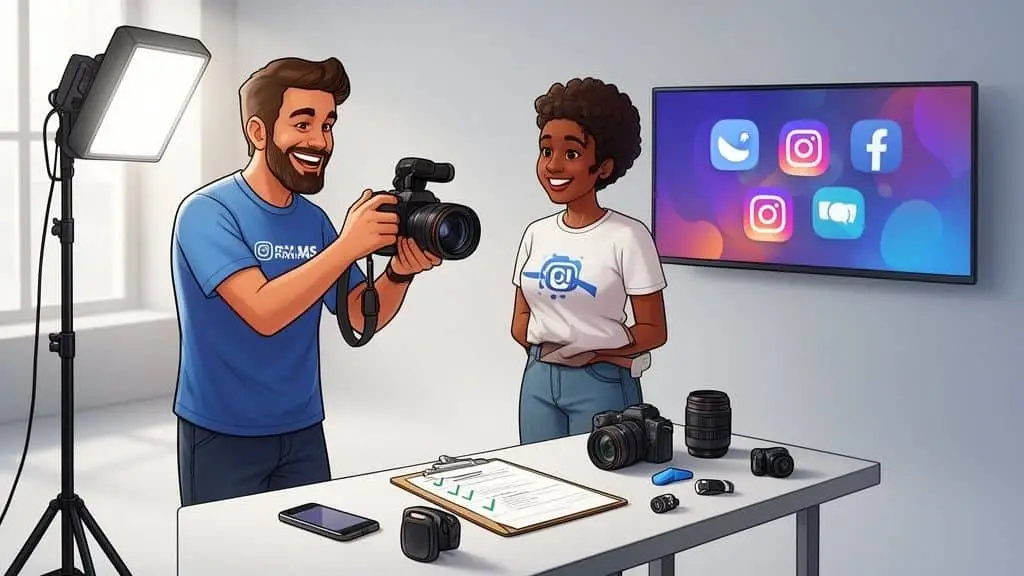
Let's be honest—the era of sterile, overly polished brand photos is over. A modern social media photoshoot isn't about perfection; it's about capturing genuine, story-driven moments that feel real. For today’s audiences, especially Gen Z, that authenticity is everything. This isn't just a creative choice, it's a core business strategy that directly impacts your brand's community and bottom line.
Why Your Photoshoot Strategy Needs a Human-First Approach
The move away from staged perfection isn't some fleeting trend; it's a fundamental change in how brands build trust. Your audience is smarter and more discerning than they've ever been. They can spot a disingenuous, overly corporate photo from a mile away, and it instantly puts up a wall between them and your brand.
A human-first approach simply means prioritizing connection over corporate gloss. It’s about capturing the real people, the messy processes, and the unfiltered emotions behind your business. Think less "perfectly placed product" and more "behind-the-scenes chaos" or "a team member laughing during a break." These are the moments that make your brand relatable.
The Power of Authenticity in 2026
The demand for genuine content has truly hit a critical point. By 2026, social media photoshoot trends have pivoted hard towards authenticity, leaving heavily retouched images in the dust. With Generation Z now making up over 40% of social media users, their preference for realness is reshaping brand strategies across the board.
The numbers back this up. A staggering 73% of consumers are willing to switch brands if they sense inauthenticity. We've also seen that candid, unposed shots can outperform polished photos by up to 3x in engagement on platforms like Instagram. You can dig into more of these social media statistics over on SproutSocial.com.
This requires a whole new mindset. It's not just about what you capture, but how you capture it. The goal is to create visuals that feel like a conversation, not a sales pitch. This approach taps into deep-seated psychological principles about trust and connection. For a deeper look at this, you might find our guide on applying psychology in design interesting.
The most successful brands get it: your social media feed should look less like a catalog and more like a camera roll filled with genuine memories and experiences. This is what builds a loyal community.
Shifting from Posed to Purposeful
So, what does this human-first approach actually look like when you're planning a social media photoshoot? It means evolving from the old, stiff way of doing things to a new, more effective model built for today's platforms.
The shift is pretty stark when you compare the traditional photoshoot to a modern, social-first one.
Photoshoot Focus Shift Old vs New
This table really highlights the key differences in strategy and execution.
| Element | Traditional Approach (Pre-2020s) | Modern Social Media Approach (2026) |
|---|---|---|
| Primary Goal | Showcase a perfect product or service. | Tell a relatable brand story. |
| Talent | Professional models, often aspirational. | Real employees, customers, or diverse models. |
| Environment | Controlled studio or pristine location. | Authentic "in-the-wild" settings; office, workshop, home. |
| Posing | Stiff, directed, and camera-aware. | Candid, interactive, and spontaneous moments. |
| Editing Style | Heavy retouching, flawless finish. | Natural color grading, minimal skin smoothing. |
| Output Focus | A few "hero" shots for campaigns. | A large library of versatile assets for daily content. |
Adopting this modern approach ensures your visual content doesn't just get seen—it gets felt. It makes your brand more approachable, trustworthy, and ultimately, far more memorable in a crowded social media feed.
Building Your Pre-Production Blueprint
A great social media photoshoot is made—or broken—long before anyone even picks up a camera. This pre-production phase is your playbook. It's where all the strategy, creative ideas, and logistics come together into a plan that leaves nothing to chance. Trust me, winging it isn't an option; meticulous planning is what separates a folder full of unusable images from a true content goldmine.
The entire process really boils down to one simple question: What’s the goal? Your answer will shape every single decision that follows. For example, driving e-commerce sales with slick product shots for Instagram Shopping demands a completely different game plan than building brand authority on LinkedIn with professional team photos.
Defining Your Platform-Specific Goals
Stop treating all your social platforms like they're the same. Each one has its own unique audience, culture, and purpose, and your visual strategy has to reflect that. A solid content strategy for social media is the absolute backbone of a successful shoot, making sure every photo you take serves a real business objective.
Before you even think about lighting or lenses, get crystal clear on what you want to achieve on each platform:
- Instagram: Are you trying to build brand awareness with eye-catching Reels? Or maybe drive consideration with content that has that authentic, user-generated feel for your Stories? A key goal could simply be to create a library of lifestyle images that show your product in real-life, everyday situations.
- LinkedIn: The focus here is almost always on professionalism and expertise. Your goals might be to showcase the company culture to attract top talent, share behind-the-scenes shots of your team collaborating, or produce polished headshots for the entire staff.
- TikTok: This platform is all about authenticity and jumping on trends. The goal isn't perfection; it's creating content that feels native to the For You Page. Think less polished, more relatable, and often built around humor or quick, educational "how-to" videos.
- Pinterest: This is a visual search engine, plain and simple. Your goal should be to create aspirational, high-quality images that inspire users and, most importantly, drive traffic back to your website—whether it's through DIY tutorials or beautifully styled product flat lays.
Once you have these goals locked in, you can finally start turning them into a concrete plan.
From Goals to a Creative Brief
Your creative brief is the single source of truth for the entire photoshoot. This is the document that gets your whole team—from the photographer and stylists to the models—on the exact same page about the vision, goals, and absolute non-negotiables. It’s what ensures everyone is working toward the same outcome.
A strong creative brief for a social media shoot needs to nail these key points:
- The "Why": Start with the primary goals and the core message you’re trying to send.
- Target Audience: Who are you actually talking to? Go beyond basic demographics and include psychographic details about their interests and values.
- Mood Board: This is critical. A visual collage of images, colors, and textures is the best way to communicate the specific look and feel you're after.
- Platform-Specifics: Make a note of any unique formatting needs. You’ll need vertical shots for Reels and Stories, square crops for the grid, and so on.
- Dos and Don'ts: Be explicit. It’s not enough to say "be authentic." Give clear examples, like "Do: Capture genuine laughter and candid moments" versus "Don't: Use stiff, corporate-style poses."
This brief helps everyone understand not just what to shoot, but why they're shooting it, which always leads to more thoughtful and effective content.
Think of your creative brief as the architectural blueprint for your photoshoot. Without it, you’re just building a house without a plan—it’s messy, inefficient, and unlikely to stand up to scrutiny.
The modern social media landscape demands a clear shift in how we approach visual content. We're moving away from the stiffly posed and toward the authentic, unfiltered moments that truly connect with people.

This pivot from the traditional, rigid photoshoot style to a more fluid, genuine approach is what really resonates with today's audiences.
Creating a Detailed Shot List
If the creative brief is the vibe, the shot list is the action. This is your granular, scene-by-scene checklist that you’ll live by on shoot day. I can't tell you how many times a detailed shot list has saved me from that sinking feeling at the end of the day when you realize you forgot a critical image.
I like to categorize my shot list to make sure we're getting a good mix of content:
- Lifestyle Shots: These show your product or service being used in a natural, real-world context. If you're a coffee brand, this might be someone enjoying a cup on a quiet patio.
- Product-in-Use: These are tighter, more focused shots that highlight the product's function. Think close-ups of someone typing on your new keyboard or applying your brand's skincare product.
- Team & Culture: Capture your employees in their element. These shots are priceless for employer branding and putting a human face on your company.
- Negative Space Shots: Be intentional about composing some images with blank areas—like a clean wall or an open sky. These are perfect for overlaying text for ads, announcements, or quotes later on.
For every single item on your list, make sure to specify the talent, location, props, and the primary emotion you want to evoke. This level of detail eliminates guesswork and keeps everyone on track when you're on set.
Scouting Locations and Casting Talent
The final pieces of your pre-production puzzle are the "where" and the "who." The location you choose should feel like a natural extension of your brand. An eco-friendly company might shoot in a lush, outdoor setting, while a sleek tech startup would be right at home in a minimalist, modern office. If you have the budget, renting an Airbnb for a day can be a fantastic way to get a variety of backdrops in one controlled setting.
When it comes to talent, let your goals guide you. Professional models are perfect for highly specific, aspirational campaigns. But don't overlook the power of using your own employees or even real customers. This can add a layer of authenticity that models often can't replicate, which is ideal for building trust and showing off your company culture. This all comes back to your brand's story and its positioning. You can learn more about the importance of the definition of brand positioning to see how every one of these small choices works to reinforce your brand's identity.
Directing Authentic Moments On Set

This is where all that meticulous pre-production work finally comes to life. A successful social media photoshoot isn't about capturing stiff, perfect poses. It's about directing scenarios that tell a story and capture real, genuine emotion. Your job on set isn't to be a dictator; it's to be a facilitator, guiding everyone to create moments that feel authentic and connect with your audience.
The atmosphere you cultivate on set is everything. I’ve been on enough shoots to know that a tense, quiet set always results in awkward, unnatural photos. The key is to make people forget there’s a camera. I’ve found that putting on some music, keeping the conversation flowing, and treating everyone as a creative partner—from the models to the photographer—is how you unlock those truly authentic interactions.
From Poses to Prompts
The best way to avoid the dreaded "what do I do with my hands?" moment is to stop giving poses and start giving prompts. Instead of telling someone to "look happy," give them an action that will naturally make them feel that way. This simple shift from static positions to dynamic scenarios is what creates compelling, story-rich images.
Here are a few prompts I turn to again and again to get things moving:
- For a solo product shot: "Walk over to the window and take a slow sip of your coffee. Just gaze outside for a moment as you think about the day ahead."
- For a team collaboration scene: "Okay, you two explain this concept on the whiteboard to the third person. And you, ask at least one question to make sure you get it."
- For a lifestyle shot: "Unbox this like you've been waiting for it to arrive all week. Show me that genuine excitement and surprise when you see it for the first time."
These little scenarios give your talent a purpose and a small narrative to work with. The result is body language and expressions that are far more believable than anything you could stage.
The most powerful images from a social media photoshoot aren't the ones where everyone is smiling at the camera. They’re the in-between moments—the shared laugh, the thoughtful glance, the hands-on interaction—that tell the real story of your brand.
This focus on narrative isn't just a nice-to-have; it's quickly becoming the new industry standard. Narrative-driven photoshoots are shaping up to be a powerhouse for 2026, with human-generated content being the top priority for the world's 5.66 billion social media users. Industry analysis shows that story-driven, documentary-style work is on a rapid rise, reflecting a huge consumer appetite for realness over curated perfection. You can read more on these trends in this insightful report on PetaPixel.com.
Building a Story Arc
Don't just think in single images—think in sequences. A great social media photoshoot gives you the raw material to build a complete story arc that can play out across multiple posts, carousels, or a series of Stories. You're essentially creating a visual library that tells a whole story about your brand.
Think about how a few photos can work together to create a narrative:
- The Problem: Start with an image that shows a common pain point. Maybe it’s someone looking stressed while trying to work from a messy kitchen table.
- The Introduction: Now, show your product arriving or being unboxed. The talent’s expression shifts to curiosity or relief.
- The Solution: This is where you capture multiple shots of the product in action, clearly solving that initial problem. The person is now focused and productive at a clean, organized workspace.
- The Result: End with a photo that embodies the positive outcome. The person looks relaxed, accomplished, and happy.
By planning your shots around a simple arc like this, you reframe your brand from just a product seller into a relatable solution provider. This strategic storytelling makes your content far more memorable and shareable, creating a much stronger connection with your audience. It’s what turns a simple photoshoot into a powerful, brand-building engine.
Mastering Your Technical Setup for a Natural Look
Don't ever let the word "authentic" become an excuse for "amateur." When we're shooting for social media, the goal isn't to look sloppy; it's to create professional-grade images that still feel genuine and relatable.
To get there, you need to nail a few technical fundamentals. This isn't about abandoning skill for a "natural" look. In fact, the very best "in-the-moment" shots are almost always the result of incredibly intentional decisions about light, composition, and gear.
Demystifying Natural and Artificial Lighting
Let's be clear: light is everything in photography. It single-handedly dictates the mood, defines your subject, and can elevate a photo from mediocre to magnificent. For the kind of authentic feel we're after, natural light is almost always your most valuable player.
Positioning your subject near a large window on an overcast day is a classic trick for a reason—it produces soft, diffused light that is incredibly flattering for both people and products. Then you have the "golden hours," that magical window right after sunrise and just before sunset. The warm, gentle light gives everything a beautiful, aspirational glow.
But you can't always schedule your shoots around perfect weather. That's where a little artificial light comes in, and I'm not talking about your camera's harsh built-in flash. Please, avoid that at all costs. Instead, a few simple pieces of equipment can give you the control you need.
- Ring Lights: These are fantastic for getting even, flattering light for close-ups, makeup tutorials, or any video where someone is speaking directly to the camera.
- Softboxes: My personal favorite for faking a natural look. A softbox creates a soft, directional light that mimics a window, giving you far more control over shaping your subject with shadows and highlights.
- Reflectors: This is the most budget-friendly tool you can own. A simple reflector bounces existing light—whether from the sun or a lamp—back onto your subject to fill in distracting shadows. A 5-in-1 is the most versatile option to start with.
The real skill is using artificial light to enhance the scene, not dominate it. You’re aiming to gently fill in shadows and add dimension, not blast your subject with a sterile, flat light. The way you apply light is also deeply connected to how your audience perceives your brand. You can dive deeper into our article on color psychology in social media marketing to see just how much light and color can influence emotion.
Composing for the Social Feed
How you frame your image is just as crucial as what you're shooting. In a fast-scrolling social feed, strong composition is what grabs the viewer's eye and makes them stop. You don't need an art degree; you just need to know a few core principles.
The most compelling social media images aren't just snapshots; they are carefully constructed scenes. Composition is your tool for turning a simple photo into a scroll-stopping moment.
If you can master these few rules, your photos will improve almost instantly:
- Rule of Thirds: Picture your screen divided by a 3×3 grid. Instead of dead-centering your subject, place it along one of the lines or at an intersection. This simple shift creates a much more balanced and visually engaging photo.
- Leading Lines: Use elements already in the environment—like a path, a fence, a coastline, or even the edge of a table—to create lines that draw the viewer's eye directly to your subject. It adds depth and a clear focal point.
- Negative Space: Don't be afraid of empty space! Intentionally leaving clean, uncluttered areas in your photo gives your subject room to breathe and makes the whole image feel more high-end. It's also a lifesaver when you need to add text overlays for ads or announcements.
Scalable Gear for Any Budget
Let me be direct: a great photo has more to do with the photographer's eye than the price tag on their camera. While professional gear certainly offers more flexibility and control, you can absolutely capture incredible content with the device you probably have in your pocket right now.
Gear Options by Budget
| Budget Tier | Camera | Lighting | Audio (for video) |
|---|---|---|---|
| Starter | Modern Smartphone (e.g., iPhone, Pixel) | Natural light + a 5-in-1 reflector | Lavalier mic for smartphones |
| Mid-Range | Entry-level Mirrorless or DSLR camera | A basic two-point LED light kit or a large ring light | On-camera shotgun mic |
| Pro-Level | Full-frame Mirrorless camera with prime lenses | Multiple softboxes, C-stands, and modifiers | Professional boom mic and wireless lavaliers |
The takeaway here is simple: don't let your gear (or lack thereof) be an excuse. Start with what you've got, master the principles of light and composition, and you'll be on your way to creating stunning visuals that genuinely connect with your audience.
Turning Photoshoot Assets Into a Content Goldmine

The cameras are packed away and the set is clean, but the work on your social media photoshoot is far from over. In fact, the most critical part is just getting started. Capturing the images is only half the job; the real return on investment comes from transforming those raw files into a flexible library of content that fuels your marketing for months to come.
This is where you move from on-set execution to post-production strategy. The first task is culling—the essential process of picking your winning shots. It’s not uncommon to walk away from a shoot with over a thousand photos, and you have to be ruthless. Don’t get attached to an image that’s slightly out of focus or has a less-than-perfect expression. Your only guide should be the goals and mood you established in your creative brief.
With your selections made, the focus shifts to creating a consistent visual identity. This isn't about aggressive retouching that strips away authenticity. It’s about applying a cohesive color grade and style that strengthens your brand. Whether you’re using presets in Adobe Lightroom or filters in an app, the goal is a unified look that makes your feed instantly recognizable.
Streamlining Your Editing Workflow
A smart editing process can save you dozens of hours and prevent creative fatigue. After you've culled your images, the first pass should be about making broad, general adjustments. Resist the urge to dive in and perfect every single photo right away.
Start by sorting your chosen images into categories that match your shot list—lifestyle, product-focused, team culture, etc. This organizational step helps you see what assets you have and begin mapping out how they'll be used. Once organized, you can apply a consistent base edit to the entire batch.
This first round of edits should focus on:
- Color Correction: Getting the white balance and tones accurate and consistent across the board.
- Exposure Adjustments: Bringing all photos to a similar level of brightness.
- Applying a Preset: Using a brand-specific preset as a unified starting point for your color grading.
The biggest time-saver in post-production is batch editing. Apply your main adjustments to one photo, then sync those settings across all similar images from that scene. This builds consistency in minutes, not hours.
Once the base edits are done, you can circle back to your absolute favorite "hero" shots for more detailed work. This is your chance to remove a small distraction in the background, subtly brighten a subject's eyes, or clean up a minor blemish. The key is to enhance the photo, not fundamentally change it.
The Art of Content Repurposing
The real magic of a well-executed photoshoot is in the repurposing. A single, high-quality photograph is not just one post; it's a goldmine of potential assets. With a bit of creativity, you can multiply the value of every single image you captured.
Think about one great horizontal lifestyle shot—maybe a team member laughing while working at a sunlit desk. That single image can become an entire week's worth of content across several platforms.
Here’s one way to break it down:
- The Full-Width Banner: Use the original landscape photo as a banner for your website, Facebook page, or LinkedIn profile.
- The Instagram Post: Crop it to a 4:5 vertical or a 1:1 square for a classic post on your Instagram feed.
- The Carousel Slide: Zoom in on a specific detail, like the hands on the keyboard or the branded mug on the desk, and use it as a slide in a carousel.
- The Reel Cover: Create a tight vertical crop of the person's smiling face to serve as an engaging cover photo for a Reel.
- The Story Background: Use a full vertical slice of the image as a backdrop for a poll, Q&A sticker, or text announcement on Instagram Stories.
This strategy ensures you get the most out of your investment. Instead of constantly scrambling for new content, you're building a deep library that can be remixed and reused. To keep this steady flow of assets organized, see our guide on how to create a content calendar.
Adding Dynamic Elements to Still Photos
Don't stop at just cropping your images. You can bring still photos to life by adding simple dynamic elements, which is a great way to grab attention in a crowded feed without the cost of a full video production.
Consider layering these simple effects onto your best shots:
- Text Overlays: Use a photo with plenty of negative space to add an inspiring quote, a customer review, or a key announcement.
- Simple Animations: Tools like Canva or CapCut allow you to make elements in your photo move. You can have text fade in, an icon slide across the frame, or apply a subtle zoom effect to the image itself.
- Audio Layers: Turn a great photo into a short 10-second video simply by adding a trending audio clip. This makes it instantly ready to share as an Instagram Reel or TikTok.
By thinking beyond the static image, you can unlock a nearly infinite supply of content from just one photoshoot, guaranteeing a consistent and high-impact presence online.
Common Questions About Social Media Photoshoots
Even with a perfectly crafted plan, a few lingering questions always pop up before a big social media photoshoot. It's totally normal. Getting these sorted out is the final step to making sure your investment really delivers.
Let's walk through some of the most common questions I hear from brands when they're getting ready to shoot.
How Much Should I Budget for a Photoshoot?
This is always the first question, and the honest answer is: it depends. The cost can swing wildly.
You could pull off a scrappy DIY shoot with a good smartphone, some natural light, and a few props for next to nothing. On the other end of the spectrum, a full-scale production with pro models, stylists, and multiple locations can easily run you over $10,000.
For most small to mid-sized businesses, a realistic starting budget falls somewhere between $1,500 and $5,000. This generally gets you a single-day shoot with a professional photographer, leaving you with a solid library of images to fuel your content calendar for months.
Should I Use Professional Models or Real Employees?
Another classic dilemma. The right choice comes down to what you’re trying to achieve with the campaign. Each approach has its own strengths.
- Real Employees: If you want to build authenticity and give a peek behind the curtain, using your own team is fantastic. It's gold for showing off company culture, creating employer branding content for LinkedIn, and simply putting a human face to your business.
- Professional Models: When you need a very specific aesthetic, have a more aspirational concept, or require technical poses, models are the way to go. They're experts at conveying emotion and embodying a customer persona on cue.
Think about the story you're telling. Is it a story about your team and your culture, or is it about the ideal experience your customer will have?
Your talent—whether they're employees or models—are the human element of your brand's story. Choose the people who can tell that story most authentically and effectively for your specific audience.
How Do I Measure Photoshoot ROI?
Proving the return on investment (ROI) from your photoshoot is crucial. It’s how you justify the spend and get smarter with your next one. The trick is to tie your results directly back to the goals you set from the very beginning.
First, you need a "before" picture. Establish a baseline for your key metrics before the new photos go live. Once you start rolling out the new content, track the "after."
Look for changes in these areas:
- Engagement Rates: Are you seeing a lift in likes, comments, shares, and saves on the new posts?
- Follower Growth: Is your new, polished (or more authentic) look bringing new people into your community?
- Website Clicks: Are more people clicking the link in your bio or swiping up on stories?
- Conversions: This is the big one. Use your analytics to see if you can attribute more leads, sign-ups, or sales to the campaigns featuring your new images.
By comparing your before-and-after data, you’ll see the real-world impact your social media photoshoot had on your bottom line. You can amplify that impact even further by pairing your new visuals with proven tactics for event marketing on social media for product launches or special campaigns.
Ready to transform your brand's visual identity with a strategy-driven photoshoot? At Magic Logix, we blend creativity with data to produce stunning visuals that don't just look great—they perform. Visit us at https://www.magiclogix.com to see how we can build a photoshoot that drives real business growth.