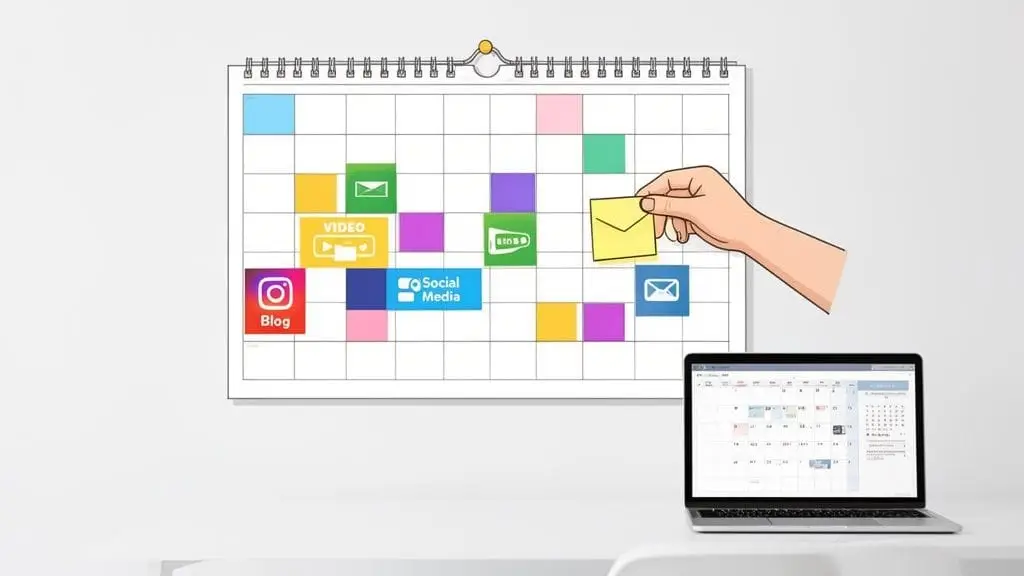
Before you can even think about what to post next Tuesday, you have to lay the proper groundwork. A great content calendar isn't just a schedule; it's a strategic weapon. It’s the difference between randomly throwing content at the wall to see what sticks and building a predictable engine for growth.
Building Your Content Calendar Foundation

Jumping straight into filling out a calendar template is a recipe for wasted effort. You’ll end up with a list of tasks, not a strategy. The initial phase is all about making informed decisions based on data, not just guessing what your audience wants.
This is how you turn content from a cost center into a reliable asset. But before we get into the nitty-gritty, it's worth taking a moment to fully grasp what a content calendar is and the strategic role it plays.
Audit Your Past Performance
Your first move is to look backward. A content audit is a systematic review of everything you've already published—your blog posts, social media updates, videos, you name it. The goal here isn't just to find your "greatest hits," but to spot the underlying patterns of success.
Dive into your analytics and look for a few key things:
- High Engagement: Which posts or videos consistently get people talking? Look for comments, shares, and saves, not just likes.
- Top Traffic Drivers: What content actually brings people to your website from search or social?
- Conversion Champions: Which pieces are doing the heavy lifting by generating newsletter sign-ups, demo requests, or sales?
This process almost always uncovers some surprising insights. You might learn that your quick, unpolished videos on LinkedIn generate more leads than your highly produced YouTube series. These are the clues that tell you what to do more of. In fact, we've seen brands boost their campaign ROI by 15-25% just from auditing their content and reallocating resources to what works.
Set Clear and Measurable Goals
Once you have that performance data, it’s time to decide what you actually want to accomplish. A content calendar without clear goals is just a pretty spreadsheet of chores.
To give your content real purpose, I always recommend using the SMART framework. Your goals need to be Specific, Measurable, Achievable, Relevant, and Time-bound. Vague goals like "get more engagement" are useless.
Get specific. A powerful goal sounds more like this:
"Increase organic traffic to our blog by 20% over the next quarter by publishing two SEO-optimized articles per week and updating four high-potential old posts."
See the difference? This goal connects directly to a business outcome (more traffic) and tells you exactly what kind of content you need to schedule. It's a clear benchmark for success, and this kind of goal-setting is a core part of any effective social media marketing strategy for small business and enterprise alike.
Balance Value and Promotion with the 80/20 Rule
Finally, let's talk about the mix of content you'll be creating. One of the fastest ways to lose an audience is to constantly sell to them. No one wants to follow a 24/7 commercial. That's where the 80/20 rule comes in. It’s a simple but powerful concept.
- 80% of your content should exist to provide pure value. This means it’s educational, entertaining, or inspiring. It’s the content that solves your audience's problems and builds genuine trust.
- 20% of your content can be promotional. This is where you can comfortably talk about your products, share a customer win, or announce a sale.
Following this rule ensures you’re giving far more than you’re asking. You’re building a community that will actually listen when you do have something to sell. Your finished content calendar should reflect this balance visually, making it easy to see if you're leaning too heavily on self-promotion.
To help you put this all together, here’s a quick checklist that summarizes these foundational steps and connects them to business outcomes.
Content Calendar Foundation Checklist
| Action Item | What It Accomplishes | Example KPI to Track |
|---|---|---|
| Conduct a Content Audit | Identifies top-performing topics and formats based on historical data. | Engagement Rate, Website Referrals, Conversion Rate per piece. |
| Set SMART Goals | Connects content activities directly to specific business objectives. | Increase blog traffic by 20% in Q3. |
| Define the 80/20 Mix | Ensures content builds audience trust and avoids "sales fatigue." | Ratio of value-based posts to promotional posts (e.g., 4:1). |
Getting these three elements right is non-negotiable. They are the bedrock of a content calendar that doesn't just keep you busy, but actually moves your business forward.
Choosing Your Calendar Tools and Templates
With a solid strategy in hand, the next step is bringing it to life. This is where you choose the tools and build the template that will transform your plans into a well-oiled content machine. The right system isn’t about the most expensive software or the longest feature list; it’s about what genuinely fits your team's day-to-day workflow.
I've seen countless teams get bogged down by over-engineered setups. They pick a complex tool that creates more friction than it solves, and the calendar quickly becomes a chore nobody wants to touch. The goal is to find something that simplifies your process, not one that demands a week of training just to get started.
For many, that journey begins with a humble spreadsheet.
Simple Spreadsheets For Solo Creators and Small Teams
You absolutely do not need a pricey subscription to run an effective content calendar. For solo creators or small, nimble teams, a basic program like Google Sheets or Microsoft Excel is often the perfect starting point. They're free, everyone knows how to use them, and they are endlessly customizable.
This approach gives you maximum control. You can design a system tailored precisely to your needs, without being boxed in by a software’s rigid structure. Plus, the collaboration features in cloud-based spreadsheets make them surprisingly powerful for teams of two or three.
My Personal Tip: Start simple. I've seen more teams abandon complicated, expensive tools than I have seen them outgrow a well-organized spreadsheet. Master the process first, then upgrade your tools only when you hit a clear limitation.
The true magic of a spreadsheet isn't the software itself, but the template you create within it. The columns you choose will define your entire workflow and keep everyone on the same page.
Building Your Perfect Calendar Template
Whether you opt for a spreadsheet or a dedicated platform, your template needs specific fields to function as a command center. These are the non-negotiable columns I put into every content calendar I build. They're what elevate a simple list of ideas into a powerful project management tool.
At a minimum, you should include:
- Publish Date: The exact date and time your content is scheduled to go live.
- Topic/Title: The headline or a crystal-clear description of the content piece.
- Content Owner: The single person responsible for shepherding the content from creation to publication.
- Status: A dropdown menu is great here. Use options like
Idea,In Progress,In Review, andScheduledfor at-a-glance progress tracking. - Platform(s): Where the content will be published (e.g., Blog, LinkedIn, Instagram).
- Content Type: The format of the piece itself (e.g., Blog Post, Video, Carousel, Case Study).
- CTA (Call to Action): What specific action do you want the audience to take after consuming the content?
If you're looking for more ideas on how to structure your plans, exploring a comprehensive marketing campaign planning template can offer some valuable inspiration for both structure and scope.
Project Management Tools for Growing Teams
Eventually, as your team and content output expand, a spreadsheet will start showing its limitations. When you find yourself needing more robust collaboration features, task dependencies, and automated reminders, it's time to graduate to a project management platform.
Tools like Asana, Trello, and Monday.com are designed for exactly this. They offer dedicated calendar views, seamless file sharing, and deep integrations with other marketing software. These platforms are built to eliminate bottlenecks and provide clear visibility into everyone’s workload.
They excel at solving common spreadsheet headaches:
- Centralized Communication: All conversations, feedback, and approvals are attached directly to the content task, ending the hunt for stray emails or Slack messages.
- Automated Reminders: You can set up automatic notifications to ping team members when a deadline is near or a task has been assigned to them.
- Clear Task Dependencies: This ensures a designer can't even start on graphics until the copy is officially marked as approved, preventing out-of-sync work.
To get a head start, you might want to use an essential LinkedIn content calendar template as a foundation. It provides a proven format that you can easily adapt to whichever tool you choose, making sure you don't miss any critical details for that platform. The trick is to pick a tool that mirrors how your team already works to ensure everyone actually uses it.
Alright, you've got your goals and your tools lined up. Now for the fun part: turning that big-picture strategy into an actual, day-to-day plan. This is where you decide what you’re going to talk about and, just as importantly, how often you’ll say it.
We’re moving past the abstract and getting into the nitty-gritty of content creation. It's all about brainstorming your core themes, plotting them out across your calendar, and setting a publishing rhythm you can actually stick to. Quality always trumps quantity here.

Brainstorm Your Core Content Pillars
Instead of waking up every morning scrambling for ideas, the best content strategies are built on content pillars. These are three to five broad, foundational themes that your brand can speak on with real authority. Think of them as the main categories in your content library.
Your pillars should live at the intersection of two simple but critical questions:
- What are my audience’s biggest challenges, questions, and interests?
- What topics directly align with my company's expertise and the solutions we offer?
For example, a project management software company might build its content around pillars like "Team Productivity," "Project Management Methodologies," and "Leadership & Collaboration." A specialty coffee roaster, on the other hand, could focus on "Brewing Guides," "Coffee Bean Origins," and "Cafe Culture."
By establishing these core pillars, you make the brainstorming process infinitely easier. The question is no longer, "What do we post today?" but rather, "What can we create about 'Team Productivity' this week?" It gives you focus and keeps your content consistently tied to your brand.
Once your pillars are set, you can start breaking them down into more specific subtopics and, eventually, individual pieces of content. This approach guarantees you're always creating assets that reinforce your brand's expertise.
Map Your Themes and Key Dates
With your pillars in hand, it’s time to zoom out and look at the year ahead. A truly effective content calendar strategically places your themes and acknowledges important dates that matter to your business and audience.
Start by marking down all the predictable events you can plan for:
- Holidays: This includes major national holidays, but also don't forget the fun, niche "social media holidays" like #NationalCoffeeDay if they fit your brand.
- Industry Events: Note key conferences, trade shows, or annual report releases that capture your audience’s attention.
- Business Milestones: Pencil in your own product launches, company anniversaries, or big announcements.
- Seasonal Campaigns: Think about timely opportunities like "back-to-school" seasons, summer travel, or end-of-year planning.
Mapping these dates ahead of time is a game-changer. For example, planning seasonal content 2-3 months in advance can boost engagement by 25-40% during those peak times. A good rule of thumb is to have about 70% of your calendar planned, but always leave around 20% of your schedule open. This flexibility allows you to jump on emerging trends without derailing your entire plan. You can explore more ideas for your calendar by checking out the 2026 social media calendar on maybetech.com.
Find a Sustainable Publishing Cadence
One of the first questions everyone asks is, "How often should I be posting?" The most honest answer? As often as you can consistently produce high-quality content.
A frantic, unsustainable schedule that leads to burnout and mediocre posts is far more damaging than a slower, more deliberate cadence. Your ideal frequency really depends on the platform, your team's bandwidth, and what your audience has come to expect. Don't feel pressured to post daily on every single channel. It's always better to create three amazing blog posts a week than seven rushed, forgettable ones.
To give you a starting point, here are some general guidelines for different platforms. Remember to treat these as a baseline, not a strict set of rules. The best approach is always to test, monitor your data, and adjust. Many successful calendars are anchored by more substantial pieces, so exploring how to create effective long-form content is a great next step.
Platform Cadence & Content Mix Recommendations
This table outlines some typical starting points for major platforms. Use it as a guide and refine it based on what works for your specific audience.
| Platform | Recommended Weekly Cadence | High-Performing Content Types |
|---|---|---|
| Blog / Website | 1-2 times | In-depth guides, case studies, original research, pillar pages. |
| 3-5 times | Text-based insights, short videos, industry news, company updates. | |
| 4-6 times | High-quality images, Reels, Carousels, Stories with interactive polls. | |
| Email Newsletter | 1-2 times | Curated content, exclusive offers, personal stories, company news. |
Ultimately, what matters most is finding a rhythm that your team can maintain without sacrificing quality. Adjust these recommendations based on your own resources and performance analytics.
By mapping your content pillars across a calendar and setting a realistic cadence, you build a framework that makes your content purposeful and sustainable. This strategic planning eliminates the daily "what should I post?" panic and replaces it with a clear, actionable roadmap for growth.
Establishing Your Content Production Workflow
A brilliant idea on your content calendar is just the start. Without a rock-solid process to turn that spark into a published piece, even the most creative plans will gather dust. This is where you need to build the assembly line for your content, creating a smooth path from a simple brief to a polished final article.
An effective production workflow gets rid of the constant "what's next?" and "who's handling this?" questions that kill creative momentum. It turns your calendar from a static document into a dynamic project management tool, keeping everyone on the same page and accountable. Let's dig into how you can build a system that delivers quality content on schedule, every single time.
From Brief to Final Draft
Every piece of content, no matter the size, ought to begin with a content brief. This doesn't need to be some ten-page manifesto; a simple template covering the essentials is all you need. A well-crafted brief serves as the single source of truth, clearly defining the topic, who you're talking to, the main keyword, the call to action, and the core message.
From that brief, the content typically moves through a clear set of stages:
- Research and Outlining: The assigned writer or creator digs in, gathers the necessary information, and builds the skeleton of the piece.
- Drafting: This is where the core creation happens—the writing, filming, or designing.
- Editing and Review: A second pair of eyes is non-negotiable for quality control. This person checks for clarity, tone, and factual accuracy.
- Design and Visuals: Any graphics, charts, or video edits are created and woven into the content.
- Final Approval: The content owner gives the final go-ahead before it's staged for publishing.
By defining these stages, you can see exactly where any piece of content is at a glance. This helps you spot bottlenecks before they have a chance to throw your entire schedule off track.
Assigning Clear Roles and Responsibilities
One of the quickest ways to derail a workflow is with ambiguity. When team members are unsure who's responsible for what, tasks get dropped, and deadlines start slipping. Your content calendar tool should make it crystal clear who owns each step of the process.
You'll want to define specific roles, and even on a small team, people can wear multiple hats.
- Content Strategist: The person who sees the big picture, plans the editorial themes, and populates the calendar with ideas.
- Creator (Writer/Designer/Videographer): The subject matter expert tasked with producing the actual content.
- Editor: The quality control gatekeeper who refines, polishes, and fact-checks the draft.
- Publisher: The individual who handles the technical side of uploading, formatting, and scheduling the content on its designated platform.
When you assign a single owner to each task, you create undeniable accountability. There's no more finger-pointing or confusion about who needs to make the next move.
My Favorite Productivity Hack: Content Batching
If you feel like you're perpetually stuck on a content treadmill, always chasing the next deadline, you need to try content batching. Honestly, it's my favorite way to get ahead without letting quality slide. The idea is simple: you group similar tasks together and knock them out in focused, uninterrupted blocks.
So, instead of seeing one blog post through from start to finish, you break the entire process down by task type.
- Week 1: You might spend the whole week doing research and creating outlines for every blog post planned for the month.
- Week 2: This week could be dedicated entirely to writing all those first drafts.
- Week 3: Now, you shift gears and focus only on creating all the social media graphics and videos needed for the month.
This method is a total game-changer for your creative focus. It slashes the mental cost of context switching, letting you get into a deep state of flow. The result is almost always higher-quality work produced more efficiently. It’s the definition of working smarter.
This strategy is especially powerful when you're mapping out your posting frequency. You can find more data on how structured schedules help creators grow followers by 70% on automateed.com. It's proof that consistency beats sheer volume; three excellent, well-batched posts a week will always outperform seven mediocre ones rushed to meet a daily quota. This systemic approach is fundamental to creating a content calendar that truly works.
Measuring Performance and Optimizing Your Calendar
You’ve planned your content calendar and your production machine is humming along. But your job isn’t over the moment you hit “publish.” Far from it. A content calendar should be a living, breathing document, not some static artifact you file away. Its real power comes from building a feedback loop: measure what works, learn from the data, and constantly adapt your strategy.
This is exactly how you tie your content efforts back to the business goals you set from the start. It’s the difference between guessing what your audience wants and knowing for sure. Without this critical step, you’re just creating content in a vacuum, hoping something sticks.
Defining Your Key Performance Indicators
Before you can measure anything, you have to know what you’re looking for. The right Key Performance Indicators (KPIs) are completely tied to the goal of each piece of content. A blog post built for brand awareness will have totally different success metrics than a social campaign designed to drive sales.
Don’t get caught up in tracking vanity metrics like likes and follower counts by themselves. They might signal some general activity, but they rarely tell the whole story. You need to focus on the data that truly reflects your objectives.
Here’s a practical way to think about aligning KPIs with your goals:
- For Brand Awareness: Are more people seeing your content over time? Track metrics like Reach, Impressions, and your brand’s Share of Voice.
- For Audience Engagement: Is your content sparking conversations? Look at Comments, Shares, and Time on Page. You want to see if you’re actually holding their attention.
- For Lead Generation: Is your content inspiring people to act? This is where you measure things like Conversion Rate, Click-Through Rate (CTR) on your calls-to-action, and raw Form Submissions.
Of course, tracking performance relies on having a consistent process to begin with. Your entire workflow, from the initial idea to the final post, needs to be structured.

This simple breakdown—Brief, Create, Publish—is the backbone of any good content operation. Without a clear workflow like this, it’s almost impossible to produce content consistently enough to measure its impact effectively.
Conducting Regular Content Audits
With your KPIs in hand, it's time to establish a rhythm for reviewing performance. This is not a "set it and forget it" task. Regular reviews, whether you do them monthly or quarterly, are where you turn all that raw data into genuine insights.
Get your team together for these sessions and be ready to ask some tough questions:
- What were our home runs? Pinpoint the content that blew past your KPIs. Then, dig in and figure out why it worked so well.
- What content completely missed the mark? Be brutally honest about what didn’t connect. Was it the topic? The format? The channel we used?
- Are we still on track with our goals? Look at your calendar and ask if it still supports the core business objectives you started with.
This regular check-in is your chance to double down on winners and cut your losses. For instance, maybe you find that your short-form videos on LinkedIn are driving 3x more demo requests than your long-form blog posts. The next logical step is to adjust your calendar to prioritize more video content.
This data-driven feedback loop is your key to making smarter, more efficient decisions. It allows your content strategy to evolve and improve over time, ensuring you're investing your resources where they will have the most impact.
There’s a lot that goes into this, and if you want to go deeper, you can learn more about measuring digital marketing effectiveness in our comprehensive guide.
Optimizing Your Future Content
The insights you gain from your performance reviews should directly shape what your content calendar looks like next month and next quarter. This is optimization in its purest form—a continuous process of refining your approach based on what you’ve learned. It’s about taking the guesswork out of content creation.
Here are a few practical ways to put your findings into action:
- Repurpose Your Winners: Found a blog post that got a ton of traffic? Don’t just let it sit there. Turn it into an infographic, a video script, or a whole series of social media posts.
- Update and Refresh: Look for articles with high traffic but disappointingly low conversion rates. Could you give them a new lease on life with fresher data, a stronger call-to-action, or better visuals?
- A/B Test Your Ideas: Not sure which headline will grab more attention or which CTA will drive more clicks? Don't guess—test both. Use your calendar to schedule A/B tests and let the data tell you what your audience actually prefers.
By making performance measurement a core part of your routine, your content calendar transforms from a simple scheduling tool into a strategic engine for growth. It becomes a dynamic system that learns, adapts, and gets smarter with every single piece of content you publish.
Frequently Asked Questions About Content Calendars
As you start putting a content calendar into practice, a few common questions are bound to surface. We've been there. Think of this as your quick-reference guide to navigate the uncertainties that often pop up during the planning phase. Let's clear up some of the most frequent queries we hear from marketing teams.
How Far in Advance Should I Plan My Content?
This is one of the biggest questions, and the answer is all about finding a balance between having a solid structure and staying agile. There's a sweet spot that gives you a clear roadmap without boxing you in when things inevitably change.
For most marketing teams, planning one month ahead in detail, while holding a high-level quarterly outline, works exceptionally well. This approach gives you the best of both worlds. Your quarterly overview helps map out major campaigns and seasonal themes, while the detailed monthly plan gives your team concrete tasks and deadlines to execute against.
Of course, the ideal window can vary by channel:
- For fast-moving platforms like social media, a two-to-four-week detailed plan is often more than enough. This lets you stay nimble and react to trends as they happen.
- For larger content projects like blogs, podcasts, or videos, you'll want to aim for a two-to-three-month planning window. This accommodates the longer lead times needed for solid research, creation, and production.
What Is the Difference Between a Content and Editorial Calendar?
People often use these terms interchangeably, but there's a practical distinction worth making. It really helps to think of them in terms of scope.
A content calendar is your high-level, master plan. It’s the bird's-eye view of all your marketing content across every single channel—social media, email, your blog, YouTube, and so on. It’s the strategic tool for coordinating all your initiatives in one place.
An editorial calendar, on the other hand, is much more focused. It's a detailed plan, usually for a single content workflow, like your blog. This is where you'll dive deep into article topics, author assignments, draft due dates, and specific publishing schedules.
In short, your editorial calendar is an important component that fits within your broader content calendar. One is the master blueprint; the other is a detailed schematic for one part of the project.
How Can I Keep My Calendar Flexible for Trending Topics?
The best content calendars are living documents, not rigid plans set in stone. A proven tactic for building in this flexibility is to apply the 80/20 rule to your scheduling.
This means you plan and schedule about 80% of your content in advance. This is your pillar content, campaign assets, and evergreen posts that form the backbone of your strategy. The remaining 20% of your calendar slots are deliberately left open.
These "flex spots" are your secret weapon for staying relevant. They are perfect for:
- Jumping on viral trends or memes that align with your brand.
- Sharing breaking news or important industry updates.
- Amplifying positive user-generated content or customer stories.
- Reacting to a competitor's move with a timely, strategic response.
Using a digital calendar tool like Asana or Trello makes this strategy incredibly easy to manage. You can quickly drag and drop pre-scheduled posts to make room for a timely opportunity without throwing your entire plan into chaos.
What if My Team Is Not Following the Calendar?
This is a frustrating but common problem, and it's almost always a symptom of a deeper issue—usually related to the workflow or a simple lack of buy-in. If your team isn't using the calendar, it’s a clear signal that something in the process is broken.
First, you need to talk to your team. Is the process too complicated? Are the deadlines unrealistic? Is the tool itself a pain to use? Often, the fastest way to get people on board is to simplify the workflow or the tool you're asking them to use.
Second, make sure everyone understands the "why" behind the calendar. It’s not just a to-do list; it's the strategic tool you're all using to hit specific business goals. When people see how their individual tasks contribute to the bigger picture, their motivation to participate naturally increases.
Finally, introduce clear accountability. Assign a single owner to every task. When one person is explicitly responsible for a piece of content from start to finish, it’s far less likely to fall through the cracks. Combine clear ownership with automated reminders in your calendar tool, and you'll solve the vast majority of adherence issues.
At Magic Logix, we believe that a well-executed content strategy is the foundation of digital success. From planning and creation to measurement and optimization, we provide the expertise to turn your content into a predictable growth engine. Transform your marketing with us today.