Think about the last time you shared a link online. What did it look like? Was it just a plain, boring URL, or did it transform into an eye-catching preview with a title, description, and image? That transformation is the work of the Open Graph Protocol.
While it's not a direct ranking factor for Google, its effect on your visibility is huge. Mastering Open Graph Protocol SEO is the difference between your content getting ignored and becoming absolutely irresistible on social media. It's your content's first impression, and you need to make it count.
What Is the Open Graph Protocol and Why It Matters for SEO
Before 2010, sharing content on social media was a total crapshoot. You’d paste a link into Facebook, and the platform would try its best to guess what your page was about. More often than not, it would pull a random, pixelated logo, a snippet of unrelated text, or worse, no image at all. The results were messy and did nothing to encourage clicks.
Facebook introduced the Open Graph Protocol to fix this mess once and for all. It’s a simple set of meta tags that you add to the <head> section of your website’s HTML. These tags are like direct instructions, telling social networks exactly which title, description, and image to use whenever someone shares your link.
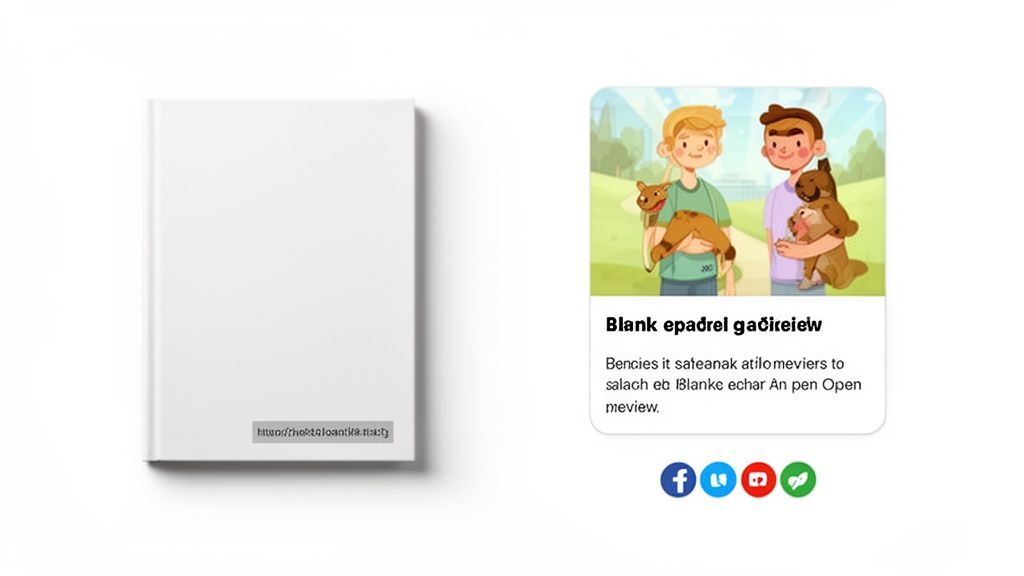
Think of it this way: without Open Graph, you're handing someone a book with a blank, gray cover. With Open Graph, you’re presenting a beautiful, full-color cover with an intriguing title and a summary that makes them want to open it immediately.
This level of control is what bridges the gap between your hard work and your social media audience, directly shaping how people perceive your brand and engage with your content.
The Connection Between Open Graph and SEO
So, if Google doesn't directly use Open Graph tags for ranking, why should an SEO care? Because their role in a smart SEO strategy is crucial. The connection is indirect, but it creates a powerful positive feedback loop that search engines definitely pay attention to.
Here’s how it all connects:
Skyrocketing Click-Through Rates (CTR): A well-crafted Open Graph preview is visually appealing and tells people exactly what to expect. This isn’t just a hunch; some studies have shown that pages with optimized OG tags can see a 12% higher CTR from social media shares.
More Social Traffic: A higher CTR naturally brings more people to your site from platforms like Facebook, X (formerly Twitter), and LinkedIn. This surge in referral traffic signals to search engines that your content is resonating with a real audience.
Better Engagement Signals: When users click on a compelling preview, they land on your page with the right expectations. This almost always leads to lower bounce rates and more time spent on the page—two key engagement metrics that Google loves to see.
Natural Backlink Magnet: Engaging, highly-shareable content gets noticed. When your content looks good and performs well on social media, it dramatically increases the chances that bloggers, journalists, and other sites will link back to it.
Essentially, the Open Graph Protocol makes your content a star player on social channels. This improved performance sends a cascade of positive signals—like more traffic, better engagement, and organic backlinks—that search engines interpret as proof of quality and authority.
Of course, Open Graph is just one piece of the puzzle. To truly get ahead, you need to combine it with proven SEO strategies to dominate search rankings.
Getting Your Hands Dirty: The Essential Open Graph Tags
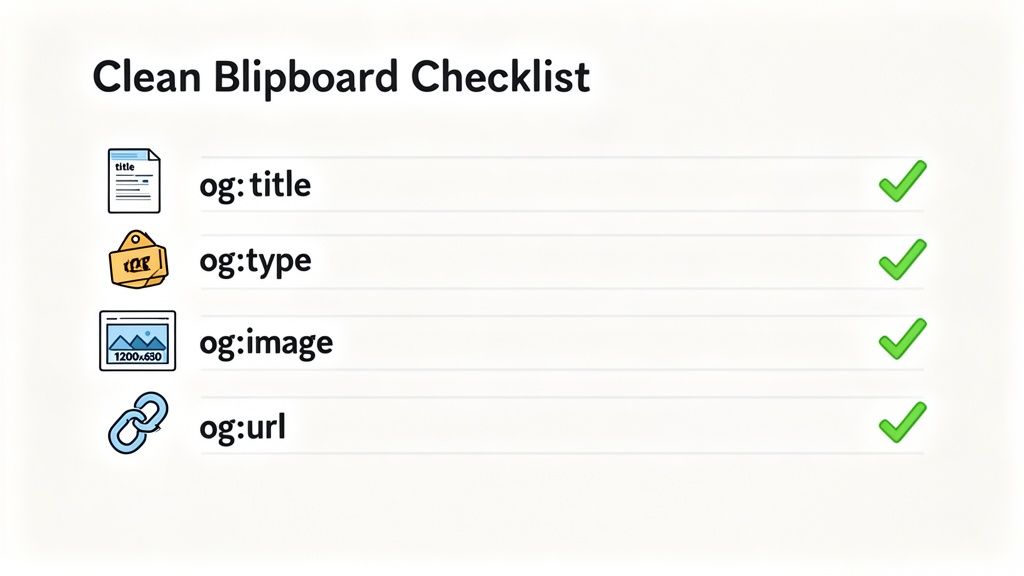
Knowing why Open Graph matters is one thing, but the real magic happens when you master the how. At its heart, the protocol is just a few lines of code—simple meta tags you add to the <head> section of your webpage. While you can get quite detailed, you only need four of them to create a solid, functional preview when your content is shared.
Think of these four tags as the absolute must-haves for your content's social media passport. Without them, you're rolling the dice, letting platforms like Facebook and LinkedIn take a wild guess at what your page is about. Let's dig into each one.
The Four Required Open Graph Tags
These are the non-negotiables. They form the bare minimum you need for a social network to pull a proper rich preview for your link. Getting these right is the cornerstone of your Open Graph Protocol SEO strategy.
og:title: This tag sets the headline for your social media preview. You could argue it’s the most important piece of the puzzle for grabbing attention in a noisy feed and earning that click.og:type: This simply tells the platform what kind of content you're sharing. Is it a blog post, a product page, or a video? Common values arearticle,product, and the more generalwebsite.og:image: This is the direct URL to the image you want featured in the preview. A powerful visual is essential, as posts with images consistently see far higher engagement.og:url: This tag should point to the one true, canonical URL for the page. It’s crucial for making sure all likes, comments, and shares on different platforms all point back to the same source, consolidating your engagement metrics.
Here’s a quick look at what this looks like in the wild. For a blog post, the HTML would contain something like this:
Just like that, with four simple lines, you’ve turned a plain URL into a structured, eye-catching object that’s ready for prime time on social media.Crucial Optional Tags for That Extra Edge
While those four tags will get you in the game, a couple of optional ones can give you a serious competitive advantage. They add a layer of polish and context that can make a real difference in your click-through rates. The most important one by far is og:description.
og:description: This tag is your short, one-to-two-sentence summary. It shows up right under your title and gives people that extra bit of information they need to decide whether to click. Think of it as your content's elevator pitch.
Another valuable tag is og:site_name. This simply displays the name of your overall website, which is a great, subtle way to build brand recognition with every single share.
Best Practices for Each Essential Tag
Just having the tags isn't enough; you need to optimize them. Following a few simple best practices ensures your previews look professional and perform well, no matter where they’re shared.
og:title Best Practices
- Keep It Punchy: Aim for under 60 characters. Anything longer risks getting awkwardly truncated, especially on mobile phones.
- Write for Social, Not Just SEO: Your page's
<title>tag is for Google. Yourog:titleis for people scrolling through their feeds. Don't be afraid to make it more of a hook or a question to spark some curiosity.
og:image Best Practices
- Get the Size Right: The gold standard is 1200 x 630 pixels. This 1.91:1 aspect ratio looks fantastic across both desktop and mobile feeds.
- Brand Your Visuals: Consider adding your logo or a simple text overlay to your
og:image. It reinforces your brand and tells people what the content is about at a single glance. - Stay Relevant: The image has to be an honest representation of the page's content. A clickbait image that doesn't deliver is a fast track to a high bounce rate.
og:description Best Practices
- Summarize, Don't Repeat: The description should add to the title, not just say the same thing in a different way. Give them a compelling reason to want more.
- Watch Your Length: A good target is around 120 characters. While some platforms might show more, this length is a safe bet to display fully everywhere.
By carefully implementing both the required tags and these key optional ones, you take full control of your content's first impression. This isn't just a technical box to check; it’s a core marketing function that has a direct line to your traffic, engagement, and brand perception.
How Open Graph Boosts Your SEO and Business Growth
Getting your content in front of a social media audience is one thing, but making it stand out is another challenge entirely. While Open Graph tags don't directly tell Google how to rank your page, think of them as an “SEO multiplier.” They supercharge how your content performs when it's shared, creating a ripple effect of positive signals that search engines definitely notice.
It's a bit like a chain reaction. A well-crafted Open Graph preview is the first domino. In a crowded social feed, its sharp title and eye-catching image grab attention and earn that first click. This initial wave of traffic from social platforms is a powerful signal to search engines that real people find your content interesting.
Driving Engagement and Reducing Bounce Rates
When someone clicks on a rich, detailed preview, they land on your site already knowing what to expect. They're not guessing. This means they are far more likely to stick around, read, and maybe even click further into your site. This simple act directly fights against a huge red flag for SEO: a high bounce rate.
A low bounce rate tells Google that visitors found what they were looking for, confirming your page’s quality and relevance. This kind of user behavior data is a huge piece of the modern SEO puzzle, as search engines increasingly reward content that genuinely satisfies a user's intent. And that journey begins with the promise your OG tags make.
An optimized social preview is the first handshake between your brand and a potential customer. It sets a positive tone for the interaction long before they even land on your website, ensuring the conversation starts on the right foot.
This bridge between the preview and the on-page experience is a fundamental part of any solid social media marketing strategy for small business and enterprise alike. It’s what turns a passive scroll into an active click.
Amplifying Social Signals for Indirect SEO Gains
The benefits don't stop at a single click. When your content looks professional and is easy to share, it organically collects more likes, comments, and re-shares. We call these social signals. While they aren't a direct ranking factor, a flood of social signals often correlates with better search performance for a few key reasons:
- More Eyeballs: Every share puts your content in front of a new audience, growing your reach exponentially.
- Natural Backlink Opportunities: The more people who see your amazing content, the greater the chance that bloggers, journalists, or other website owners will link back to it. Backlinks remain one of the most powerful ranking factors out there.
- Stronger Brand Presence: Consistent, polished-looking shares build brand recognition and trust over time, which can influence how users search for you.
So while Open Graph isn't a direct line to Google's algorithm, its powerful effect on social engagement and user behavior makes it an indispensable tool.
Future-Proofing Your Content for Answer Engine Optimization
The world of Open Graph Protocol SEO is getting bigger. It's not just about Facebook and X anymore; it’s about setting up your content for the next wave of search. AI tools like ChatGPT and Google’s AI Overviews are actively scanning for structured data to build their rich, contextual answers.
These systems, which are increasingly being called Answer Engines, use OG tags as a shortcut to understand what a URL is all about. Your og:title, og:description, and og:image give them the instant context they need to summarize your page accurately inside a generative search result. Getting your Open Graph tags right is a crucial part of Answer Engine Optimization (AEO), making sure your brand stays visible as search becomes more conversational.
Open Graph is a critical piece of the puzzle, but it’s just one part of a much larger ecosystem. To get the full picture of how to improve your online visibility and grow revenue, it pays to explore a variety of methods and Master SEO Strategies for SaaS.
Alright, you've wrapped your head around the what and why of Open Graph. Now for the fun part: putting it all into action. Getting these tags on your site is much more straightforward than you might think, and you certainly don't need to be a coding whiz to make it happen.
We'll walk through the most common ways to get this done, whether you prefer to get your hands dirty with a little code or use a simple plugin. The end game is the same: taking control of how your content looks on social media to boost your visibility.
Adding Open Graph Tags Manually
If you're running a custom-built site or just like being in direct control, adding the tags manually is your best bet. This just means you'll be editing the HTML of your pages, specifically dropping the necessary meta properties into the <head> section.
Don't let the word "HTML" scare you. It's mostly a copy-and-paste job where you customize the content for each specific page.
Here’s a basic template for a blog post. You would place this code between the <head> and </head> tags of your page's HTML:
Using SEO Plugins on WordPress
For the millions of people using a Content Management System (CMS) like WordPress, there's a much simpler route. Popular SEO plugins like Yoast SEO or Rank Math do all the heavy lifting, giving you simple fields to fill out.
If you have one of these tools installed, implementing Open Graph becomes a simple game of fill-in-the-blanks.
Steps for Yoast SEO:
- First, make sure the feature is turned on. Head to Yoast SEO > Settings and find the "Social sharing" section. Check that the Open Graph data toggle is enabled.
- Now, open the editor for any page or post.
- Scroll down to the Yoast SEO box at the bottom.
- Click on the "Social" tab.
- You’ll see fields for the Facebook image, title, and description. What you pop in here will automatically become your
og:image,og:title, andog:descriptiontags.
Steps for Rank Math:
- Navigate to the editor for the page or post you want to set up.
- Click the Rank Math SEO icon, usually in the top right.
- Select the "Social" tab (it’s the one with a small network icon).
- From there, you can easily edit the title, description, and image just for social sharing.
The real power of using these plugins is separating your on-page SEO from your social media appearance. This lets you craft a keyword-rich title for Google while writing a punchier, more click-worthy title for people scrolling through Facebook and LinkedIn.
Setting Up Open Graph on Shopify
If you're running an e-commerce store on Shopify, controlling how your products look when shared is absolutely critical for turning social chatter into sales. While Shopify automatically generates some basic Open Graph tags for you, taking the time to customize them is a must.
A powerful image is non-negotiable here, and you might find our guide to planning a social media photoshoot useful for creating visuals that stop the scroll.
Shopify pulls the og:title from your product title and the og:description from its description. The og:image is usually your main product photo. To fine-tune these, just go to Products, pick the one you want to edit, and update its title, description, and featured image. A few minutes spent writing a great description and choosing a killer image will directly translate to a more professional and enticing social media preview.
You've done the hard work of implementing your Open Graph tags, but how can you be sure they're actually working? Just hitting "publish" and hoping for the best is a recipe for disaster. You might find an old title, a missing description, or—worst of all—the wrong image popping up when someone shares your content.
This is exactly why testing and debugging are a non-negotiable part of your open graph protocol seo workflow. Think of debugging tools as a preview for the entire internet. They show you precisely what social platforms see when they crawl your URL, letting you spot and fix mistakes before your audience ever does.
Using the Official Social Media Debuggers
The most reliable way to check your tags is to go straight to the source: the official tools from the social networks themselves. These platforms cache (or save) information to make link previews load faster. Because of this, these debuggers are also the only way to force them to fetch your latest updates after you've made a change.
The undisputed industry standard is the Facebook Sharing Debugger. All you have to do is paste your URL, and it will spit back exactly what Open Graph data it found and show you a preview of the share. If you’ve just updated your tags, you’ll want to hit the “Scrape Again” button to force a refresh.
Most other major platforms have a similar utility:
- Twitter Card Validator: While it doesn't provide a visual preview anymore, this tool is essential for confirming that Twitter is correctly reading your
twitter:cardtags. - LinkedIn Post Inspector: This one works just like Facebook's tool, giving you a clear preview and flagging any errors it finds along the way.
Make it a habit to run your URL through these tools every single time you publish or update a key page. This simple check takes just a few seconds but can save you the embarrassment of a broken-looking link.
Common Open Graph Problems and How to Solve Them
Even when you're careful, things can still go wrong. Most issues are pretty common, usually boiling down to caching problems, incorrect image dimensions, or a simple typo in the code.
To help you troubleshoot, here’s a quick guide to some of the most frequent problems we see and how to fix them.
| Problem | Likely Cause | Solution |
|---|---|---|
| Old image or title appears | Social media platforms are using a cached (saved) version of your page's data. | Use the official debugger tool (like Facebook's) and click the "Scrape Again" button to force a refresh. |
| Wrong image is selected | The og:image tag is missing, the image URL is incorrect, or the image doesn't meet size requirements (e.g., too small). | Ensure the og:image tag points to a valid, high-quality image. Aim for a 1.91:1 ratio and a minimum size of 1200×630 pixels. |
| Preview shows no image/description | The og:image or og:description tags are missing from your page's <head> section, or there's a typo. | Double-check your HTML source code to confirm the tags are present, correctly formatted, and have content. |
| Card doesn't appear on Twitter | The twitter:card tag is missing or misconfigured. | Make sure you have twitter:card set to "summary" or "summary_large_image" and that other required Twitter tags are present. |
| Changes aren't updating | Caching could be happening at multiple levels: the social platform, your server, or a CDN. | First, use the social debugger to force a re-scrape. If that doesn't work, clear your website or CDN cache. |
Getting this troubleshooting process down is just as important as the initial setup.
This entire process—from writing the code to integrating it with your CMS and finally testing the output—is what separates a professional setup from an amateur one.
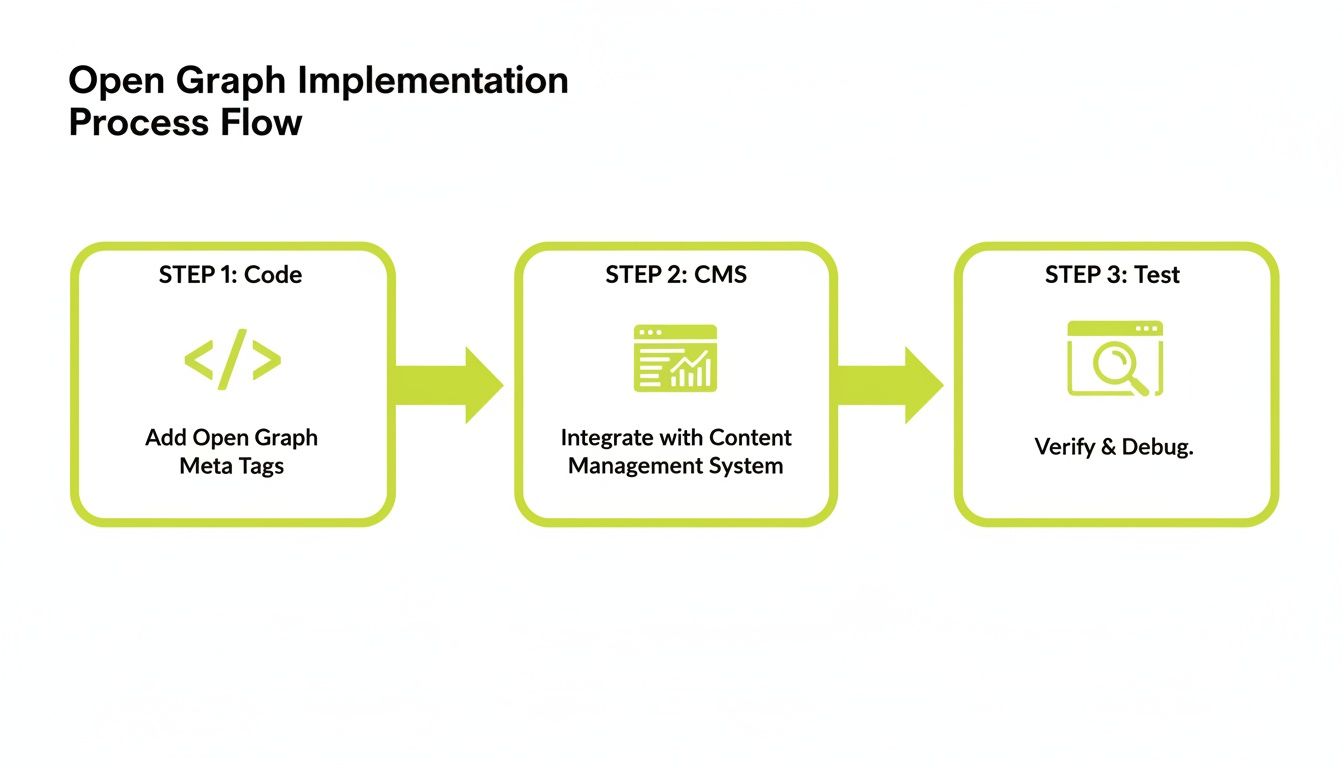
The flow is simple: add your tags, then validate them. As the visual above shows, it’s that final testing step where most preventable errors are caught. Skipping it is like proofreading a document with your eyes closed.
By making these debugging steps a core part of your publishing checklist, you can finally take full control over how your brand shows up on social media. It also helps you track the performance of your shared links more effectively—and if you're looking to measure that impact, you might be interested in our guide on how to use UTM parameters to track the traffic they generate.
Advanced Open Graph Strategies for E-commerce and Enterprises
Once you’ve nailed the basics, you can start using Open Graph to gain a real competitive edge. For large-scale sites, this is where the magic happens. It’s all about tailoring your tags to the specific type of content you’re sharing, giving social platforms a much richer story to tell.
Think about it. When you set your og:type to article, you suddenly unlock a whole new set of properties. You can add an article:author to give credit where it’s due or an article:published_time to signal how fresh your content is. These small details help build authority and trust right inside the social media feed.
Unlocking E-commerce Potential with Product Tags
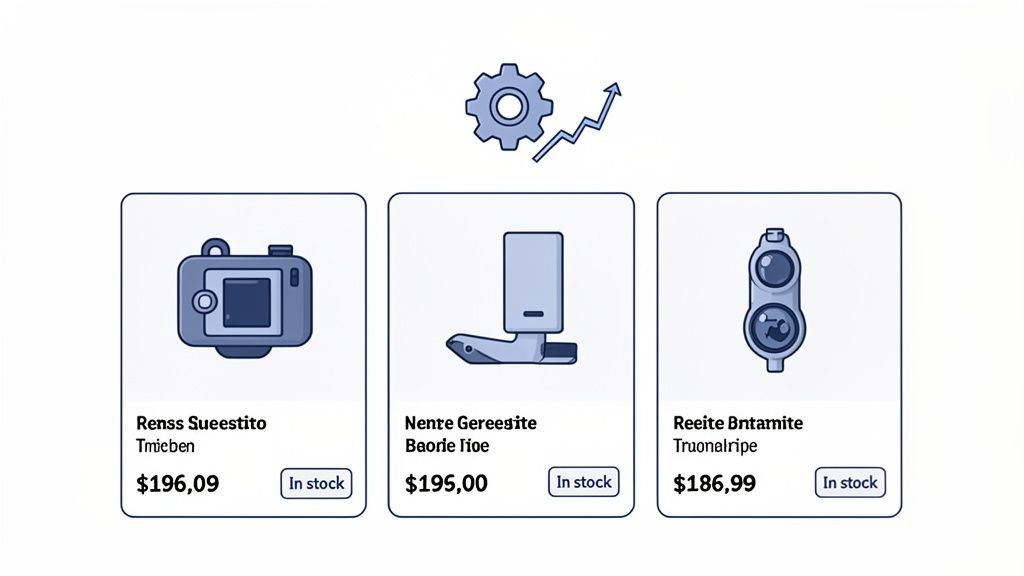
For any e-commerce business, this is where things get really exciting. By setting the og:type tag to product, you can turn a simple link preview into a dynamic mini-storefront. This is your chance to influence a buying decision before a user even thinks about clicking.
Imagine someone shares one of your products. Instead of a generic link, the preview instantly shows the most important sales information. This is all thanks to a few product-specific properties:
product:price:amount: Displays the exact price of your item.product:price:currency: Shows the currency, like "USD" or "EUR".product:availability: Tells customers right away if the product is "in stock," "out of stock," or available for "preorder."
This kind of detail shortens the customer journey in a big way. You're not just hoping for a click; you're pre-selling the product by answering the biggest questions up front. This approach gets results, too. Some online stores have seen conversion boosts of 15-25% from social referrals just by using these detailed OG product cards. You can read more on this topic with these great insights on how OG tags boost e-commerce growth on nogood.io.
For enterprises managing thousands or even millions of pages, manually setting every tag is a non-starter. The only scalable solution is dynamic tag generation. This means your CMS or backend system automatically populates specific Open Graph tags based on page templates, saving countless hours and ensuring everything is accurate.
Finally, the best strategies don't just "set it and forget it." They involve data-driven optimization. You should be running A/B tests on your og:image and og:title tags to see which combinations get the highest click-through rate. This turns your social sharing from a guessing game into a science, giving you a clear path to maximizing every share. For even more ways to improve your online store, you might also be interested in our guide on effective e-commerce marketing strategies.
Your Questions About Open Graph and SEO Answered
As you start working the Open Graph protocol into your SEO strategy, a few common questions always seem to surface. We've got you covered with quick, straightforward answers to clear up any confusion and help you move forward with confidence.
Does Open Graph Directly Improve My Google Ranking?
The short answer is no. Google doesn’t use Open Graph tags as a direct ranking signal. However, their impact on what we call indirect SEO is massive, and it’s something search engines absolutely notice.
When your OG tags are properly optimized, your content becomes far more visually appealing and clickable on social media. This drives higher click-through rates from platforms like Facebook and LinkedIn, funneling more traffic to your site. That increased engagement, along with the higher likelihood of earning natural backlinks, sends powerful positive signals to Google. So while it’s not a direct ranking factor, the Open Graph protocol SEO connection is a critical piece of any smart digital strategy.
What Is the Difference Between Open Graph and Twitter Cards?
Think of Open Graph as the universal language for sharing content on the web. It started with Facebook but is now recognized by LinkedIn, Pinterest, and many others. Twitter Cards are Twitter’s own, more specific set of tags, which use a twitter: prefix instead of og:.
The good news is that Twitter is smart enough to fall back on your Open Graph tags if it can’t find specific Twitter Card tags. For the absolute best appearance and maximum control on X (formerly Twitter), you should implement both. But if you’re short on resources, always prioritize Open Graph to get the broadest coverage.
In short: Open Graph is the general-purpose tool, while Twitter Cards are a specialized tool for one platform. Having both is best, but Open Graph alone is essential.
How Do I Fix an Old Image or Title Showing Up?
This is probably the most common—and frustrating—issue you'll run into. It’s almost always a caching problem. To make their feeds load faster, social platforms save a "preview" of your link. When you update your page, they don't automatically check for changes.
To fix it, you just need to force the platform to refresh its cache using a debugging tool. The process is simple:
- Head over to the Facebook Sharing Debugger.
- Paste in your page’s URL.
- Hit the "Scrape Again" button.
This tells Facebook (and by extension, other platforms that use its scraper) to clear out the old version and pull in your latest Open Graph tags. Your updated preview will then show up for all new shares.
Do I Need an Open Graph Image for Every Single Page?
Yes. A thousand times, yes. Every single shareable page on your site—from the homepage and blog posts to every product and service page—needs its own specific og:image tag.
If you skip this step, the social media platform will try to guess what image to use. It might grab a tiny logo from your footer, a random banner ad, or just show a blank gray box. This looks unprofessional and absolutely kills your click-through rate and brand image. Setting a unique, compelling image for every page isn’t just a best practice; it’s non-negotiable for a professional presence online.
At Magic Logix, we believe in building powerful digital experiences from the ground up. To see how we can help you integrate smart strategies like Open Graph into a complete marketing plan, visit us at https://www.magiclogix.com.