Think of your standard Google search as casting a wide, clumsy net. You’ll probably catch something, but wading through a sea of irrelevant results to find the one fish you actually want is a massive time sink. This is where Google search operators come in.
These special commands and characters are the key to turning your basic searches into a high-precision sonar system. Learning to use operators like "exact phrase", site:, and -exclude gives you surgical control, allowing you to tell Google exactly what to find and, just as importantly, what to ignore.
Why Mastering Google Search Operators Is a Superpower

For anyone who relies on web-based information—and let's be honest, that’s all of us—this isn't just a neat party trick. It's a fundamental skill. For digital marketers, SEO pros, and business researchers, these operators are absolutely indispensable. They transform vague queries into powerful data-mining tools for everything from competitive analysis to unearthing link-building opportunities and performing technical site audits.
The Impact of Precise Searching
In a world where Google handles around 9.5 million searches every minute and holds over 90.83% of the search engine market, precision is everything. Most users—three out of four, in fact—never click past the first page of results. The ability to quickly find what you need gives you a serious competitive edge.
For businesses like the ones we serve at Magic Logix in Dallas, using operators like site: or intitle: is a core part of daily strategy, essential for gaining visibility and tracking competitors. You can dig into more Google search trends at HeroicRankings.com.
By learning just a few key operators, you can instantly filter out irrelevant results, saving time and uncovering insights that your competitors might miss entirely.
To get you started right away, the table below breaks down a few of the most foundational commands.
Quick Reference Foundational Search Operators
Here’s a quick look at the operators you'll likely use most often. They are the building blocks for nearly every advanced query.
| Operator | Function | Example Query |
|---|---|---|
| " " | Forces an exact-match search for a phrase. | "digital marketing trends 2026" |
| – | Excludes a specific word from the results. | seo strategies -basics |
| site: | Restricts search to a single website. | site:yourcompetitor.com pricing |
| OR | Broadens search to include one of several terms. | "content marketing" OR "inbound marketing" |
| filetype: | Searches for a specific type of file. | market research filetype:pdf |
Mastering these five commands alone will dramatically improve the quality of your search results. As you move through this guide, you’ll see how they can be combined to create even more powerful and targeted queries.
Alright, let's get into the heart of it—your complete cheat sheet for Google search operators.
I've organized this list to take you from the absolute essentials to the more advanced commands that we pros use for deep-dive research. Each operator comes with its syntax and a real-world example for marketing or SEO, so you can see exactly how it works in practice.
Think of this as your go-to reference. Whether you’re just starting out or you’ve been doing this for years, these commands will change the way you use Google.
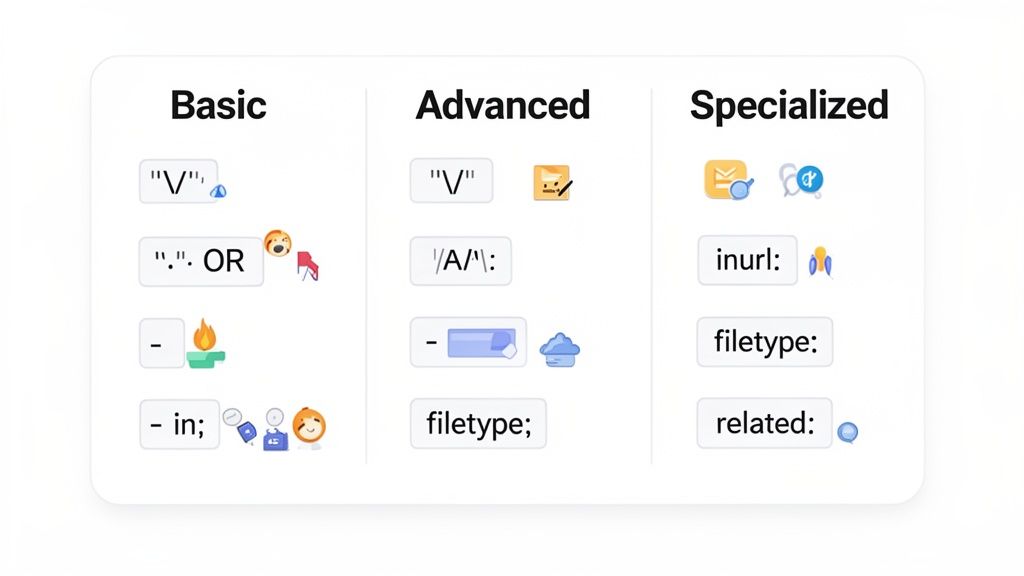
Foundational Search Operators
First things first. These are the absolute building blocks for any targeted search you'll ever run. If you can master just these five operators, you'll immediately see a massive improvement in your search results. They are the first step to truly taking control of Google.
"search term"(Quotation Marks)- Function: This forces Google to find the exact phrase you typed, in that exact order. It’s non-negotiable.
- Example: A search for
"small business marketing strategies"cuts out all the noise. You won't get pages that just mention "marketing" or "small business" alone; you get the whole phrase.
-(Hyphen/Minus Sign)- Function: This is your exclusion tool. Stick it directly in front of a word (no space!) to remove any page mentioning that term from your results. It's a lifesaver for noisy topics.
- Example:
content marketing strategies -videogives you articles and guides on content marketing but filters out all the results focused on video.
ORor|(Pipe)- Function: This broadens your search to find pages containing either one keyword or the other. It’s perfect for synonyms or related terms. Just make sure the
ORis in all caps. - Example: Searching for
"guest post" OR "write for us"is a classic SEO move to find guest blogging opportunities. It doubles your chances with a single query.
- Function: This broadens your search to find pages containing either one keyword or the other. It’s perfect for synonyms or related terms. Just make sure the
AND- Function: This operator tells Google that all the terms must be present on the page. While Google typically does this by default, using
AND(in caps) is incredibly helpful for adding structure to more complex, multi-operator queries. - Example:
SEO AND "link building"makes sure both concepts appear on the results page, even if they aren't right next to each other.
- Function: This operator tells Google that all the terms must be present on the page. While Google typically does this by default, using
()(Parentheses)- Function: Just like in math, parentheses let you group parts of your query to control the order of operations. This is absolutely critical when you start combining
ORwith other commands. - Example:
site:competitor.com (content OR inbound) -jobsis a powerful query. It searches a competitor's website for pages about "content" or "inbound" marketing but filters out all their career pages.
- Function: Just like in math, parentheses let you group parts of your query to control the order of operations. This is absolutely critical when you start combining
Advanced Search Operators For Content And Site Audits
Now we're moving beyond the basics. These advanced operators let you target specific parts of a webpage, like the title, the URL, or the text itself. For technical SEOs and competitive analysts, these are our daily workhorses.
Using advanced operators is like having a backstage pass to Google's index. You can specifically query page titles, URLs, and file types to uncover information that would otherwise remain buried in the search results.
Operators Targeting Page Elements
| Operator | Function | SEO or Marketing Example |
|---|---|---|
intitle: | Finds pages with a specific keyword in the page title. | intitle:"seo trends 2026" finds articles specifically titled about SEO trends for the year. |
allintitle: | Finds pages where all specified keywords appear in the title. | allintitle:b2b lead generation is much stricter and more targeted than using a single intitle:. |
inurl: | Finds pages with a keyword anywhere in the URL string. | inurl:resources is a fantastic way to find curated resource and link pages on any topic. |
allinurl: | Finds pages where all specified keywords appear in the URL. | allinurl:blog/seo/tips lets you target a very specific URL structure, common in competitor analysis. |
intext: | Finds pages containing a specific keyword in the body text. | intext:"powered by WordPress" is a quick way to identify sites built on a specific CMS. |
allintext: | Finds pages where all specified keywords appear in the body text. | allintext:"our guest writer guidelines" finds pages where multiple key phrases exist in the content. |
filetype: | Restricts results to a specific file format (e.g., pdf, docx, ppt). | marketing plan filetype:pdf is my go-to for finding downloadable, in-depth planning documents. |
Specialized Search Operators For Deeper Insights
This last group contains some truly powerful operators for very specific situations. You might not use them every day, but for certain tasks—like competitive benchmarking or technical troubleshooting—they are invaluable.
site:- Function: This is arguably the most powerful operator of all. It restricts your search to a single website, a subdomain, or even a top-level domain (.gov, .edu).
- Example:
site:magiclogix.com "predictive analytics"will show me every single page on our own site that mentions that service. Indispensable for site audits.
related:- Function: This operator asks Google, "What other websites are similar to this one?" The results can be very revealing.
- Example:
related:hubspot.cominstantly shows you who Google considers to be HubSpot's main competitors and peers in the marketing space.
cache:- Function: Shows you the version of a webpage that Google has saved in its cache. This is a great troubleshooting tool for seeing what a page looked like the last time Googlebot paid a visit.
- Example:
cache:magiclogix.comwill bring up the saved snapshot of our homepage.
*(Asterisk/Wildcard)- Function: The asterisk acts as a wildcard placeholder for one or more words. It’s incredibly useful when you’re trying to find variations of a common phrase.
- Example:
"how to * a marketing campaign"is a clever query that will find results for "how to run a marketing campaign," "how to launch a marketing campaign," and "how to measure a marketing campaign" all at once.
Advanced Operators for SEO and Competitive Intelligence

Once you've got the basic commands down, this is where the real power of Google search operators comes into play. Think of the advanced operators in this cheat sheet as the tools that separate the pros from the amateurs. They’re what we SEOs and marketers use every single day to look under the hood of competitor strategies, run technical audits, and spot opportunities that are hidden in plain sight.
These commands essentially give you x-ray vision into a website’s content and structure, right from Google's own index.
It’s no secret that Google is a massive ecosystem, handling over 86.3 billion visits every month. With Google holding 91.4% of the global search market, commands like inurl: or filetype: are indispensable for slicing through all that noise. These aren't just tricks; they're essential for finding exactly what you need, fast, and avoiding the 28.46% bounce rate that plagues less precise searches. You can find more of these search stats over at Search Endurance.
To get the most out of these queries for competitive intelligence, having a solid grasp of what SEO is in digital marketing is a huge advantage. When you understand the "why" behind an SEO strategy, you get much better at the "how" of finding it.
Uncovering Technical SEO Issues
One of the most immediate uses for advanced operators is running quick-and-dirty technical SEO audits. You can spot potential issues on your own site or a competitor's in seconds, all without leaving the search bar.
Find Non-Secure Pages: A critical security check is making sure every page is on HTTPS. This simple query will instantly show you any non-secure pages that Google has indexed.
- Query:
site:yourdomain.com -inurl:https
- Query:
Discover Unwanted Indexed Files: Sometimes, spreadsheets or documents get indexed by mistake. You can use the
filetype:operator to hunt them down before they cause a problem.- Query:
site:yourdomain.com filetype:xlsx OR filetype:docx
- Query:
Analyze Subdomain Indexing: Want to see how many pages are indexed on a specific subdomain, like your blog? This query does the trick.
- Query:
site:blog.yourdomain.com
- Query:
These queries deliver immediate, actionable insights. Finding non-secure pages, for instance, is a critical fix that has a direct impact on user trust and search rankings. Running these checks regularly is just smart, proactive site maintenance.
By combining the
site:operator with negative keywords and other commands, you can perform dozens of mini-audits in minutes. This is an efficient way to monitor your website’s health and identify indexing errors before they become major problems.
Performing Deep Competitive Analysis
Advanced operators are your secret weapon for reverse-engineering a competitor's game plan. With just a few targeted searches, you can deconstruct their content strategy, see their lead generation tactics, and even uncover their partnership activities. When you also know how to analyze competitor website traffic, these findings become incredibly powerful.
Examples Of Competitor Intelligence Queries
Here are a few practical ways you can start gathering intelligence right now:
| Goal | Example Query | What It Reveals |
|---|---|---|
| Find Their Lead Magnets | site:competitor.com filetype:pdf | Uncovers all indexed PDFs, which often turn out to be the ebooks, whitepapers, and reports they use for lead gen. |
| Identify Content Partnerships | intext:"guest post by" AND "competitor brand" | Finds articles where your competitor is mentioned as a guest author, exposing their content placement and backlink strategy. |
| Discover Specific Topics | site:competitor.com intitle:"case study" | Isolates all pages on their site with "case study" in the title, showing off their success stories and target industries. |
Each one of these searches is like a puzzle piece that helps you build a picture of your competitor’s marketing playbook. By looking at their lead magnets, you can understand their sales funnel. By finding their guest posts, you learn about their authority-building and link strategies. This isn't just about watching your competitors; it's about actively learning from their tactics.
Combining Operators for Powerful Search Queries
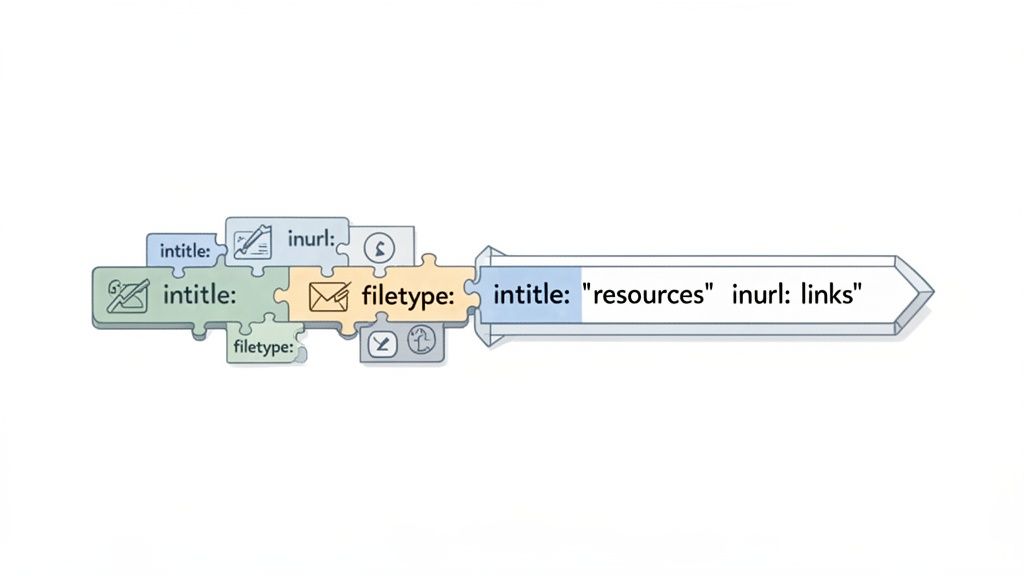
Using one search operator at a time is helpful. But learning how to stack them together is where the real magic happens. This is how you move from simply searching to building precision research tools right inside the Google search bar.
Think of it like building with LEGOs. Each operator is a different block, and when you start snapping them together, you can construct incredibly specific queries. This turns a generic search into a highly targeted one, sifting through billions of web pages to pull out exactly what you need.
The trick is learning how to chain them. You can use parentheses () to group OR conditions and the implied AND to connect different commands into a single, powerful instruction.
Finding Guest Posting Opportunities
A classic task for any SEO or content marketer is finding sites that accept guest posts. A simple search for "write for us" will give you a mountain of results, but most of them are low-quality or irrelevant. Combining operators lets you cut through that noise.
- Goal: Find marketing blogs that are actively looking for guest authors, not just selling links.
- Query:
intitle:marketing ("write for us" OR "guest post guidelines") -inurl:pricing - Breakdown: This query finds pages with "marketing" in the title that also have the exact phrase "write for us" or "guest post guidelines." Critically, it then excludes any page with "pricing" in its URL, which instantly filters out a huge number of sites focused on paid placements.
Discovering Link Building Targets
Another fantastic use is finding high-quality resource pages for link building. These curated lists are goldmines for outreach if you have a relevant piece of content to contribute.
- Goal: Pinpoint "resource" pages on the topic of digital marketing.
- Query:
intitle:"resources" AND inurl:links "digital marketing" - Breakdown: This search looks for pages with "resources" in the title and "links" in the URL, specifically on sites that talk about "digital marketing." The results are highly relevant pages that are already linking out to useful content.
Building queries like this automates a huge chunk of your prospecting work. To see how this kind of strategic searching fits into a bigger picture, you can explore the ideas behind paid search intelligence.
The ability to chain operators together transforms your Google search bar into a custom research tool. You are no longer just asking Google a question; you are giving it a precise set of instructions to follow.
Tracking Down Specific Internal Documents
For anyone in a large organization, trying to find one specific presentation or report across a massive internal domain can feel impossible. Combined operators make this a simple task.
- Goal: Find a PowerPoint presentation about the Q4 2025 report on your company's domain.
- Query:
site:enterprise.com filetype:ppt "Q4 2025 report" - Breakdown: This command restricts the search to the
enterprise.comdomain, tells Google to only show PowerPoint files (filetype:ppt), and then zeroes in on documents containing the exact phrase "Q4 2025 report".
Powerful Operator Combination Templates
To get you started, here are a few pre-built templates for common marketing and SEO tasks. Think of these as a launchpad for building your own custom queries.
| Task | Operator Combination Template | Primary Benefit |
|---|---|---|
| Find Untapped Guest Post Niches | [topic] intitle:"write for us" -inurl:"guidelines" | Discovers sites seeking authors that may not have formal submission pages. |
| Uncover Competitor PDF Reports | site:competitor.com filetype:pdf ("report" OR "whitepaper") | Quickly finds valuable lead magnets and research from competitors. |
| Identify Non-Secure Submission Forms | inurl:submit "your keyword" -inurl:https | Finds outdated or potentially non-secure pages for outreach or analysis. |
| Discover Internal Link Opportunities | site:yourdomain.com "new keyword" -inurl:"new-blog-post-url" | Finds older content on your site where you can add links to a new article. |
| Locate Infographic Embed Codes | intitle:[topic] intext:"embed this infographic" | Reveals pages actively encouraging others to share and link to their visual content. |
These examples are really just scratching the surface. The best way to get good at this is to experiment. Start with a clear objective, layer in different operators, and refine your query until it gives you a clean, actionable list of results. You'll quickly build a powerful toolkit of repeatable searches.
Actionable Use-Case Templates for Business Growth
It’s one thing to know what the individual search operators do, but it’s another thing entirely to apply them in a way that actually drives business outcomes. So let's move past the theory and into practice with some powerful, copy-paste templates built for specific business goals. These are designed to deliver value right away, whether you're a small local shop or a multinational enterprise.
The sheer scale of search is staggering—with 16.4 billion daily searches happening in the US alone, precise targeting isn't just a good idea; it's essential. For brand managers and marketing pros like us at Magic Logix, operators are the only way to cut through that noise and find truly actionable insights. You can dig into more stats on daily Google search volumes at Exploding Topics.
Templates for Small and Medium Businesses (SMBs)
For most SMBs, the game is all about local visibility and finding efficient ways to grow. These templates are simple but incredibly effective for uncovering opportunities right in your backyard. Mastering the fundamentals of keyword research for SEM is a great first step, and you can learn more in our keyword research guide.
Find Local Directories and Listing Opportunities
- Objective: Boost your local SEO presence by getting listed in relevant business directories where customers are already looking.
- Template:
"[your city] business directory" OR "[your city] submit listing" - Example:
"dallas business directory" OR "dallas submit listing"
Identify Local Partnership or Sponsorship Opportunities
- Objective: Discover local events or non-profits looking for partners, a great way to increase brand visibility and community engagement.
- Template:
site:.org "[your city]" ("sponsors" OR "become a partner") - Example:
site:.org "dallas" ("sponsors" OR "become a partner")
Queries like these help SMBs get the most out of a limited marketing budget by targeting high-impact local channels directly.
Templates for Large Enterprises
Enterprises operate on a different scale and face a unique set of challenges, from protecting the brand to managing massive content libraries and monitoring intellectual property. The following templates are built for strategic oversight and large-scale operations.
For a large brand, reputation is everything. Using search operators for brand monitoring is not just a best practice; it's a necessary defensive strategy to protect brand equity and control the narrative.
Track Unauthorized Use of Branded Content
- Objective: Find other websites using your proprietary phrases, taglines, or slogans without permission, protecting your intellectual property.
- Template:
-site:yourbrand.com intext:"your proprietary phrase" - Example:
-site:magiclogix.com intext:"automated immersion marketing"
Conduct a Large-Scale Content Audit
- Objective: Quickly identify all blog posts on your domain from a specific year that may be outdated and need a refresh.
- Template:
site:yourbrand.com/blog inurl:2023 - Example:
site:magiclogix.com/blog inurl:2023
By using these targeted templates from this Google search operators cheat sheet, businesses of any size can turn the humble search bar into a powerful tool for growth, brand protection, and strategic analysis.
Common Pitfalls and How to Avoid Them
As powerful as this Google search operator cheat sheet is, it's time for a reality check. Search operators are not magic bullets, and knowing their quirks is what separates a novice from an expert researcher. Understanding where things can go wrong will save you a ton of frustration and help you troubleshoot your way to better results.
One of the biggest headaches is that Google sometimes just ignores your operators, especially when you build a really complex query. If your search string gets too long or convoluted, Google's algorithm might just drop some of your commands to serve up what it believes are the most relevant results. This can be infuriating when you're after absolute precision.
The secret is to start simple. Build your query one step at a time. If the results look off, just pull one operator out at a time to figure out which part of your command Google is struggling with.
Understanding Key Limitations
Another common tripwire is using operators that are no longer officially supported. For years, everyone used the tilde (~) to find synonyms. Google quietly retired it, and while it might still work occasionally, its behavior is so inconsistent you simply can't trust it for any serious research.
On top of that, you have to keep these hard limits in mind:
- The 32-Word Limit: Google only pays attention to the first 32 words in your query. Any keywords or operators after that are completely ignored, so keep your searches concise.
- Implied
AND: Google automatically puts anANDbetween your search terms. Searching forseo tipsis identical toseo AND tips. You don't need to typeANDunless you're using parentheses to group things for clarity. - Result Imperfections: You can craft the perfect query and still get results that don't seem to match. This often happens because your keyword is hiding in an image's alt text, a page comment, or other metadata you can't see right away.
Getting a handle on nuanced search behavior, like how to manage search query dispersion, is just as important as knowing the operators themselves. It's a reminder that search engines are constantly evolving, something we saw with historic algorithm shifts like the Google Penguin update in SEO. Knowing the limitations is the key to adapting your strategy and getting reliable results.
Common Questions About Google Search Operators
As you start getting the hang of these search commands, a few common questions always seem to pop up. Let's tackle some of the most frequent ones I hear, clearing up any confusion and confirming just how relevant these tools are in 2026.
Do Google Search Operators Actually Still Work?
Absolutely. It’s true that Google’s algorithm has become incredibly sophisticated, but search operators remain a fundamental tool for anyone who needs to find something specific. Think of them less as a way to "trick" a simple algorithm and more as a way to give clear, direct instructions to a very complex one.
Operators like site: and filetype: are as solid as ever for technical SEO audits and digging up specific documents. While Google has retired some of the more obscure, older operators over the years, the core commands we've covered here are still highly effective for cutting through the noise.
What's the Best Operator Combo for Finding Guest Post Opportunities?
There's no single magic bullet, but one of the most effective queries for link building involves stacking several operators together.
intitle:("write for us" OR "guest post") AND ("your topic") -inurl:pricing
This string is powerful for a few reasons:
- It targets intent. You’re specifically looking for pages with titles that scream "we accept guest content," like "Write for Us" or "Guest Post."
- It keeps things relevant. Including your topic ensures you’re filtering for blogs and sites that are actually in your niche.
- It weeds out paid placements. The
-inurl:pricingpart is a neat trick to remove many sites that are just selling post slots, rather than earning them based on content quality.
Can You Go Overboard and Use Too Many Operators?
Yes, you can. There's a hard limit to how complex your search can be. Google only pays attention to the first 32 words in a query, and that count includes both your keywords and the operators themselves.
Anything you type beyond that 32-word limit is simply ignored. On a practical level, trying to build a massive, overly complicated query can also just confuse the search engine, leading to weird or inaccurate results. It’s almost always better to run a few highly targeted searches than to build one monster query that hits the ceiling.
At Magic Logix, we build these precise search techniques directly into our digital marketing strategies to uncover the opportunities that others miss. To see how we can apply this same attention to detail to your business's growth, get in touch with our team at https://www.magiclogix.com.