
In the crowded B2B landscape, a generic LinkedIn ad is just expensive noise. The difference between a campaign that burns cash and one that builds pipeline lies in the strategic blueprint behind the creative. It’s not just about a slick graphic or a catchy headline; it's about a deep understanding of audience intent, precise targeting, and a value proposition that resonates instantly with a professional audience.
This article moves beyond surface-level showcases to dissect high-impact example LinkedIn ads and the platforms that help create them. We will break down the 'why' behind each successful campaign, from ad copy psychology and visual hierarchy to the sophisticated targeting logic that ensures the right message reaches the right decision-maker. To truly understand the anatomy of LinkedIn ads that convert, it's crucial to grasp the optimal LinkedIn ad sizes for various creative formats, as this foundational knowledge impacts every design choice.
You will gain not just inspiration but a replicable framework for creating, testing, and scaling your own profitable LinkedIn ad campaigns. Each section includes direct links and screenshots to show you exactly how to build compelling creative and what makes it effective.
We'll transform your approach from a passive presence to an active B2B growth engine. We'll also explore how services like Magic Logix leverage predictive analytics and automated immersion marketing to elevate these tactics, ensuring your advertising spend translates directly into measurable business outcomes. This curated list provides the tools and strategic insights needed to develop ads that don't just get seen, they get results.
1. Magic Logix: Data-Driven Strategies for B2B Growth
Magic Logix elevates the conversation around LinkedIn advertising from simple clicks to measurable pipeline impact. Positioned as a premier service for B2B marketers, their approach is meticulously engineered to connect ad spend directly to business outcomes like qualified leads, sales cycle acceleration, and customer lifetime value. This focus on tangible ROI makes their service a standout choice for organizations looking to transform LinkedIn from an experimental channel into a predictable engine for demand generation.
What truly distinguishes the Magic Logix service is its fusion of data science with creative execution. They leverage predictive analytics and social intelligence to build campaigns from a deep understanding of the target audience. This methodology ensures that creative assets and messaging resonate with high-value prospects, moving beyond generic campaigns to deliver highly relevant example LinkedIn ads that capture attention and drive action.
Strategic Breakdown: A Full-Funnel Approach
Magic Logix’s service is not a one-off campaign but a comprehensive, end-to-end management solution. Their process is built on a continuous feedback loop of testing, learning, and optimizing.
- Advanced Targeting Capabilities: They go far beyond basic demographic targeting, specializing in Account-Based Marketing (ABM), Matched Audiences, and precise segmentation by job title, industry, and seniority. This reduces wasted spend and ensures ads are served only to the most relevant decision-makers.
- Creative Optimization Engine: Campaigns are subject to rigorous A/B testing of creative, copy, and calls-to-action. Performance is not measured by vanity metrics but by its direct impact on CRM-tracked KPIs, allowing for data-validated decisions on which ad elements to scale.
- End-to-End Measurement & Attribution: A core strength is their ability to integrate with your existing marketing and sales stack. By connecting LinkedIn activity with CRM data and setting up conversion tracking pixels and UTM parameters, they provide clear attribution and demonstrate how ad spend contributes to pipeline growth.
Actionable Takeaways & Use Cases
For B2B marketers, the practical application of this service is clear. Instead of struggling to justify LinkedIn's higher ad costs, you can present stakeholders with concrete data on cost per qualified lead and pipeline contribution. The real-world examples and case studies featured on their page showcase how this data-first approach leads to higher-quality leads and more efficient sales funnels. To further enhance your understanding of successful LinkedIn campaigns, consider reviewing Cometly's LinkedIn Skyrocket Demos guide.
The service is structured as a strategic partnership, requiring client collaboration for access to data and insights. While this means it is not a "quick win" solution, the long-term payoff is a scalable and predictable source of demand. You can explore their full suite of LinkedIn advertising services to see how they integrate strategy, creative, and analytics.
Key Strengths:
| Feature | Benefit |
|---|---|
| B2B Outcome Focus | Aligns ad performance with revenue goals, not just impressions or clicks. |
| Data + Creativity | Uses analytics to inform creative decisions, increasing ad relevance and efficacy. |
| Full-Stack Integration | Connects LinkedIn data to CRM, providing clear ROI and attribution. |
| Advanced ABM Targeting | Reduces wasted spend by focusing efforts on high-value accounts. |
While LinkedIn advertising inherently comes with higher CPMs, Magic Logix’s strategic framework is designed to maximize the value of every dollar spent, making it a compelling choice for businesses serious about growth.
2. LinkedIn Marketing Labs
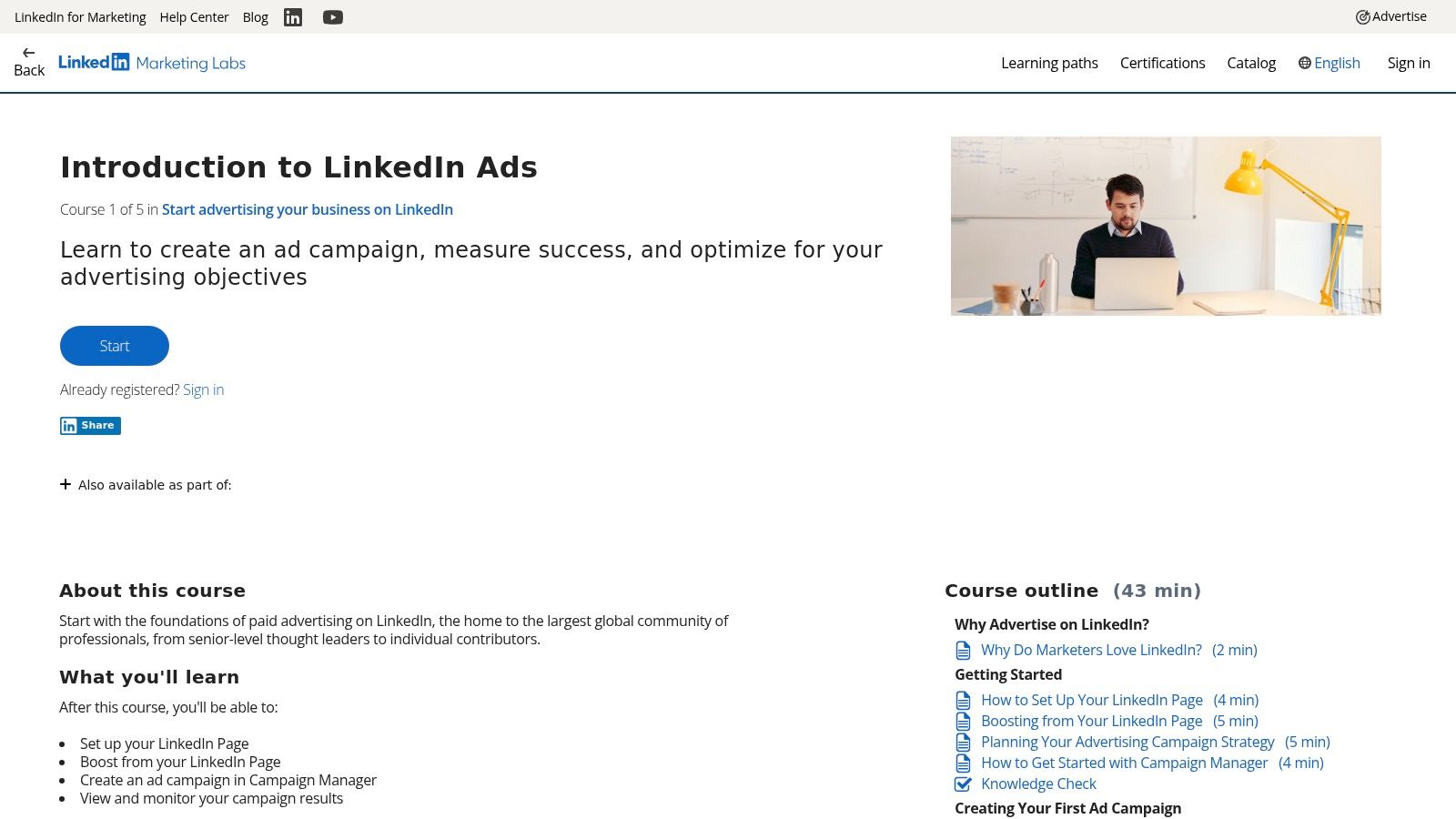
When searching for example LinkedIn ads, one of the best sources is the platform itself. LinkedIn Marketing Labs is the company's official, free learning hub, designed to teach marketers how to succeed with its advertising tools. It's a foundational resource that provides a baseline understanding of what high-performing ads look like, directly from the source.
The platform offers structured courses covering everything from an "Introduction to LinkedIn Ads" to advanced targeting and reporting. Unlike other resources that showcase third-party examples, LinkedIn Marketing Labs uses ads that are guaranteed to be compliant with current policies and optimized for the latest platform features. This makes it an invaluable, risk-free starting point for any B2B marketer.
Strategic Analysis: Why It’s a Must-Use Resource
The primary value of LinkedIn Marketing Labs is its authority. The examples and best practices presented are not based on speculation but on LinkedIn's vast internal data. This direct-from-the-source approach ensures you are building your campaigns on a solid, data-backed foundation.
The platform's structure is also a key benefit. It breaks down complex topics into digestible, bite-sized video modules and self-assessments. This format is perfect for busy marketing teams who need to upskill quickly or for new hires getting acquainted with the platform. You can learn the theory behind effective ads before spending a single dollar.
Actionable Takeaways & How to Use It
While it's not a library of ad templates you can copy and paste, LinkedIn Marketing Labs is a strategic guide for creating your own successful campaigns.
- Establish a Baseline: Before launching a new campaign, have your team complete the "Introduction to LinkedIn Ads" path. This ensures everyone is aligned on current best practices for creative, copy, and targeting.
- Deconstruct the Examples: Pay close attention to the ad examples used within the courses. Analyze their headlines, creative assets, and calls-to-action. These are the models LinkedIn itself promotes as effective.
- Integrate with Broader Strategy: The principles learned here are crucial, but they work best when combined with a holistic approach. For instance, the targeting fundamentals from LinkedIn's courses can be amplified by a deeper understanding of paid search intelligence, allowing you to create a more cohesive multi-channel strategy.
| Feature Breakdown | Details |
|---|---|
| Pricing & Access | Completely free. Requires a LinkedIn account to sign in and track progress. |
| Content Quality | Official, up-to-date best practices directly from LinkedIn. |
| Unique Offering | Provides the "why" behind successful ads, not just the "what." |
| User Experience | Clean, intuitive interface with clear learning paths and progress tracking. |
Pros:
- Official and always current, eliminating the risk of using outdated tactics.
- No cost, making it accessible for teams of any size.
Cons:
- It's an educational tool, not a creative asset library; you still need design tools.
- The examples are illustrative rather than a searchable database of diverse campaigns.
Website: LinkedIn Marketing Labs
3. LinkedIn Learning
For teams seeking more structured, in-depth video training, LinkedIn Learning is a powerful resource. While LinkedIn Marketing Labs covers the official basics, LinkedIn Learning offers a vast library of expert-led courses from seasoned practitioners, such as B2B ad specialist AJ Wilcox. These courses often provide a case-study-style approach to finding and analyzing example LinkedIn ads.
This subscription-based platform goes beyond platform-native training, offering comprehensive walkthroughs of Campaign Manager, deep dives into specific ad formats, and strategic advice from third-party experts. It’s an ideal solution for organizations that need to onboard new marketers or upskill their entire team with structured video content, complete with exercise files and real-world scenarios.
Strategic Analysis: Why It’s a Must-Use Resource
The key advantage of LinkedIn Learning is the depth and quality of its instruction. Courses are often taught by industry veterans who bring years of in-the-trenches experience, offering perspectives and advanced tips you won't find in official documentation. This practitioner-led insight is invaluable for moving from basic execution to strategic mastery.
The platform is also built for professional development, featuring certificates of completion that can be used for internal training programs and team enablement. User ratings and reviews help you quickly identify the most relevant and highly-regarded courses, ensuring you invest time in high-quality content that meets your specific needs.
Actionable Takeaways & How to Use It
LinkedIn Learning excels as a tool for systematic skill development, turning abstract ad concepts into concrete, repeatable processes.
- Standardize Team Onboarding: Create a required "learning path" for new marketing hires using curated courses on LinkedIn advertising. This ensures everyone on your team shares a common strategic vocabulary and technical foundation.
- Deep Dive on Ad Formats: Use targeted courses to master specific formats like Carousel Ads or Thought Leader Ads. The expert examples provided can serve as direct inspiration for your own creative development.
- Structure Your Approach: The frameworks taught in these courses can be powerful, but they are most effective when integrated into a documented strategy. Use what you learn to build out a comprehensive marketing campaign planning template, ensuring your new skills are applied consistently across all initiatives.
| Feature Breakdown | Details |
|---|---|
| Pricing & Access | Subscription-based service. A free trial is typically available. |
| Content Quality | High production quality, with courses led by vetted industry experts. |
| Unique Offering | Expert-led, case-style examples and advanced strategic insights. |
| User Experience | Polished, easy-to-navigate interface with mobile access and offline viewing. |
Pros:
- High production quality and depth; good for onboarding marketers at scale.
- Often includes exercise files and is frequently updated with new lessons.
Cons:
- Paywalled after the trial period; requires a monthly or annual subscription.
- Course freshness can vary, so it's important to check the release or update date.
Website: LinkedIn Learning
4. Canva – LinkedIn Ads
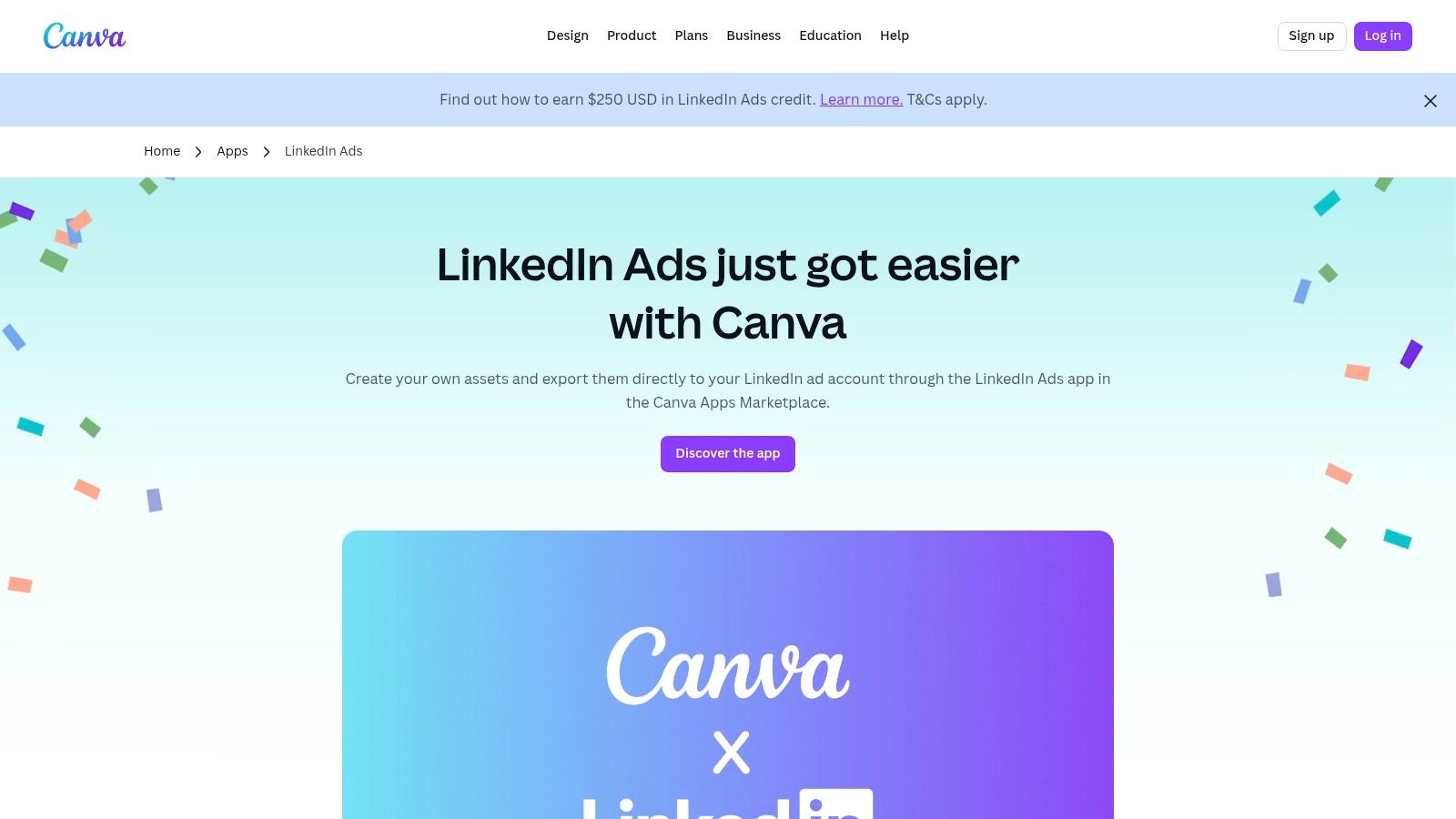
For teams needing to rapidly produce high-quality creative, Canva's integration with LinkedIn Ads is a game-changer. While not a direct source of competitor campaigns, it serves as an invaluable gallery of example LinkedIn ads through its vast template library. This tool allows marketers to move from inspiration to execution in minutes, making it perfect for agile teams and high-volume testing.
The platform streamlines the creative process by offering a searchable collection of templates specifically optimized for LinkedIn’s ad formats, including single image and video ads. Once a design is finalized, the built-in app allows for direct export to a connected LinkedIn Campaign Manager account, eliminating cumbersome download and upload steps. This seamless workflow empowers non-designers to create professional, on-brand assets quickly and efficiently.
Strategic Analysis: Why It’s a Must-Use Resource
The primary value of Canva is its combination of speed and accessibility. It democratizes ad creative production, removing the bottleneck often caused by reliance on dedicated design teams. This enables marketing teams to test more ad variations-different headlines, images, and calls-to-action-without a significant investment of time or resources.
Furthermore, the templates themselves serve as a powerful source of creative inspiration. By browsing designs popular within specific industries or for certain objectives (like lead generation or brand awareness), marketers can identify visual trends and proven layouts. This de-risks the creative process and provides a solid foundation for building new campaigns.
Actionable Takeaways & How to Use It
Canva is best used as a rapid-prototyping and creative testing engine for your LinkedIn ad strategy.
- Create Ad Variants Quickly: Use one base template to generate 3-5 visual variations for A/B testing. Change the background image, color scheme, or font placement to see what resonates most with your audience.
- Analyze Template Structure: Before customizing, study the layouts of the most popular templates. Note their use of negative space, text hierarchy, and brand element placement. These are proven designs you can adapt to your own brand guidelines.
- Enhance with Brand Psychology: Use Canva's powerful editing tools to align your ad's visual elements with your strategic goals. A deeper understanding of color psychology in social media marketing can help you choose hues that evoke the right emotions and drive action.
| Feature Breakdown | Details |
|---|---|
| Pricing & Access | The LinkedIn Ads app is free to use. Templates are available on Canva Free, Pro, and Business plans. |
| Content Quality | Professionally designed templates optimized for LinkedIn ad specifications and best practices. |
| Unique Offering | Direct export to LinkedIn Campaign Manager, drastically reducing workflow friction. |
| User Experience | Highly intuitive drag-and-drop interface suitable for all skill levels. |
Pros:
- Extremely fast from concept to live ad, ideal for variant testing.
- Empowers non-designers to produce high-quality, on-brand creative.
Cons:
- Advanced brand governance and permissions may require higher-tier plans.
- Usage of premium stock assets is tied to Canva's licensing rules.
Website: Canva – LinkedIn Ads
5. Adobe Express – Create LinkedIn Ads
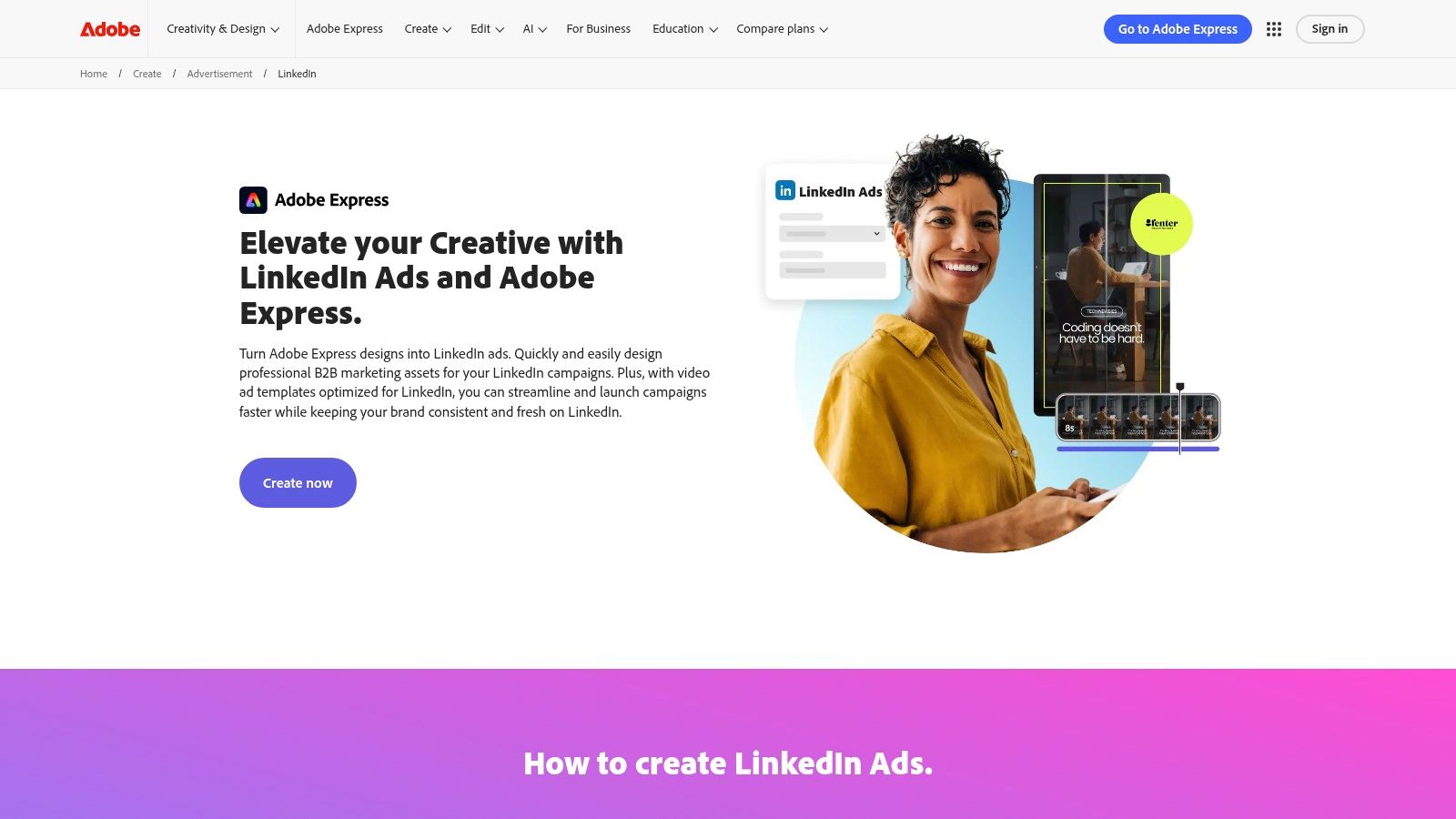
Finding high-quality example LinkedIn ads is one step, but efficiently creating your own professional-looking creatives is another. Adobe Express directly addresses this challenge with a powerful, template-driven design platform. It offers a dedicated LinkedIn Ads integration that helps marketers produce optimized image and video assets quickly, even without extensive design experience.
The tool streamlines the creative process from ideation to execution. Users can browse a vast library of templates specifically tailored for LinkedIn ad formats, customize them with their own branding, and even export the final creative directly to their LinkedIn Ads account. This makes it an essential tool for teams needing to produce high-quality ad variations at scale without a dedicated design team.
Strategic Analysis: Why It’s a Must-Use Resource
Adobe Express excels by bridging the gap between ad strategy and creative execution. Its primary value is speed and accessibility. The platform removes the friction of starting from a blank canvas by providing professionally designed, on-brand templates that are pre-optimized for LinkedIn's specifications and safe zones.
For marketing teams, this means more time can be spent on campaign strategy and A/B testing rather than tedious design work. The direct integration with LinkedIn Ads further enhances this efficiency, creating a seamless workflow from design to deployment. This is particularly valuable for agencies or in-house teams managing multiple campaigns who need to maintain both quality and velocity.
Actionable Takeaways & How to Use It
While Adobe Express is a design tool, it’s most powerful when used as a strategic asset for campaign testing and optimization.
- Rapidly Test Creative Variations: Use the templates to create multiple versions of an ad creative. Test different background images, color schemes, and call-to-action button styles to identify what resonates most with your audience.
- Leverage Brand Kits for Consistency: Set up a Brand Kit (premium feature) with your company’s logos, fonts, and color palettes. This ensures every ad you create, regardless of who designs it, remains consistent with your brand identity.
- Explore Video Ad Templates: Don't limit yourself to static images. Use the video templates to quickly produce short, engaging video ads that can capture more attention in the feed. Customize them with stock footage or your own clips.
| Feature Breakdown | Details |
|---|---|
| Pricing & Access | Free tier with basic features. Premium plan required for Brand Kits, full Adobe Stock library, and advanced tools. |
| Content Quality | High-quality, professionally designed templates for both image and video ads. |
| Unique Offering | Direct integration allows exporting finished creatives straight into a LinkedIn Ads campaign. |
| User Experience | Intuitive drag-and-drop interface, but can have a slight learning curve for those unfamiliar with Adobe products. |
Pros:
- Streamlined workflow for teams already using the Adobe ecosystem.
- Robust premium asset library and templates available on paid plans.
Cons:
- Best features (full Stock access, brand kits) require a Premium subscription.
- The interface may feel less intuitive if you are not used to Adobe tools.
Website: Adobe Express – Create LinkedIn Ads
6. Envato Elements
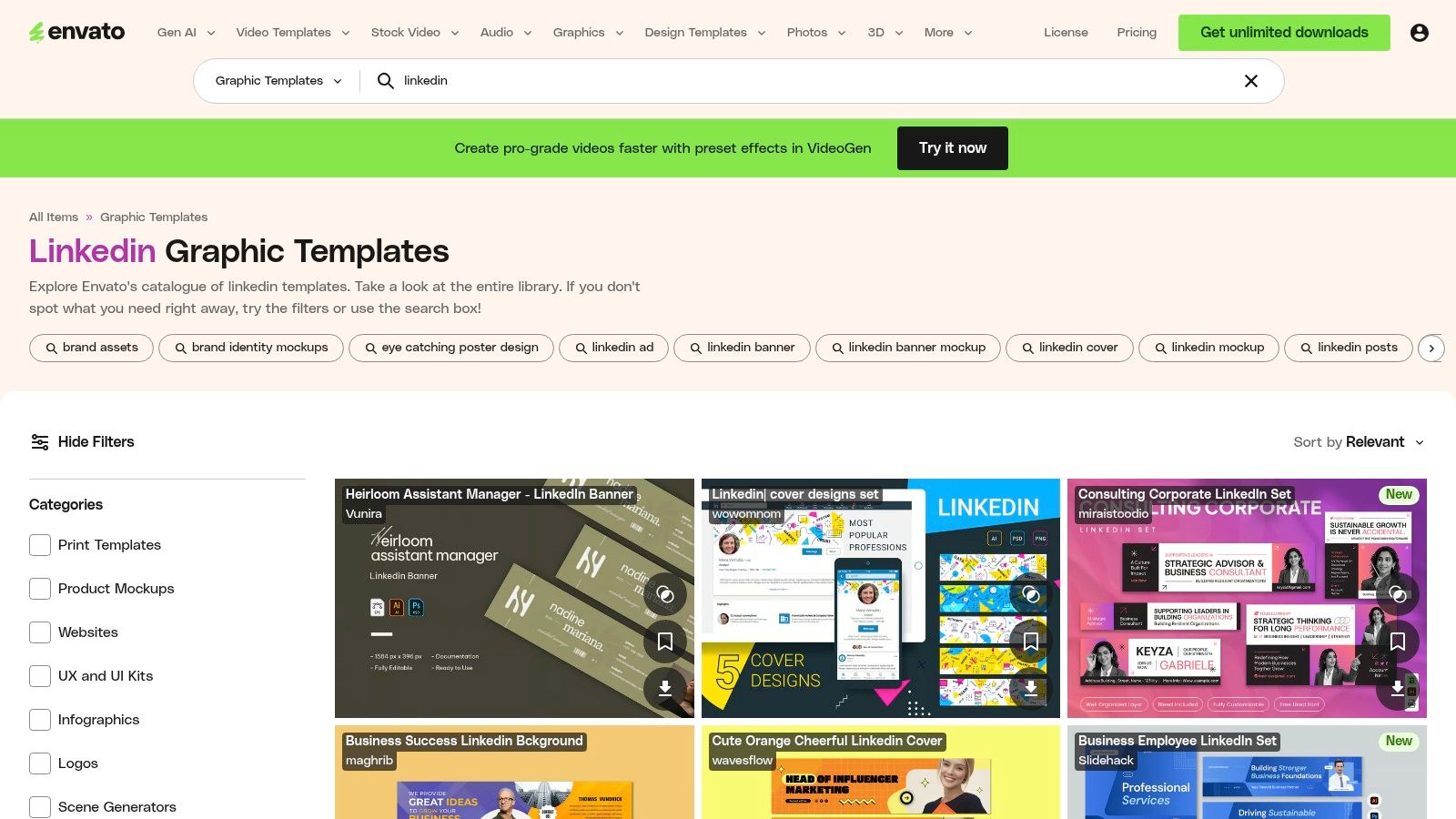
For marketing teams that need a high volume of creative assets, Envato Elements is an invaluable resource when sourcing example LinkedIn ads. Instead of providing static inspiration, it offers a massive, searchable library of professionally designed templates for LinkedIn ads, posts, and carousels. This subscription-based marketplace allows for unlimited downloads, making it a powerful tool for teams looking to test numerous ad styles without incurring high per-asset costs.
The platform provides production-ready files that can be adapted for any campaign. You can find templates ranging from sleek corporate announcements to vibrant event promotions, giving you a broad creative foundation. For marketers who want a hands-on approach and the ability to customize extensively, Envato Elements bridges the gap between seeing an example and creating a finished product.
Strategic Analysis: Why It’s a Must-Use Resource
The primary value of Envato Elements is its combination of variety and volume. While other resources show you what a good ad looks like, this platform gives you the building blocks to create it yourself, quickly and affordably. The unlimited download model encourages experimentation, which is crucial for A/B testing ad creative to find what resonates with your target audience on LinkedIn.
Furthermore, all assets come with a commercial license, removing the legal complexities of sourcing creative content. For teams and enterprises, the platform offers multi-seat plans, ensuring everyone from the graphic designer to the campaign manager has access to the same library. This streamlines the creative workflow and maintains brand consistency across multiple ad variations.
Actionable Takeaways & How to Use It
Envato Elements is less about direct imitation and more about rapid, scalable creative production. It empowers you to turn inspiration into action.
- Create a Testing Library: Download 5-10 different LinkedIn ad templates that align with your brand but have distinct visual styles. Use these to run A/B tests on your next campaign to identify which layouts or color schemes generate the highest engagement.
- Filter for Specific Formats: Use the platform’s search filters to find templates for specific ad types like carousels or video. This allows you to quickly find assets tailored to the ad format you plan to run.
- Adapt and Brand: Treat the templates as a starting point. The most effective use is to customize them with your brand’s fonts, colors, and logos. This ensures your ads look polished and professional, not generic.
| Feature Breakdown | Details |
|---|---|
| Pricing & Access | Subscription-based with unlimited downloads. Individual, team, and enterprise plans are available. |
| Content Quality | Professionally designed templates requiring software like Photoshop or Illustrator for customization. |
| Unique Offering | A cost-effective solution for producing a high volume of diverse ad creative. |
| User Experience | A powerful, searchable library with advanced filtering options to find specific asset types. |
Pros:
- Extremely cost-effective for teams that frequently need new creative assets.
- A wide variety of templates across different industries and ad styles.
Cons:
- Requires design skills and software (e.g., Adobe Creative Suite) to edit the templates effectively.
- Templates can feel generic without significant brand-level customization.
Website: Envato Elements
7. Creative Market
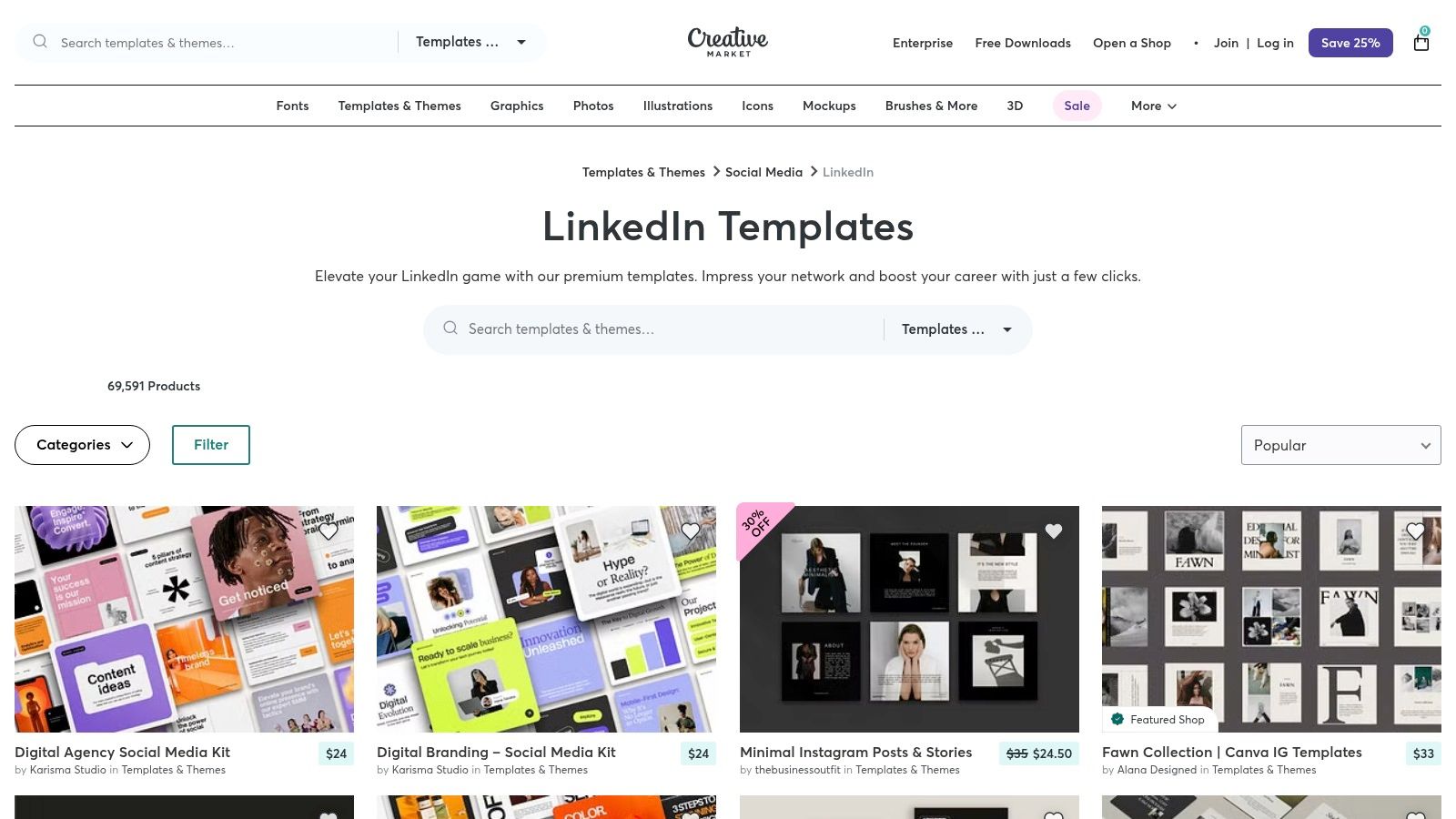
For teams that need professionally designed example LinkedIn ads without committing to a subscription service, Creative Market is an excellent pay-as-you-go resource. It’s a vast marketplace where independent designers sell high-quality templates for LinkedIn posts, carousels, and video ads. This a la carte model is perfect for sourcing specific layouts or kickstarting a campaign with a fresh visual direction on a project-by-project basis.
The platform allows you to purchase templates directly, often bundled with different license tiers (Personal, Commercial, or Extended Commercial) to fit your usage needs. You can find everything from sleek corporate carousel layouts to vibrant, attention-grabbing single-image ad designs compatible with tools like Canva, Photoshop, and Illustrator.
Strategic Analysis: Why It’s a Must-Use Resource
Creative Market's primary advantage is its combination of quality, variety, and flexibility. Unlike subscription libraries that offer a consistent style, this marketplace provides a diverse range of aesthetic choices from thousands of different creators. This is invaluable for brands looking to test distinct visual styles or find a template that perfectly aligns with a niche industry look.
The transparent licensing and one-time payment structure also make it a strategically sound choice for managing marketing budgets. You can procure high-end design assets for a specific campaign without incurring recurring monthly costs, allowing for precise and predictable ad spend. This is especially useful for agencies or marketing teams managing multiple clients with different branding requirements.
Actionable Takeaways & How to Use It
While Creative Market provides the visual shell, it's up to you to infuse it with strategic messaging and strong calls-to-action.
- Filter for Your Workflow: Use the platform's robust filters to find templates compatible with your team's preferred design software (e.g., Canva, Figma, Adobe). This ensures you can edit and deploy the assets quickly without needing new tools.
- Vet Creator Quality: Before purchasing, review the creator’s profile, look at their entire portfolio, and read reviews from other buyers. High-quality sellers often provide detailed previews and clear documentation.
- Adapt, Don't Just Adopt: Use the templates as a structural foundation, not a finished product. Customize the colors, fonts, and imagery to align with your brand guidelines. The layout provides a proven structure, but the content must be uniquely yours.
| Feature Breakdown | Details |
|---|---|
| Pricing & Access | Pay-per-item. Prices are set by the creator, with a small platform fee added at checkout. Licenses vary (Personal, Commercial). |
| Content Quality | Varies by creator but is generally high. Look for sellers with positive reviews and extensive portfolios. |
| Unique Offering | A la carte access to a massive variety of design styles from thousands of independent creators. |
| User Experience | Easy-to-navigate marketplace with powerful search filters for software, price, and license type. |
Pros:
- One-off purchases keep costs low if you only need a few ad templates.
- Broad variety of creative styles from many independent designers.
Cons:
- Quality can be inconsistent; you must vet sellers and read license terms carefully.
- A per-order platform fee is added at checkout, slightly increasing the cost.
Website: Creative Market LinkedIn Templates
Top 7 LinkedIn Ads Tools Comparison
| Item | Implementation complexity 🔄 | Resource requirements ⚡ | Expected outcomes 📊⭐ | Ideal use cases 💡 | Key advantages ⭐ |
|---|---|---|---|---|---|
| LinkedIn Ads: Expert Strategies for Business Growth (Magic Logix) | High — agency-managed setup, CRM & attribution integration | High — budget, time, CRM access, ongoing collaboration | Strong pipeline impact, higher-quality leads, clearer attribution | B2B teams needing measurable pipeline and ABM-driven growth | Data-driven full-funnel service; predictive analytics + ABM targeting |
| LinkedIn Marketing Labs | Low — self-paced modules, platform walkthroughs | Minimal — time and LinkedIn sign-in | Improved platform knowledge and best-practice alignment (no ready assets) | Teams seeking official guidance and up-to-date specs | Official, free, and current training with bite-size modules |
| LinkedIn Learning | Low–Medium — structured video courses and exercises | Moderate — subscription (after trial) and time | Deeper skill development, certificates for enablement | Onboarding marketers at scale or structured training programs | High production quality, expert-led courses and exercise files |
| Canva – LinkedIn Ads | Low — template-driven design and direct export | Low — free-to-use app; faster variant production | Fast creative iteration and many ad variants for testing | Non-designers needing rapid, on-brand ad assets | Very fast workflow, LinkedIn-optimized templates, direct export |
| Adobe Express – Create LinkedIn Ads | Medium — template use plus Adobe workflow familiarity | Moderate — best features on paid tiers; brand kits/stock access | Polished creatives with brand controls and previews | Teams already using Adobe who need brand governance | Robust asset library, brand kits, direct LinkedIn export |
| Envato Elements | Medium — download + adapt templates; requires editing | Moderate — subscription cost and editing tools/skills | Large variety of templates to test; scalable creative options | Heavy template users who need variety and commercial licensing | Unlimited downloads under subscription; broad industry coverage |
| Creative Market | Low–Medium — one-off purchases; may require editing | Low — pay-per-item; no subscription required | Quick access to specific templates without long-term commitment | Teams needing a few specific example layouts or designs | A la carte purchases, varied independent creator options |
From Inspiration to Implementation: Activating Your LinkedIn Ad Strategy
We've journeyed through a comprehensive gallery of high-performing example LinkedIn ads, dissecting everything from the strategic use of data in SaaS campaigns to the nuanced art of thought leadership promotion. The core lesson is clear: the most successful ads are not born from a single flash of creative genius but are meticulously engineered systems. Each element, from the hook in the headline to the precision of the audience targeting, must work in perfect harmony to achieve a singular, well-defined business objective.
A visually appealing ad is only the beginning. True B2B marketing power comes from aligning that creative with a deep understanding of your ideal customer's pain points and professional aspirations. The examples showcased in this article prove that a relentless focus on strategic alignment is the common denominator of success.
Synthesizing the Winning Formula
Distilling the insights from these diverse campaigns reveals a repeatable framework for excellence. Think of it not as a rigid set of rules, but as a strategic cycle for continuous improvement. This is how you move from simply running ads to building a predictable lead generation engine on the world's largest professional network.
The most critical takeaways can be summarized in three key pillars:
- Strategic Precision: Every ad must have a purpose. Before you even open a design tool, define your primary goal. Is it lead generation, brand awareness, or event registration? This decision will dictate your choice of ad format, your call to action, and the metrics you use to measure success.
- Creative Resonance: Your ad creative and copy must stop the scroll and speak directly to your target audience. This means moving beyond generic stock photos and corporate jargon. Use authentic imagery, data-backed claims, and language that mirrors how your prospects actually talk about their challenges.
- Iterative Optimization: A "set it and forget it" approach is a recipe for wasted budget. The top-performing advertisers embrace a culture of constant testing. They A/B test headlines, experiment with different visual formats (static image vs. video vs. carousel), and continually refine audience segments based on real-time performance data.
Activating Your Next Campaign with the Right Tools
The journey from inspiration to implementation requires the right toolkit. The resources we've covered, from LinkedIn's own Marketing Labs and Learning platforms to powerful design suites like Canva and Adobe Express, provide the foundational assets for creating compelling ads. For those seeking a constant stream of high-quality creative assets, marketplaces like Envato Elements and Creative Market are invaluable.
Selecting the right tool depends on your team's specific needs and capabilities:
- For Strategy & Education: Start with LinkedIn Marketing Labs and LinkedIn Learning to build a strong strategic foundation.
- For Rapid Creative Production: Canva and Adobe Express are perfect for marketing teams that need to produce professional-grade ad creatives quickly and efficiently, without a dedicated design team.
- For Unique & Premium Assets: Envato Elements and Creative Market offer vast libraries of templates, photos, and graphics to help your brand stand out in a crowded feed.
By applying the strategic principles from the example LinkedIn ads we've analyzed and equipping your team with these powerful tools, you can systematically elevate your advertising efforts. Use these examples not as templates to be copied, but as a strategic springboard to launch your own unique, high-impact campaigns. Your goal is to build a robust advertising program that doesn't just generate clicks, but starts meaningful conversations and builds a reliable pipeline of qualified, enterprise-ready leads.
Ready to move beyond inspiration and implement a data-driven LinkedIn ad strategy that delivers predictable revenue? Magic Logix provides the advanced analytics, MarTech integration, and strategic oversight needed to transform your campaign data into a powerful competitive advantage. Schedule a consultation with our B2B advertising experts today and discover how we can help you build a high-performance marketing engine.