
Business Process Automation (BPA) is far more than a technical buzzword; it's a core strategic engine for modern business efficiency and growth. By methodically automating repetitive, rule-based tasks, companies unlock substantial operational capacity, minimize costly human errors, and crucially, redirect their valuable human talent toward complex problem-solving and strategic innovation. But moving from abstract concept to tangible results requires a clear understanding of what BPA looks like in practice. How do you translate the theory of automation into a real-world competitive advantage?
This guide cuts through the noise to provide a detailed breakdown of 10 impactful business process automation examples you can implement today. We will move beyond surface-level descriptions to dissect the specific business problems each automation addresses, the technological approaches and tools involved, and the key performance indicators used to measure success. You will gain a practical roadmap for applying these concepts within your own operations. For an even more extensive collection of practical applications, refer to these more business process automation examples that cover a wider range of industries and functions.
Each example in our list is structured for immediate application, offering strategic tips for both small businesses and large enterprises. From automating lead nurturing campaigns to streamlining customer support ticket resolution and financial processing, you will discover precisely how BPA can transform core functions across your organization. Let’s explore the specific, replicable strategies that turn automation from a goal into a powerful operational reality.
1. Email Marketing Automation and Lead Nurturing
Email marketing automation uses software to send personalized, timely, and relevant emails to subscribers based on predefined triggers or schedules. Instead of manually sending mass emails, this business process automation example allows companies to build sophisticated workflows that nurture leads from initial awareness to final purchase and beyond, ensuring consistent communication without constant human intervention.

This approach is essential for scaling communication, especially as a customer base grows. It solves the critical problem of delivering the right message to the right person at the right time, a task that is impossible to manage manually at scale.
Strategic Breakdown and Application
Automated workflows are triggered by specific user actions, such as signing up for a newsletter, downloading a whitepaper, or abandoning a shopping cart. This allows for hyper-relevant messaging that significantly boosts engagement and conversion rates.
Key Implementation Tactics:
- Audience Segmentation: Group contacts based on behavior, demographics, or their stage in the customer journey. For example, a new subscriber receives a welcome series, while a loyal customer gets exclusive offers.
- Behavioral Triggers: Set up automated emails for actions like website visits or product views. E-commerce platforms like Klaviyo have shown this can generate 25-50% of a store's revenue.
- Lead Scoring: Assign points to leads based on their engagement. Once a lead reaches a certain score, the system can automatically notify the sales team for a follow-up.
Strategic Insight: The core value of email automation isn't just sending emails; it's about building a responsive communication engine. By integrating it with your CRM, you create a seamless feedback loop where marketing insights directly fuel sales actions, turning a simple email list into a powerful revenue-generating asset. For a deeper dive into these strategies, explore our comprehensive guide on powerful email marketing techniques.
2. Social Media Content Publishing and Scheduling
Social media automation involves using software to schedule and publish content across multiple platforms at optimal times. Instead of manually posting updates in real-time, this business process automation example allows marketing teams to plan and execute a consistent content calendar, ensuring a steady brand presence and maximizing audience engagement without the need for constant, hands-on management.
This approach solves the challenge of maintaining an active and strategic presence on various social channels, a task that quickly becomes overwhelming and inefficient when handled manually. It frees up marketers to focus on higher-value activities like strategy, community engagement, and performance analysis.
Strategic Breakdown and Application
Automated publishing platforms enable brands to schedule posts weeks or even months in advance, often using AI-driven insights to determine the best times to post for maximum reach and interaction. This ensures content is delivered consistently, even outside of normal business hours, catering to a global audience.
Key Implementation Tactics:
- Content Pillars and Batching: Develop core content themes (pillars) that align with business goals. Create and schedule content in batches to maintain a consistent mix of promotional, educational, and engaging posts.
- Peak Engagement Scheduling: Use platform analytics to identify when your specific audience is most active. For instance, tools like Buffer and Sprout Social provide data-backed recommendations to schedule posts for these peak windows, boosting initial visibility.
- Approval Workflows: Implement multi-step approval processes within the automation tool. This ensures all scheduled content is reviewed for quality, accuracy, and brand alignment before it goes live, which is crucial for larger teams or enterprise accounts.
Strategic Insight: True social media automation extends beyond just scheduling. It's about creating an efficient content engine that learns and adapts. By integrating scheduling tools with social listening and analytics, you create a feedback loop where performance data directly informs future content strategy, turning your social channels into predictable growth drivers. To build a robust strategy, you can explore our detailed guide on effective social media marketing.
3. Customer Relationship Management (CRM) Data Synchronization
CRM data synchronization automates the process of keeping customer information consistent across multiple platforms, such as sales, marketing, and customer service systems. Instead of manual data entry or periodic batch uploads, this business process automation example ensures that every team has access to the most current, unified view of a customer, eliminating data silos and enabling cohesive, personalized interactions at every touchpoint.
This automation is critical for maintaining data integrity and operational efficiency. It solves the pervasive problem of fragmented customer information, where a customer's recent support ticket is invisible to the marketing team or their latest purchase isn't reflected in the sales team's records.
Strategic Breakdown and Application
Automated synchronization is typically powered by API integrations that create a real-time or near-real-time data flow between systems. When a customer's record is updated in one system, like a Salesforce CRM, the change is automatically pushed to connected platforms like HubSpot for marketing or Zendesk for customer support.
Key Implementation Tactics:
- Establish a Single Source of Truth: Designate your CRM as the central repository for all customer data. All other systems should sync from and to this primary source to maintain consistency.
- Use API-Based Integrations: Prioritize tools like Zapier or native integrations that use APIs for real-time data transfer. This is far more effective than batch processing, which can lead to outdated information and missed opportunities.
- Incremental Rollout: Begin by synchronizing the most critical systems first, such as your CRM and email marketing platform. Expand integrations to other tools incrementally after establishing a stable foundation.
Strategic Insight: The goal of CRM sync is not just data consistency; it's about creating an intelligent, 360-degree customer profile that drives proactive business decisions. By unifying data, you empower sales to act on marketing engagement, marketing to personalize campaigns based on support history, and service teams to have full context during interactions. For a foundational understanding of how CRM drives these automations, refer to our comprehensive guide on Customer Relationship Management Basics.
4. Lead Capture and Form Automation
Lead capture and form automation involves the automated collection, processing, and routing of prospect information from web forms, landing pages, and chatbots. This business process automation example ensures that when a potential customer shows interest, their data is instantly captured, qualified, and directed to the appropriate sales or marketing channel without manual intervention, dramatically improving response times and conversion rates.
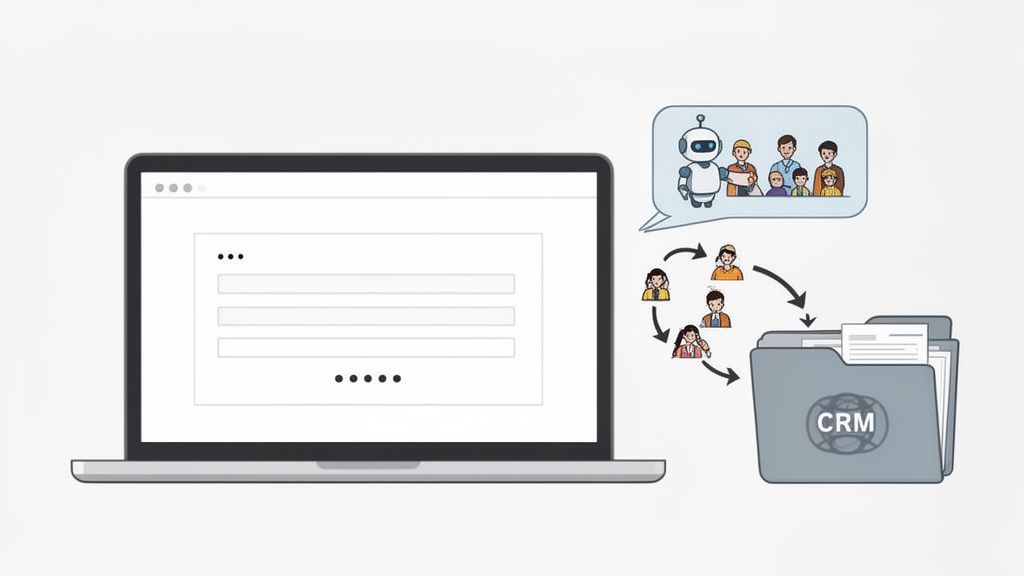
This process is critical for capitalizing on peak prospect interest. It solves the problem of "lead leakage," where valuable inquiries are lost or delayed due to manual data entry, slow handoffs between teams, and inconsistent qualification criteria. By automating this front-end interaction, businesses can create a frictionless experience for potential customers.
Strategic Breakdown and Application
Automation triggers the moment a user submits a form or engages with a chatbot. The system can then score the lead based on the provided information (e.g., job title, company size) and behavior, then route it accordingly. A high-scoring lead from an enterprise company might trigger an instant alert for a senior sales representative, while a lower-scoring lead could be enrolled in an automated email nurturing sequence.
Key Implementation Tactics:
- Progressive Profiling: Start with simple forms asking for essential information. Use automation to present additional fields to returning visitors, gradually building a comprehensive profile without overwhelming them initially.
- Intelligent Lead Routing: Create rules that automatically assign leads to the correct sales team member based on territory, industry, or product interest. Platforms like HubSpot and Marketo excel at this.
- Immediate Follow-Up Triggers: Set up automated responses, such as a confirmation email or a chatbot message, to engage leads within the first five minutes of submission, when their interest is highest.
Strategic Insight: Effective lead capture automation is about more than just collecting data; it's about initiating a conversation at the perfect moment. By aligning lead scoring criteria directly with sales team feedback and integrating capture points like forms and chatbots with your CRM, you eliminate the delay between interest and interaction. This transforms your website from a static brochure into an active, intelligent prospecting tool that feeds a predictable sales pipeline.
5. Invoice Generation and Payment Processing Automation
Invoice generation and payment processing automation involves using software to create, send, and track invoices, while also managing payment collection and reconciliation. Instead of manually drafting invoices, tracking due dates, and reconciling payments, this business process automation example streamlines the entire accounts receivable cycle. This frees up financial teams from repetitive tasks, accelerates cash flow, and significantly reduces the risk of human error.
This automation is critical for any business managing client transactions, from freelancers to large enterprises. It solves the core problem of slow payment cycles and administrative bottlenecks that can stifle growth, ensuring timely revenue collection and maintaining accurate financial records without constant manual oversight.
Strategic Breakdown and Application
Automated invoicing systems are triggered by project milestones, subscription renewals, or sales order completions. This ensures invoices are sent promptly and accurately, leading to faster payments and improved financial stability. Platforms like FreshBooks and QuickBooks Online have popularized this by enabling millions of SMBs to automate their accounting functions.
Key Implementation Tactics:
- Integrated Systems: Select a platform that integrates seamlessly with your existing accounting software and CRM to ensure data consistency across the business.
- Template Standardization: Establish clear, professional invoice templates that align with your brand standards and include all necessary payment information and terms.
- Automated Reminders: Set up automated payment reminders at strategic intervals, such as a few days before the due date and immediately after it becomes overdue, to gently nudge clients.
- Approval Workflows: Implement multi-level approval workflows for invoices that exceed a certain value, adding a layer of control and preventing erroneous billing.
Strategic Insight: The true power of automating invoicing lies in its ability to transform accounts receivable from a passive, administrative function into a proactive cash flow engine. By integrating payment gateways like Stripe and automating follow-ups, you close the loop between service delivery and revenue collection. This creates a predictable financial rhythm, reduces collection times, and provides real-time visibility into your company's financial health, turning a simple back-office task into a strategic advantage.
6. Customer Support Ticket Routing and Resolution Automation
Customer support automation uses software to manage the lifecycle of a support ticket, from initial submission to final resolution. This business process automation example involves automatically categorizing tickets, prioritizing them based on urgency, and routing them to the agent or team best equipped to handle the issue. By integrating AI-powered chatbots, it can also resolve routine inquiries instantly, freeing up human agents for more complex problems.
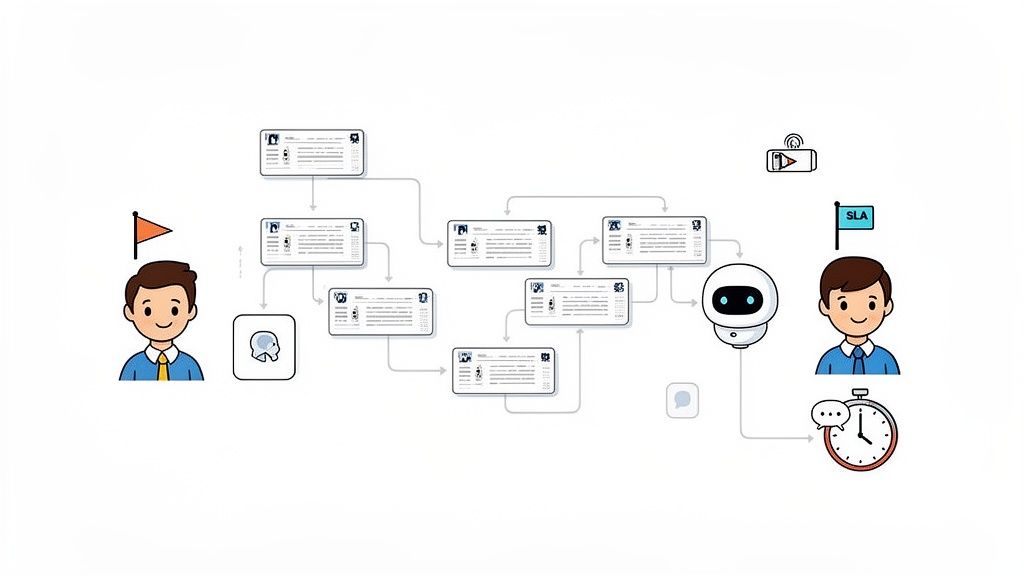
This approach solves the immense challenge of managing high volumes of customer requests efficiently. It prevents tickets from getting lost, reduces manual handling errors, and dramatically improves response times, which are all critical factors in maintaining high customer satisfaction and loyalty.
Strategic Breakdown and Application
Automation in customer support works by applying rules and AI to incoming communications. For instance, a ticket containing keywords like "billing error" or "cannot login" is automatically tagged and sent to the appropriate department, bypassing a manual triage queue entirely. This ensures the right expert sees the problem first.
Key Implementation Tactics:
- Rule-Based Routing: Establish clear rules to route tickets based on channel (email, chat), keywords, customer type (e.g., VIP, standard), or issue category. This is the foundational first step.
- AI-Powered Triage and Resolution: Use AI tools, like those in Zendesk or Intercom, to analyze ticket content for sentiment and intent. These systems can instantly handle common questions by pulling answers from a knowledge base, with Intercom's AI resolving up to 50% of conversations without human intervention.
- Intelligent Escalation Paths: Create automated workflows that escalate a ticket if it remains unresolved for a specific period or if a customer expresses significant frustration. This prevents critical issues from falling through the cracks.
Strategic Insight: The goal of support automation is not to replace human agents but to augment their capabilities. By handling repetitive, low-value tasks, automation allows your team to focus on building relationships and solving complex issues that require empathy and critical thinking. It transforms a reactive support desk into a proactive, efficient customer experience engine. Explore these advanced concepts in our guide to enterprise customer service strategies.
7. Content Personalization and Dynamic Website Optimization
Content personalization is a business process automation example that uses software and AI to deliver unique website experiences for each visitor. Instead of showing a static, one-size-fits-all website, this automation dynamically adjusts content, product recommendations, and offers in real-time based on user behavior, demographics, and historical data. This creates a highly relevant and engaging journey for every user.
This approach is crucial for cutting through digital noise and meeting modern consumer expectations for tailored experiences. It solves the problem of high bounce rates and low engagement by making visitors feel understood, which directly translates to higher conversion rates and increased customer loyalty.
Strategic Breakdown and Application
Automation platforms analyze data points like past purchases, pages viewed, and even mouse movements to predict user intent and serve the most relevant content. This could mean showcasing different homepage banners for new versus returning visitors or recommending products that complement items already in a user's cart.
Key Implementation Tactics:
- Rule-Based Segmentation: Start by creating simple rules to personalize experiences. For example, show different content based on geographic location (local promotions), traffic source (a unique welcome for social media visitors), or device type (a streamlined view for mobile users).
- Predictive Recommendations: Employ AI algorithms to analyze user data and suggest products or content they are likely to find valuable. Amazon's recommendation engine, which drives a significant portion of its revenue, is a prime example of this tactic's power.
- A/B and Multivariate Testing: Continuously test different personalization elements to understand what resonates most with your audience. Automation platforms can run these tests and automatically implement the winning variations.
Strategic Insight: True personalization goes beyond simply using a visitor's first name. It's about creating a frictionless, intuitive journey that anticipates needs. By integrating personalization engines with your CRM and analytics platforms, you build a powerful system that not only boosts immediate conversions but also gathers invaluable data to refine your customer understanding and long-term strategy.
8. Social Media Engagement and Community Management Automation
Social media automation uses software to monitor, schedule, and respond to brand mentions, messages, and comments across multiple platforms. Instead of manually tracking every conversation, this business process automation example allows companies to manage their online presence at scale, engage with their audience promptly, and analyze sentiment to inform strategy.
This approach is vital for maintaining brand reputation and customer satisfaction in a 24/7 digital environment. It solves the overwhelming challenge of keeping up with high volumes of social media interactions, ensuring no customer query or brand mention goes unnoticed.
Strategic Breakdown and Application
Automated systems can schedule content, monitor keywords and brand mentions in real-time, and even generate initial responses to common inquiries. This frees up community managers to focus on high-value interactions, strategy, and content creation, rather than repetitive administrative tasks.
Key Implementation Tactics:
- Tiered Response System: Implement an automated workflow that sends an immediate acknowledgment for new messages or mentions, while simultaneously routing more complex or negative inquiries to a human agent for a personalized follow-up.
- Sentiment Analysis Triggers: Use AI-powered sentiment analysis to automatically flag and prioritize highly negative or positive comments. Platforms like Brandwatch can detect emerging crises hours earlier than manual monitoring, allowing for rapid intervention.
- Approval Workflows: For sensitive topics or official brand statements, create automated approval workflows. This ensures that pre-written responses are reviewed by a manager before being published, maintaining brand consistency and control.
Strategic Insight: The true power of social media automation lies in its ability to combine speed with intelligence. By setting up escalation triggers that automatically alert the appropriate team (e.g., PR for a crisis, sales for a lead), you transform your social channels from simple broadcast tools into a responsive, integrated part of your business operations. This turns reactive community management into a proactive brand-building and risk-mitigation engine.
9. Report Generation and Analytics Distribution Automation
Report generation automation uses business intelligence (BI) tools and software to automatically collect data, compile it into predefined formats, and distribute performance reports to stakeholders. Instead of analysts manually pulling data from various sources and building reports in spreadsheets, this business process automation example ensures decision-makers receive timely, consistent, and accurate insights on a recurring schedule.
This approach is crucial for maintaining strategic alignment across an organization. It solves the problem of data silos and reporting bottlenecks, freeing up analysts from repetitive tasks to focus on deeper, more strategic data interpretation that drives business growth.
Strategic Breakdown and Application
Automated reporting connects directly to data sources like CRMs, ERPs, and marketing platforms to create live dashboards or scheduled PDF exports. Tools like Tableau and Power BI allow teams to build a report once and set it to refresh and distribute automatically, ensuring everyone works from the same up-to-date information.
Key Implementation Tactics:
- Define Key KPIs: Start by identifying 3-5 critical KPIs for each report. This prevents information overload and focuses stakeholders on the metrics that directly impact business objectives.
- Scheduled Distribution: Configure the system to send reports at optimal times, such as Monday mornings for a weekly performance review or the first day of the month for a financial summary.
- Interactive Dashboards: Instead of static PDFs, provide stakeholders with interactive dashboards. This allows them to drill down into the data, apply filters, and explore trends on their own, fostering a more data-literate culture.
Strategic Insight: The true power of automated reporting lies in democratizing data. When real-time, easy-to-understand analytics are accessible to everyone from the C-suite to frontline managers, you create a culture of proactive, data-informed decision-making. This transforms reporting from a reactive, historical exercise into a forward-looking strategic tool. Learn more about leveraging these tools at Tableau's official website.
10. Predictive Lead Scoring and Propensity Modeling
Predictive lead scoring uses machine learning and AI to analyze vast amounts of customer data, identifying patterns that indicate a prospect's likelihood to convert. Instead of relying on manual, rule-based scoring (e.g., +5 points for opening an email), this advanced business process automation example creates dynamic models that predict future behavior, allowing sales teams to focus their efforts with surgical precision.
This automation solves the fundamental sales challenge of prioritization. By automatically identifying the hottest leads and accounts most likely to buy, it prevents sales reps from wasting time on low-potential prospects and dramatically increases overall team efficiency and conversion rates.
Strategic Breakdown and Application
This process works by feeding historical data (both wins and losses) into a machine learning algorithm. The model learns the common attributes and behaviors of successful customers, then applies this understanding to score new and existing leads in real-time. This creates a continuously optimized pipeline where the best opportunities always rise to the top.
Key Implementation Tactics:
- Define Your Ideal Customer Profile (ICP): Work closely with your sales team to define what constitutes a "qualified" or "good" lead. This definition provides the target outcome for the predictive model to learn from.
- Aggregate Clean Data: Ensure you have clean, comprehensive data from multiple sources like your CRM, marketing automation platform, and website analytics. A minimum of 6-12 months of historical data is typically needed to train an effective model.
- Establish a Feedback Loop: Implement a process where the sales team validates or corrects the model's predictions within the CRM. This feedback is crucial for retraining the model and improving its accuracy over time.
Strategic Insight: The real power of predictive scoring is its ability to move beyond simple engagement metrics and uncover hidden correlations. Platforms like Salesforce Einstein and HubSpot have shown this can improve conversion by 30-40%. By understanding the propensity to buy, you transform your sales process from a reactive numbers game into a proactive, data-driven strategy. To explore these concepts further, see how you can unlock the power of AI as a game-changer for modern marketers.
10 Business Process Automation Examples — Comparison Matrix
| Use case | Implementation Complexity 🔄 | Resource Requirements ⚡ | Expected Outcomes 📊 | Ideal Use Cases 💡 | Key Advantages ⭐ |
|---|---|---|---|---|---|
| Email Marketing Automation and Lead Nurturing | Medium — 2–12 weeks; workflow logic & integrations 🔄 | Email platform + CRM, quality lists, moderate staff ⚡ | Higher conversions & CLV; ROI ~300–400% 📊 | Lead nurturing, onboarding, retention for B2B/B2C 💡 | Personalized scale, 24/7 engagement, strong analytics ⭐ |
| Social Media Content Publishing and Scheduling | Low–Medium — 1–2 weeks; platform connectors 🔄 | Scheduling tool, content assets, social analytics ⚡ | Better posting consistency & engagement; ROI ~200–300% 📊 | Brand cadence, multi‑platform posting for SMBs 💡 | Time savings, optimal timing, collaborative calendar ⭐ |
| CRM Data Synchronization | High — 3–8 weeks; mapping, governance & integrations 🔄 | Integration middleware, API/IT support, data governance ⚡ | Unified customer view; fewer duplicates; ROI ~250–400% 📊 | Enterprise integrations, omni‑channel personalization 💡 | Eliminates silos, real‑time data, improved decisions ⭐ |
| Lead Capture and Form Automation | Medium — 2–8 weeks; forms, scoring & routing 🔄 | Landing page/form tools, chatbots, CRM connectivity ⚡ | More qualified leads & faster routing; ROI ~350–500% 📊 | Conversion optimization, B2B lead gen, e‑commerce CPLs 💡 | Higher capture rates, immediate routing, progressive profiling ⭐ |
| Invoice Generation and Payment Processing Automation | Low–Medium — 1–4 weeks; accounting integration 🔄 | Accounting software, payment gateway, security & compliance ⚡ | Faster cash flow, lower processing costs; ROI ~200–300% 📊 | Recurring billing, freelancer/SMB invoicing, project billing 💡 | Speeds billing, automates reconciliation, improves accuracy ⭐ |
| Customer Support Ticket Routing and Resolution Automation | High — 4–8 weeks; AI, SLA & routing workflows 🔄 | Helpdesk platform, AI/chatbots, training data & staff ⚡ | Faster responses, higher CSAT; ROI ~250–400% 📊 | High‑volume support, SLA teams, enterprise service desks 💡 | Reduced workload, consistent routing, automated resolutions ⭐ |
| Content Personalization and Dynamic Website Optimization | High — 6–12 weeks; personalization engine & testing 🔄 | Behavioral data, predictive analytics, dev/ML support ⚡ | Higher conversion & AOV; ROI ~300–500% 📊 | E‑commerce, media, SaaS product pages for upsell 💡 | Real‑time relevancy, increased revenue per visitor ⭐ |
| Social Media Engagement and Community Management Automation | Medium — 2–6 weeks; monitoring + response templates 🔄 | Listening tools, moderation workflows, human oversight ⚡ | Faster responses, crisis detection; ROI ~200–350% 📊 | Community management, PR monitoring, influencer tracking 💡 | 24/7 presence, sentiment prioritization, scalable moderation ⭐ |
| Report Generation and Analytics Distribution Automation | Medium — 3–6 weeks; data connections & dashboards 🔄 | BI tools, data pipelines, metric owners & analysts ⚡ | Time savings, faster decisions; ROI ~200–300% 📊 | Executive reporting, marketing/ops performance tracking 💡 | Standardized reports, anomaly alerts, self‑service access ⭐ |
| Predictive Lead Scoring and Propensity Modeling | Very High — 8–16 weeks; ML model dev & validation 🔄 | Data science expertise, historical data, compute & monitoring ⚡ | Better win rates & efficiency; ROI ~400–600% 📊 | Enterprise sales prioritization, ABM, retention programs 💡 | Prioritizes high‑value leads, churn prediction, CLV insight ⭐ |
Your Next Step: From Automation Examples to Actionable Strategy
We have journeyed through a comprehensive collection of business process automation examples, moving far beyond simple definitions to explore the strategic underpinnings that drive real-world success. From the intelligent routing of customer support tickets to the predictive power of automated lead scoring, the message is clear: automation is no longer a futuristic concept but a present-day competitive necessity.
The examples detailed, such as invoice generation, CRM data synchronization, and social media scheduling, serve as a practical blueprint. They demonstrate a universal truth across all industries: repetitive, rule-based tasks are prime candidates for automation, freeing up invaluable human capital for strategic thinking, innovation, and complex problem-solving. Each case study underscores the importance of a well-defined strategy, the right technology stack, and a commitment to measuring tangible outcomes.
The Strategic Shift: From Isolated Tasks to an Integrated Ecosystem
The true power of business process automation is not realized by simply automating a single task, like scheduling a social media post. It is unlocked when you begin to connect these automated workflows into a cohesive, intelligent ecosystem.
Imagine a system where a lead captured from an automated form is instantly scored by a predictive model. High-propensity leads are then automatically assigned in your CRM, triggering a personalized email nurturing sequence. Simultaneously, your analytics dashboard is updated in real-time to reflect this new engagement. This is the goal: to create a seamless flow of information and action that eliminates manual handoffs and accelerates your entire business cycle.
Key Strategic Insight: View automation not as a series of isolated fixes but as the architectural framework for a more agile, data-driven, and efficient organization. The goal is to build an interconnected system where processes communicate and trigger one another intelligently.
Your Actionable Roadmap to Implementation
Moving from theory to practice can feel daunting, but it doesn't have to be. The most successful automation initiatives begin with a deliberate, phased approach. Here is a simple, actionable framework to get you started:
- Identify High-Impact, Low-Complexity Processes: Start with the "low-hanging fruit." What manual tasks consume the most time but follow a clear, repeatable set of rules? Think about report generation, data entry between systems, or initial customer support responses.
- Define Success Metrics: Before you automate anything, determine how you will measure success. Is your goal to reduce response time, decrease errors, lower operational costs, or increase lead conversion rates? Establish a baseline and set clear, quantifiable targets.
- Select the Right Tools: As our business process automation examples have shown, the tool must fit the task. Whether you need a comprehensive CRM like HubSpot, a dedicated RPA platform, or a custom-built solution, your technology choice is critical. Focus on tools that can integrate with your existing systems and scale with your business.
- Implement, Measure, and Iterate: Launch your first automated workflow as a pilot program. Meticulously track its performance against your predefined metrics, gather feedback from your team, and be prepared to refine the process. Continuous improvement is the cornerstone of a mature automation strategy.
By adopting this methodical approach, you build momentum, prove the value of automation to stakeholders, and develop the internal expertise needed to tackle more complex challenges. This journey transforms your business from being reactive to proactive, positioning you to adapt quickly to market changes and outperform the competition. The future of business is efficient, intelligent, and automated. Your next step is to make it your reality.
Ready to move from reviewing business process automation examples to implementing a tailored strategy for your own company? The experts at Magic Logix specialize in designing and deploying custom automation solutions that drive measurable growth and operational excellence. We can help you identify the right processes, select the best technology, and build an integrated ecosystem that gives you a sustainable competitive advantage.