

Canonicalization is how you tell search engines which URL is the main version of a page when the same or very similar content lives at more than one address. You do it with a rel="canonical" tag, redirects, internal links and your sitemap, and Google treats your choice as a hint, not a command. Get it right and your ranking signals consolidate on one URL. Get it wrong and Google picks for you, often the URL you least wanted.
This guide explains the idea in plain terms, shows how to implement and audit canonical tags, and covers the questions that trip up site owners most: parameters, canonical versus noindex, and the Search Console messages that say Google disagreed with you. At Magic Logix, our approach to technical SEO starts from the same principle: every page that matters should have one clear address.
TL;DR
- Canonicalization means choosing one representative URL from a group of duplicate or near-duplicate pages. A canonical tag is the most common way to state your preference.
- Google calls a canonical annotation a hint, not a rule, so your internal links, redirects and sitemap should all agree with it.
- Use a 301 redirect when the old URL should disappear, a canonical tag when several URLs must stay live, and avoid noindex for duplicate handling inside one site.
- Audit regularly in Search Console. The status “Duplicate, Google chose different canonical than user” is the one to investigate first.
Table of Contents
- What canonicalization means
- Why it matters for search visibility
- The signals Google uses to pick a canonical
- How to implement a canonical tag correctly
- Handling URL parameters, sorting and pagination
- Canonical tag vs. noindex, redirect and robots.txt
- Canonicalization mistakes to look for in an audit
- Our perspective
- Get canonicals right across your whole site
- FAQ
- Sources
What canonicalization means
Imagine one product page reachable at four addresses: with and without www, with an http or https prefix, and with a tracking code on the end. To a visitor it is one page. To a search engine it is four URLs competing with each other.
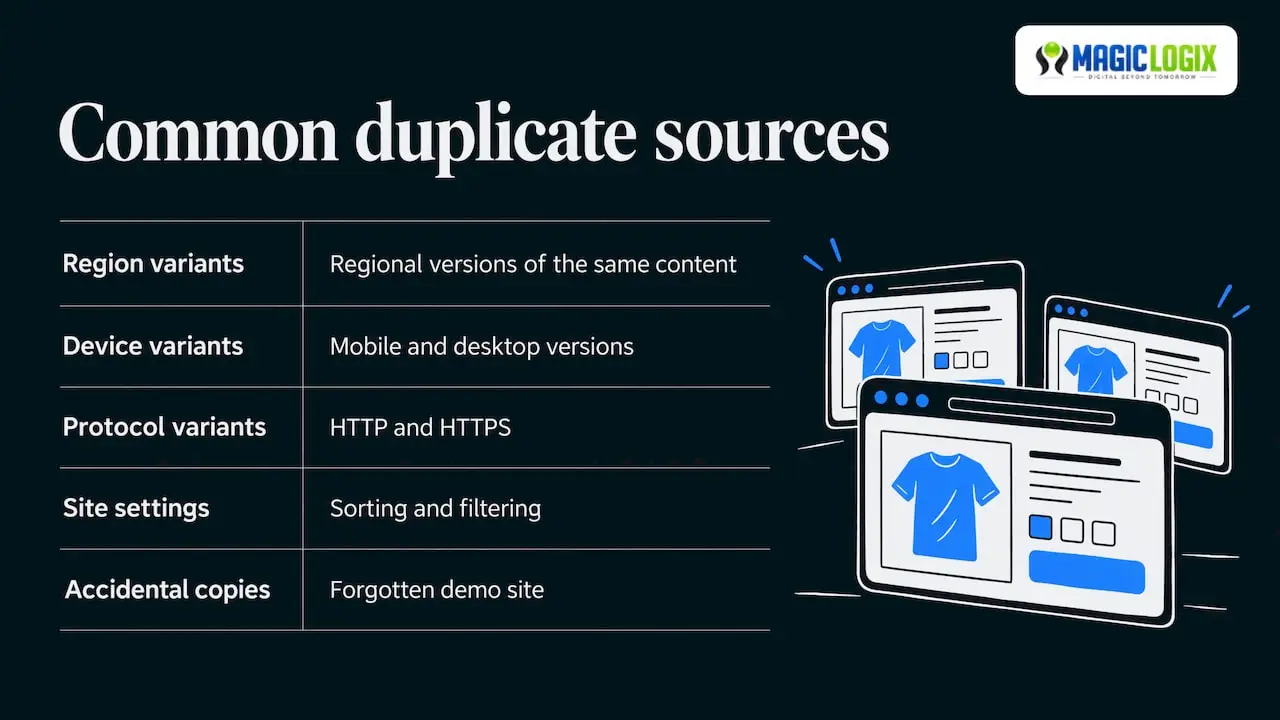
Google defines canonicalization as selecting the representative URL for a piece of content from a set of duplicates. The URL it picks is the canonical URL. Google lists the typical sources of duplicates: region variants, mobile and desktop versions, HTTP and HTTPS protocol variants, sorting and filtering on a site, and accidental copies such as a forgotten demo site.
A canonical tag is a line of HTML in the page’s <head> that names your preferred address:
<link rel="canonical" href="https://www.example.com/shoes/trail-runner/" />
You can also send the same information as an HTTP header, which helps for files like PDFs that have no HTML head.
Canonicalization versus normalization
The two terms get mixed up. URL normalization is the mechanical cleanup of a URL into a standard form, such as lowercasing the host name. Canonicalization is broader: it includes that cleanup plus choices specific to your site, like always ending paths with a slash or stripping tracking parameters. In practice you enforce those choices with redirects and canonical tags together.
Why it matters for search visibility
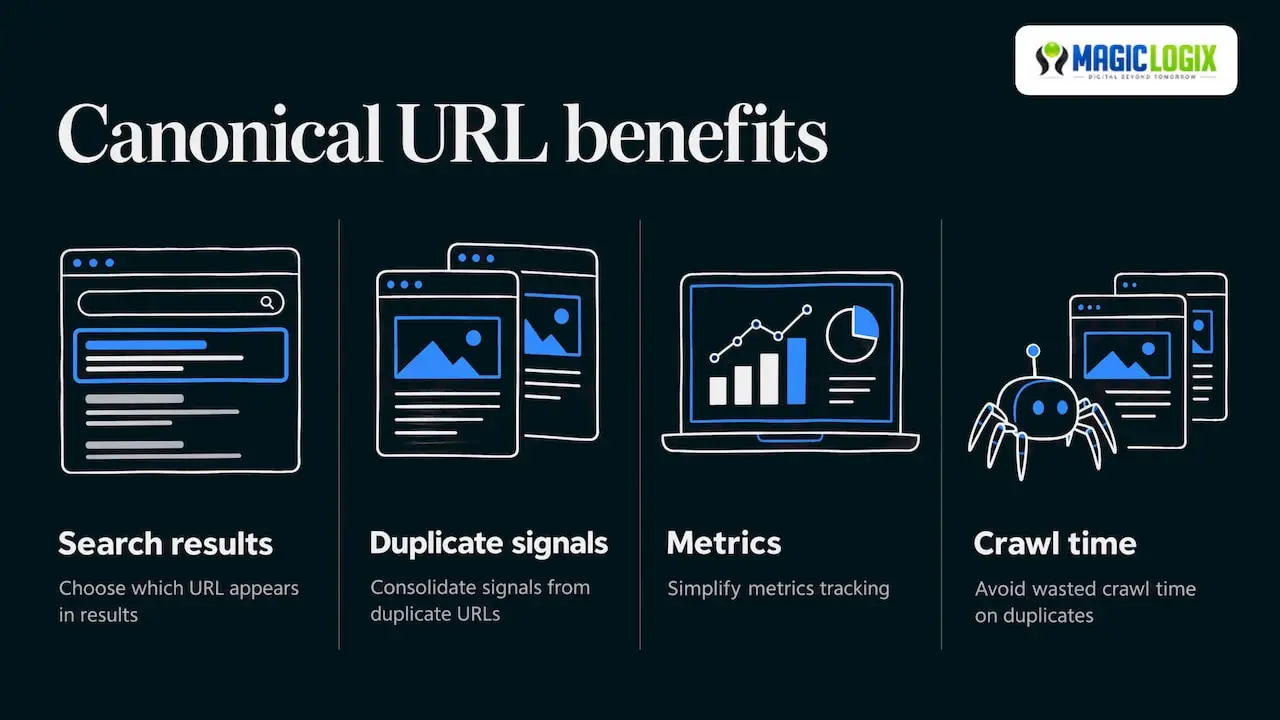
Google gives four reasons to specify a canonical URL: you control which URL appears in results, you consolidate signals from duplicates, you simplify metrics tracking, and you avoid wasting crawl time on duplicate pages.
There is a common misunderstanding to clear up. The canonical tag is not a ranking factor in itself. As Search Engine Journal explains, it is tied to rankings because it can combine signals from duplicate URLs, and Google may ignore it and select its own canonical. Think of it as housekeeping that lets your links, content and engagement add up in one place instead of being split across copies.
For a small site with a few dozen pages, duplicates are usually a minor issue. For stores, multi-location brands, publishers and any site with filters or tracking links, they multiply fast, and that is where canonicalization starts to affect which pages get indexed and shown.
The signals Google uses to pick a canonical
Google ranks the methods by strength and says they can be combined to raise the odds that your preferred URL is chosen.
| Signal | Strength | Best used when |
|---|---|---|
| 301 redirect | Strong | The old URL should no longer exist |
rel="canonical" link |
Strong | Several URLs must stay accessible |
| Sitemap inclusion | Weak | Reinforcing the URLs you want indexed |
| Internal links to the preferred URL | Supporting | Always: keep your own links consistent |
The practical lesson is agreement. If your tag says one URL, your sitemap lists another and your navigation links to a third, Google sees a contradiction and makes its own call.
How to implement a canonical tag correctly
Follow these steps for each template or page type. Google’s implementation guidance is the basis.
- Decide the preferred URL. Pick one protocol (HTTPS), one host (with or without
www), and one trailing-slash convention, then apply them everywhere. - Add the tag to the duplicate pages. Place
<link rel="canonical" href="...">in the<head>, pointing at the preferred page. Google only accepts the element in a valid head section, so a tag that a script pushes into the body, or that breaks the head, will be ignored. - Use absolute URLs. Write the full address, including
https://and the domain. Relative paths invite mistakes, and this explanation of absolute URLs in rel=canonical shows why the full address is safer. - Add a self-referencing canonical to the preferred page. The main page should point to itself. That keeps the outcome predictable when a parameter or tracking code gets appended later.
- Link internally to the canonical URL. Navigation, breadcrumbs, related-product blocks and sitemaps should all use the preferred address.
- Use one canonical per page. Do not specify different canonicals for the same page through different techniques, and never use a URL fragment (the part after
#) as a canonical. - Verify. Inspect a sample of pages in Search Console, covered in the audit section below.
A quick worked example: a boutique sells a jacket at /jackets/rain-shell/. Marketing emails append ?utm_source=newsletter. Without a canonical, the tracked URL can be crawled as its own page. With a self-referencing canonical on the clean URL, the parameter version points back to it, and every tracked visit still lands on one consolidated page.
Handling URL parameters, sorting and pagination
Parameters are the biggest source of accidental duplicates. Session IDs, referral codes, sort orders and filter combinations can generate huge numbers of near-identical URLs. Google’s URL structure guidance recommends avoiding session IDs in URLs (use cookies instead) and says a robots.txt rule can keep Googlebot away from problem parameter URLs such as referral codes, sort options and session IDs.
For product variants identified by optional query parameters, Google’s ecommerce guidance says to use the URL without the parameter as the canonical, and to use that same URL in internal links, sitemaps and canonical tags.
A workable rule set for a store:
- Tracking and session parameters: canonical to the clean URL, and keep them out of internal links.
- Sort orders: canonical to the default listing.
- Filters that create genuinely distinct, searched-for pages (for example, “waterproof trail shoes”): give them their own indexable URL with a self-referencing canonical and unique content.
- Pagination: let each page in a series carry a self-referencing canonical rather than pointing every page to page one, which would hide the products listed deeper in the series.
When deciding which filtered pages deserve to be indexed at all, our guide to indexation strategy walks through the decision.
Canonical tag vs. noindex, redirect and robots.txt
These tools get confused because they all seem to “remove duplicates.” They do different jobs.
| Tool | What it does | Watch out for |
|---|---|---|
| Canonical tag | Suggests the preferred URL and consolidates signals | A hint; the duplicate stays crawlable |
| 301 redirect | Sends users and crawlers to the new URL | Use only when the old URL should go away |
| Noindex | Keeps a page out of search results | Signals from that page are not consolidated |
| Robots.txt | Stops crawling | Does not reliably remove URLs from the index |
Google states that it does not recommend noindex to control canonical selection within a single site, because it blocks the page from Search entirely. It names rel=“canonical” as the preferred option. Google’s John Mueller made the same point, as reported by Search Engine Journal: with a canonical, Google can merge the signals of both pages, while with noindex or a robots.txt block those signals are dropped.
Two more rules prevent common errors. Google advises against using robots.txt for canonicalization, since disallowed URLs can still be indexed without content. And because Google must crawl a page to see a noindex rule, blocking that page in robots.txt means the rule is never read.
Bing has long taken a slightly different view for parameter-heavy sites. Its webmaster team wrote that the canonical tag alone is not ideal for parameter duplicates and that its URL normalization setting in Bing Webmaster Tools reduces crawling of those URLs. The post dates from 2012, so check Bing’s current documentation before relying on it.
Canonicalization mistakes to look for in an audit
A canonical audit is a comparison: what you declared versus what Google chose. Search Engine Land recommends flagging the following patterns:
- Multiple canonical tags on one page.
- Canonical chains (A points to B, B points to C) and loops.
- Parameter URLs that canonicalize to themselves.
- Templates that should carry a canonical and do not.
Add these from Google’s own best practices: do not use the URL removal tool for this purpose, since it hides all versions of the page, and do not mix canonical URLs for the same page across different techniques.
Read the Search Console statuses
The Page Indexing report in Search Console tells you where Google stands. As Search Engine Land describes them:
- Duplicate, Google chose different canonical than user: Google disagreed with your tag. Investigate first.
- Duplicate without user-selected canonical: Google found duplicates and you declared no preference.
- Alternate page with proper canonical tag: informational. Google respected your canonical.
The URL Inspection tool shows both the canonical you declared and the one Google selected.
Why Google overrides your tag
Google’s troubleshooting guide points to a short list of causes:
- A CMS plugin outputting the wrong canonical.
- A server returning identical soft-404 pages or cross-domain content.
- Clustered pages that are not actually similar enough to be treated as duplicates.
After fixing the cause, use Request Indexing in URL Inspection. Re-evaluation can take up to two weeks, and the feature is subject to quotas.
A short audit checklist you can run quarterly:
- Export the URLs from the Page Indexing report with a duplicate status.
- Inspect a sample from each template (product, category, article, location page).
- Confirm the declared canonical matches your sitemap and internal links.
- Check that canonicals sit in the rendered
<head>and return a 200 status. - Re-check after any theme change, plugin update or migration.
Migrations deserve special care, because they create the largest wave of changing URLs. Our piece on building a 1:1 redirect map before migration covers that side of the work.
Our perspective
Most canonical problems we describe to clients are not tag problems. They are decision problems: nobody decided which URL is the real one, so every system on the site, the CMS, the sitemap generator, the email platform, the ad tracker, made its own choice.
Our view is that canonicalization belongs with site architecture, not at the end of an SEO checklist. When web development and search work are planned together, the preferred URL is set once, templates output it consistently, and tracking is designed so it does not spawn new addresses. That is how we think about Digital Beyond Tomorrow in practice: build the foundation so search engines, and increasingly AI answer engines, read your site the same way you do.
Because Google treats canonicals as hints, we also treat them as one signal among several. Redirects, internal links and sitemaps should say the same thing as the tag.
Hassan Bawab
Get canonicals right across your whole site
If your site runs on a store platform, a custom build or several regional versions, the right setup depends on how its templates generate URLs. Magic Logix offers search engine optimization and website design and development as part of one engagement model, so the technical foundation and the content on top of it are planned together. You can also see how our Search & AI Visibility work fits alongside traditional SEO, or tell us about your site and ask for a consultation through the contact options on our site.
FAQ
What is the canonical tag in SEO?
It is a rel="canonical" link element in a page’s head that names the preferred URL among duplicate or near-duplicate pages. It helps Google consolidate signals and choose which address to show in results. Google treats it as a strong hint, not a command.
What is the difference between a URL and a canonical URL?
A URL is any address that loads a page. The canonical URL is the one version of that content you want indexed and shown in search. Several URLs can serve the same page, but only one should be the canonical.
Should I use canonical or noindex for duplicate pages?
On a single site, use the canonical tag. Google does not recommend noindex for this, because it removes the page from Search and the signals do not consolidate. Reserve noindex for pages that should not appear in search at all.
Can Google ignore my canonical tag?
Yes. Google may choose a different canonical if your signals conflict, if the pages are not similar enough, or if the tag is misplaced or injected incorrectly. Aligning redirects, internal links and the sitemap with the tag makes your preference far more likely to be respected.
Do I need a self-referencing canonical?
Google advises adding one to the canonical page itself. It keeps the outcome predictable if parameters or tracking codes are appended to the URL later.
Sources
- What is URL Canonicalization, Google Search Central
- How to Specify a Canonical with rel=“canonical” and Other Methods, Google Search Central
- URL Structure Best Practices for Google Search
- Ecommerce URL Structure Best Practices, Google Search Central
- Fix Canonicalization Issues, Google Search Central
- Canonicalization: Is It A Google Ranking Factor? Search Engine Journal
- Canonicalization and SEO: A guide for 2027, Search Engine Land
- Better than canonical; URL Normalization, Bing Webmaster Blog
- Canonical relative URL vs absolute, DBLScanner