
To set up the Facebook Conversions API (CAPI, now called the Meta Conversions API), open Events Manager, choose your Pixel or dataset, and connect it through a platform integration, a hosted gateway, or your own server code. Then keep your browser Pixel running, give both versions of each event the same event ID, and confirm in Events Manager that events arrive once, not twice.
This guide walks through each route, the fields that matter, the mistakes that quietly inflate or deflate your numbers, and how to check your work. It is written for business owners and marketing teams who need to decide what to do, not just which buttons to click.
TL;DR
- The Conversions API sends conversion events from your server to Meta. It complements browser tracking rather than replacing it, so keep the Pixel.
- Pick the simplest route that fits your stack: a native or partner integration, a hosted gateway, or a direct API build for custom events and CRM data.
- Use one shared event ID and the same event name on browser and server events so Meta can remove duplicates.
- Treat the access token like a password, and build consent handling in from day one.
- Test in Events Manager, then compare reported conversions against real orders or qualified leads.
Table of Contents
- What the Conversions API does and why it matters
- Before you begin: what you need
- Choose your setup route
- Step-by-step: setting up through Events Manager
- Deduplication: the step most setups get wrong
- Send data that Meta can actually use
- Privacy and consent
- Worked example: a service business with a CRM
- Setup checklist
- How to evaluate results
- Common mistakes to avoid
- Our perspective at Magic Logix
- Getting help with tracking and paid media
- FAQ
- Sources
What the Conversions API does and why it matters
The Pixel is a snippet of JavaScript that runs in the visitor’s browser. It can be blocked by browser settings, ad blockers, or a failed page load. The Conversions API takes a different path: your server (or a partner’s) sends the event straight to Meta. Meta’s own specification says these events are linked to a Pixel and processed like browser Pixel events.
Think of the Pixel as a doorbell camera and the Conversions API as a call from your own front desk. If the camera misses someone, the desk still knows they came in. Running both gives you two chances to record a real action. That only helps if the two records are recognized as the same visit, which is the deduplication step covered below.
Two caveats before you start:
- Sending more raw events does not improve measurement by itself. The value comes from reliable delivery, good customer matching data, and correct deduplication.
- Meta’s tools and menus change. The steps below reflect the documented flow as of October 2026. If your screen differs, check Meta’s current Get Started documentation.
Before you begin: what you need
Gather these first and the setup goes quickly:
- A Meta Business Manager account with admin access, so you can grant permissions to partners or developers.
- A Pixel (dataset) ID. Meta recommends using the Pixel you already have for your website rather than creating a new one, so your history stays in one place. See the requirements in Meta’s guide.
- A list of the actions that matter to your business. Write down your real funnel steps, such as Lead, CompleteRegistration, AddToCart, InitiateCheckout, and Purchase. This event map is the most useful document in the whole project.
- A decision on consent. Know what your cookie banner or privacy policy allows you to send, and to whom.
- Someone who owns it. A marketer, a developer, or an agency. Tracking that nobody owns drifts out of date.
Choose your setup route
There are three practical ways to connect. Research on current setup paths points to the same logic: use the lowest-complexity option that still protects data quality.
| Route | Best for | Effort | Trade-off |
|---|---|---|---|
| Native or partner integration (your ecommerce platform or CRM connects to Meta) | Stores and lead-gen sites on a supported platform | Low | Limited control over custom events and fields |
| Hosted gateway (a partner runs the server-side transport) | Teams that want server-side tracking without building servers | Low to medium | You still own event definitions, consent, and reconciliation |
| Direct API integration (your developers send events) | Custom events, CRM or offline conversions, enterprise control | High | Most flexible, most to build and maintain |
No authoritative US price exists for any of these, since cost depends on the vendor and your platform, so get a quote from whoever you choose rather than trusting a rule of thumb.
A simple way to decide:
- Selling through a mainstream ecommerce platform? Start with its native Meta connection.
- Qualifying leads in a CRM and closing deals offline? You likely need the direct route, or a CRM integration that passes lead stages back to Meta.
- Have a custom site and no server engineer? A hosted gateway is usually the middle path.
Step-by-step: setting up through Events Manager
The core path is the same whichever route you choose, as documented by integration providers.
Step 1: Open your data source
In Meta Events Manager, select Data Sources and choose the Pixel or dataset tied to your website. Confirm it is the one your ads actually optimize against. Many accounts hold old or duplicate Pixels, and connecting the wrong one is an easy way to waste a week.
Step 2: Find the Conversions API section
Open the Settings tab for that data source and scroll to the Conversions API section. You will see options to set up through a partner integration or manually.
Step 3: Connect through a partner, or generate a token
- Partner route: pick your platform or gateway provider. Meta sends you through that provider’s connection flow, where you log in and approve access to the dataset.
- Manual route: generate an access token for that specific dataset. Setup guidance notes the token may only be visible to users with developer privileges and may not be shown again, so save it securely when it appears.
Step 4: Store the token safely
The token lets anyone who holds it send data into your dataset. Keep it in a server-side secret manager or environment variable. Never put it in browser JavaScript, a public repository, or a shared spreadsheet.
Step 5: Send your first events
For a direct build, each request needs the fields Meta’s published schema lists as required: event name, event time, user data, and action source. Add custom data such as purchase value and currency when relevant. Details are in Meta’s API specification.
A simplified purchase event carries:
event_name: Purchaseevent_time: the Unix timestamp of when the customer actually paidaction_source: websiteevent_source_url: the checkout confirmation URLevent_id: the same ID the browser Pixel useduser_data: hashed email or phone where consent allows, plus browser identifierscustom_data: value and currency
Step 6: Test and verify
Use the test and diagnostic views in Events Manager to confirm events arrive, land in the intended data source, and are not doubled. Some integrations take time to begin receiving data. One provider says its own integration can take up to two hours, but that is specific to that provider, so do not assume it applies to yours.
Deduplication: the step most setups get wrong
If the Pixel and the server both report the same purchase, Meta needs to know it is one purchase. Otherwise your reported conversions and revenue inflate, and your cost per result looks better than it is.
Meta’s deduplication documentation recommends matching on event ID and event name. In practice:
- Generate one unique ID when the action happens, such as the order number or a random string created at checkout.
- Pass it as
eventIDin the Pixel call and asevent_idin the server event. - Use the identical event name on both sides. “Purchase” and “purchase” are not the same thing to a computer.
Timing matters too. Meta’s specification says matching events can be deduplicated within 48 hours, and when browser and server events arrive within roughly five minutes of each other, the browser event is favored. A Stack Overflow answer quoting Meta’s guidance describes the same behavior.
A quick self-check: place a test order, then look at the event in Events Manager. If you see two Purchases for one order, the IDs or names do not match.
Send data that Meta can actually use
More events do not help if they cannot be tied to a person. Data quality is what separates a useful setup from a noisy one.
Matching data
Include what you legitimately have and are permitted to send: client user agent, client IP address, the fbc and fbp browser identifiers, an external ID from your own system, and hashed email or phone. Meta’s requirements and your own consent policy decide what is allowed.
Real timestamps
The event time should be when the customer acted, not when your server got around to sending it. This matters when payment confirms later, or when a sales rep qualifies a lead days after the form fill. Preserving the true time gives Meta a more accurate timeline. Meta’s schema also allows timestamps up to seven days before transmission, and older events in a request can cause the request to fail, so send delayed events promptly.
Match quality is a clue, not a verdict
Events Manager shows an Event Match Quality score. A low score does not automatically mean the integration is broken. One documented integration deliberately limits the customer data it sends for security reasons, and it still reports conversions. Read match quality next to delivered events, deduplication, attribution, and your actual sales.
Privacy and consent
Decide how consent works before launch, not after. Meta’s event schema includes data-processing options, including Limited Data Use (LDU), and an opt-out flag that stops an event from being used for ad-delivery optimization while keeping it for attribution, according to the published specification.
The correct configuration depends on your data practices, your consent mechanism, and the state and federal rules that apply to you. If you handle health, financial, or children’s data, or sell into states with comprehensive privacy laws, have your privacy counsel or attorney confirm what you may send before turning it on.
Worked example: a service business with a CRM
Imagine a home-services company that gets leads through a Facebook form on its site. The Pixel fires a Lead event when someone submits. But the real value is in which leads become booked jobs, and that happens days later in the CRM. This is an illustration, not a client result.
A sensible build looks like this:
- Keep the Pixel Lead event, with an event ID generated at submission.
- Send the same Lead from the server with that ID, so the pair is deduplicated.
- When the CRM marks a lead as qualified or booked, send a second, differently named event with the original event time of that stage change, and an external ID so Meta can match it back.
- Every month, compare Meta’s reported leads with the CRM’s count, and reported qualified leads with booked jobs.
The CRM piece is where many teams stall, because lead stages are inconsistent. Our guide to mapping leads before choosing tools covers how to define those stages first.
Setup checklist
- [ ] Correct Pixel or dataset selected in Events Manager
- [ ] Event map written: which actions, which names, which values
- [ ] Route chosen (native, gateway, or direct) and owner named
- [ ] Access token stored server-side only
- [ ] Pixel kept active alongside the API
- [ ] Same event name and event ID on browser and server
- [ ] Real event times, with delayed events sent within seven days
- [ ] Consent and data-processing options reviewed
- [ ] Test purchase or lead shows once, not twice
- [ ] Monthly reconciliation against orders or qualified leads
How to evaluate results
Setup is not the finish line. Judge it on a few measurable things, and be wary of anyone who promises a specific lift.
| What to check | Where | What good looks like |
|---|---|---|
| Events arriving | Events Manager, test and diagnostics views | Both browser and server sources listed, no gaps after site changes |
| Duplicates | Event counts against your order or lead records | One conversion per real action |
| Match quality | Event Match Quality per event | Stable or improving, read alongside delivery |
| Business agreement | Orders or CRM versus Meta-reported conversions | Close, with known reasons for any gap |
| Campaign outcomes | Cost per qualified lead or per purchase over several weeks | Trends you can explain, not a single-day swing |
Expect some difference between Meta’s numbers and your own. Attribution windows, view-through credit, and consent opt-outs all create gaps. The goal is a gap you understand. For the broader picture of how tracking fits together, see our explainer on what conversion tracking is, and tag your links consistently with UTM parameters so you can cross-check Meta against your analytics.
Common mistakes to avoid
- Replacing the Pixel with the API. Implementation documentation describes the API as a complement. Removing the Pixel throws away a signal.
- Mismatched event names or IDs. The classic cause of doubled purchases.
- Sending the server timestamp for delayed events. It blurs when the customer actually acted.
- Exposing the token in front-end code. Anyone who finds it can write to your dataset.
- Assuming a partner handles everything. A gateway manages transport. Your team still owns event definitions, consent decisions, CRM source data, testing, and reconciliation.
- Chasing a perfect match score. Fix real gaps in data, not the number.
Our perspective at Magic Logix
We treat the Conversions API as a data pipeline, not as a second tag. The technical connection is the easy part. The harder work is deciding what counts as a conversion for your business, who is allowed to change it, and how you will know when it breaks.
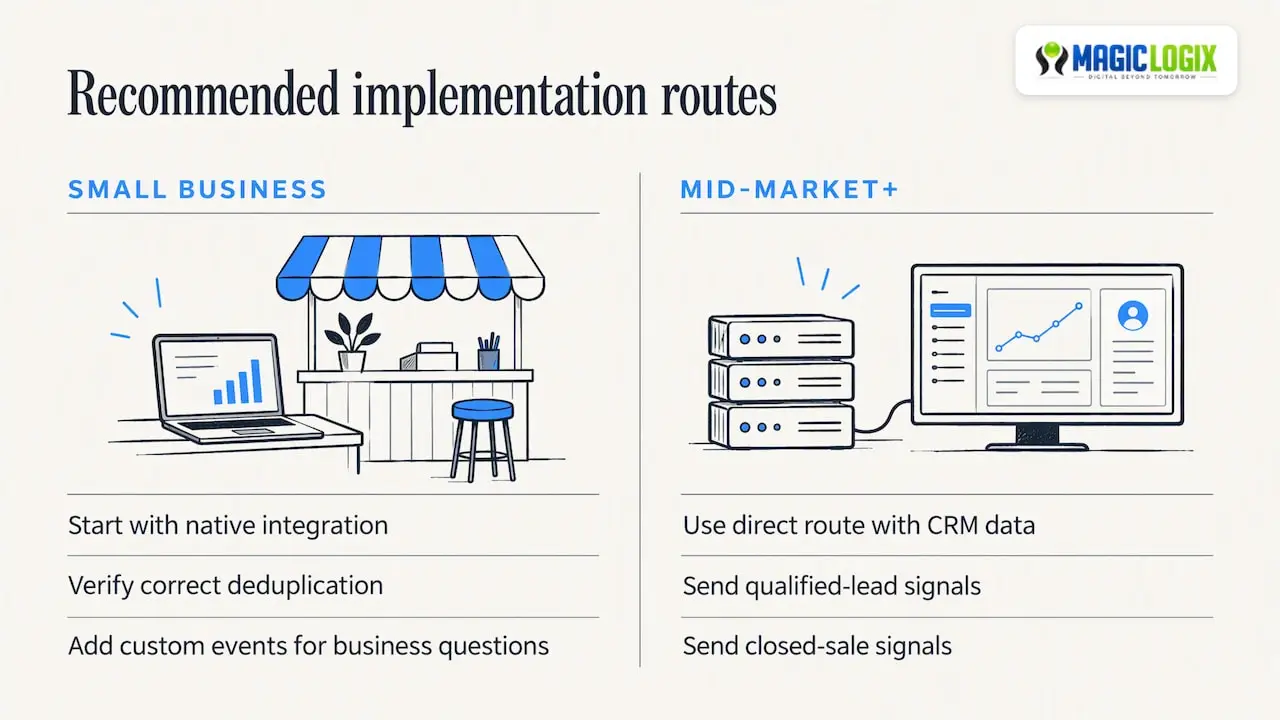
For small businesses, our advice is to resist the urge to build everything. Start with the native integration your platform offers, confirm it deduplicates correctly, and add custom events only when a real business question demands them. For mid-market and enterprise teams with CRM data, the direct route is often worth it, because the signals that matter most, like a qualified lead or a closed sale, live outside the browser.
We also think the honest framing matters. Server-side tracking improves the odds that your measurement is complete, but it does not guarantee better ad performance, and platform behavior keeps evolving. Measure, reconcile, and adjust.
— Hassan Bawab
Getting help with tracking and paid media
If your team would rather not wire this up alone, Magic Logix supports paid media and the measurement behind it through our Marketing & Growth Systems work, and builds the sites and stores that feed your events through eCommerce development. If you want a second pair of eyes on your event map or your current setup, you can start a conversation at magiclogix.com.
FAQ
Do I still need the Meta Pixel if I use the Conversions API?
Yes, for most website advertising. Implementation documentation describes the API as a server-side complement to browser tracking. Running both adds resilience, as long as events are deduplicated with a shared event ID and event name.
Is the Conversions API the same as the Facebook Pixel?
No. The Pixel runs in the visitor’s browser, while the Conversions API sends events from a server. Meta links server events to a Pixel or dataset and processes them like browser events, which is why the two can be combined.
How long does it take to see events after setup?
It varies by route. One provider documents that its integration can take up to two hours, but that is specific to that provider. Use the test and diagnostics views in Events Manager to confirm delivery rather than relying on a fixed time.
Why is my Event Match Quality score low?
Often because you are sending limited customer data, whether by design, by consent choices, or because a form does not collect email or phone. A low score is not proof of a broken integration. Check delivery, deduplication, and real campaign outcomes alongside it.
Can I send offline or CRM conversions?
Yes, through a direct integration or a CRM connection that supports it. Send the real time the action happened, include a matching identifier, and keep delayed events within the seven-day window Meta’s schema allows.
Sources
- Meta for Developers: Conversions API, Get Started
- Meta for Developers: Handling Duplicate Pixel and Conversions API Events
- Meta Server-Side API specification (Swagger)
- Meta CAPI setup overview, MetaRouter documentation
- Meta Conversions API Gateway setup, Datahash documentation
- Setting up a Meta Conversions API integration, ActBlue Help
- Stack Overflow: Deduplication for Facebook Pixel and Conversions API events