

Crawl budget optimization means making sure Googlebot spends its limited time on your site crawling the pages that matter most, rather than wasting requests on duplicates, dead ends, or low-value URLs. This matters most once a site passes roughly 10,000 indexable pages or changes content daily, according to Google’s own guidance. If that sounds like your site, start by checking your Crawl Stats report and making sure your sitemaps only list the pages you actually want crawled.
TL;DR:
- Remove duplicate and low value URLs first; robots.txt can block crawl waste, but keep rendering resources accessible and ensure the file remains reachable.
- Keep sitemaps limited to canonical, indexable pages, and update lastmod only after meaningful content changes; compression does not increase crawling.
- Use Crawl Stats to spot response time or request changes, then inspect server logs and recent deployments to identify affected URLs and likely causes.
- Block near infinite facet combinations, but allow filters that expose searchable inventory; return 404 errors for invalid combinations and out of range pages.
- A noindex tag does not save the first crawl request, because Google must fetch the page before it can see the directive.
Table of Contents
- How Google Decides What to Crawl: Capacity and Demand
- Prioritized Best Practices to Improve Crawl Efficiency
- Where to Measure Crawl Activity and Diagnose Problems
- Faceted Navigation and URL Parameter Handling
- Debunking Common Crawl Budget Myths
- Operational Checklist and Team Playbook
- When Crawl Budget Work Actually Pays Off
- How We Help You Execute This Work
- FAQ
- Sources
- Primary Sources and Tools to Consult
How Google Decides What to Crawl: Capacity and Demand
Google boils crawl budget down to two forces working together: crawl capacity limit and crawl demand. Understanding both helps you see which levers you can pull and which ones are mostly out of your hands.
Crawl capacity limit, sometimes called hostload, is about how much your server can handle without buckling. Google adjusts this limit based on server health: when your site responds quickly and consistently, Google gradually crawls more. When your server slows down or throws errors, Google pulls back to avoid making things worse. This is a two-way negotiation. Your infrastructure sets the ceiling, and Google tests that ceiling over time.
Crawl demand is a different animal entirely. It reflects how much Google actually wants to visit your pages, shaped by perceived inventory (how many URLs Google believes exist), popularity (how much traffic and linking a page attracts), and staleness (how often content changes). A page that never updates and gets little traffic will naturally see fewer crawl visits, no matter how fast your server responds.
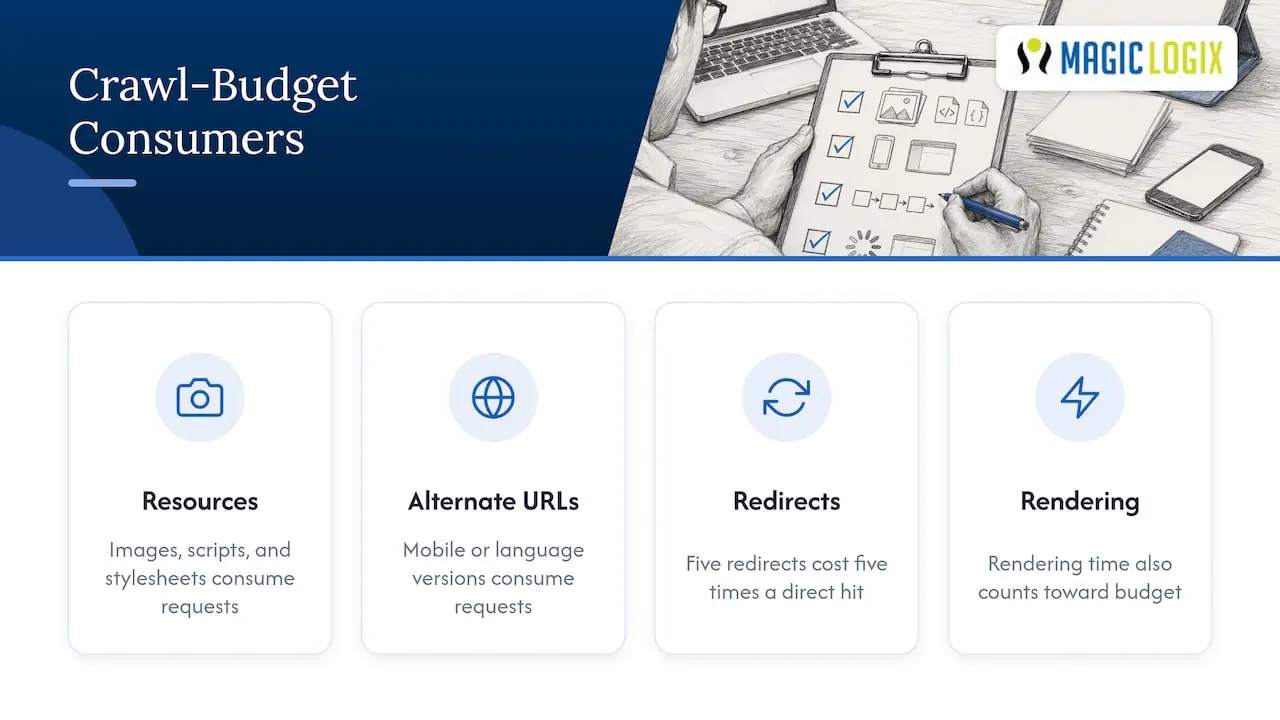
What counts against your crawl budget often surprises teams new to this work. It is not just your HTML pages. Embedded resources like images, scripts, and stylesheets, alternate URLs for mobile or language versions, and redirect hops all consume crawl requests. A single page load that triggers five redirects before reaching its destination costs five times the crawl activity of a direct hit. That is before Google even renders the page, and rendering time itself counts toward the budget, according to Google’s myths and facts documentation.
Prioritized Best Practices to Improve Crawl Efficiency
Not every fix carries equal weight. Here is the order we recommend tackling them, based on how much crawl waste each typically causes on large sites.
- Clean up your URL inventory first. Canonicalize duplicate pages, remove or noindex thin and low-value content, and consolidate near-identical pages before touching anything else.
- Fix robots.txt with precision. Block URLs that genuinely waste crawl time, such as internal search results or cart pages, but never block resources Google needs to render your pages properly. Keep in mind that robots.txt itself needs to stay reachable: when it goes unavailable for a full day, Google can halt crawling entirely.
- Keep sitemaps accurate and current. List only canonical, indexable URLs, and update the lastmod field only when content meaningfully changes, not on every deploy.
- Stabilize server response times. A slow time to first byte (TTFB) or sluggish rendering tells Google to back off, so performance work pays off in crawl coverage, not just user experience. Our server-side rendering guidance covers how to get rendering under control for large, JavaScript-heavy sites.
- Return proper status codes for dead pages. Permanently removed content should return 404 or 410, never a soft 404 that returns a 200 status with “not found” text, which confuses crawlers and wastes requests.
- Cut redirect chains and parameter sprawl. Every extra hop or duplicate parameter variant is a crawl request spent on something other than your real content.
Pro Tip: Run a redirect audit before any migration. We walk through building a clean, one-to-one redirect map so you never ship a migration with chains three or four hops deep.
Where to Measure Crawl Activity and Diagnose Problems
You cannot fix what you cannot see, and crawl budget work starts with two sources of truth.
The Crawl Stats report in Search Console is the first stop. It breaks down total crawl requests over time, average response times, and the file types Google is pulling, which quickly shows whether Google is spending its time on HTML, images, scripts, or something else entirely.
Server logs fill in the detail Crawl Stats cannot. Sampling raw logs lets you isolate exactly which Googlebot user agent hit which URLs and when, which matters when Crawl Stats shows a spike but you need to know the source.
- 5xx error spikes signal server strain that will cause Google to slow its crawl rate.
- Rising average response times often precede a drop in crawl volume, so catching the trend early matters.
- Robots.txt fetch failures can stop crawling outright if they persist.
- Sudden crawl drops usually trace back to a deploy, a CDN change, or a robots.txt misconfiguration, so check recent releases first.
When you see a sudden overload or drop, triage in that order: check Crawl Stats for the pattern, pull server logs to confirm the affected URLs, then correlate against your deploy history before assuming it is a Google-side issue.
Faceted Navigation and URL Parameter Handling
Faceted navigation, the filter and sort combinations common on ecommerce and listing sites, is one of the most common sources of wasted crawl budget. Google’s guidance on faceted navigation is specific about how to handle it.
- Block low-value filter combinations in robots.txt, especially filters that create near-infinite sort and multi-select combinations with no unique content.
- Allow filters that represent genuinely distinct, searchable inventory, such as a single category or size filter that shoppers actually search for.
- Use “&” as your parameter separator, following standard convention, since nonstandard separators generate unpredictable duplicate URLs.
- Return a 404 for nonsensical filter combinations and for pagination pages that fall outside the real range of results.
- Apply rel=canonical deliberately, pointing filtered variants back to the main category page when they do not deserve separate indexing.
Pro Tip: Map your facet combinations before writing any robots.txt rule. Our site architecture guidance walks through structuring category and filter URLs so canonicalization actually holds up over time.
Debunking Common Crawl Budget Myths
A lot of advice floating around does little or nothing, and some of it wastes engineering time better spent elsewhere.
- Compressing your sitemap does not increase crawl budget. Google states plainly that zipped sitemaps make no difference to how much Google crawls.
- Noindex affects indexing decisions, not the initial crawl request. Google still has to fetch a page to see the noindex tag, so it does not prevent that first crawl.
- Versioned or cache-busting URLs do not force meaningful recrawls unless the underlying content actually changed in a way worth revisiting.
- Speed and content quality improvements usually beat micromanaging crawl rules. A faster, healthier server earns more crawl capacity over time than any amount of rule tweaking.
Operational Checklist and Team Playbook
Crawl budget work runs smoothest as a structured, time-boxed audit rather than an open-ended project.
- Week 1 to 2 (SEO): Pull Crawl Stats data, sample server logs, and build the URL inventory, flagging duplicates and low-value pages.
- Week 2 to 3 (Engineering): Fix robots.txt rules, resolve soft 404s, and address redirect chains identified in the audit.
- Week 3 to 4 (SEO and engineering together): Rebuild sitemaps with accurate lastmod values and canonical tags.
- Week 4 to 6 (Engineering): Address TTFB and rendering performance, then roll fixes through a staging release window before full deployment.
Track crawl coverage, indexation changes, and TTFB improvement as your core success metrics across the audit. Coordinating these fixes through CI/CD and scheduled release windows keeps large-site changes from colliding with other deploys, which is where most crawl audits quietly fall apart.
Pro Tip: Pilot fixes on one site section before rolling them out everywhere. A contained test catches canonicalization mistakes before they spread across a million-URL catalog.
When Crawl Budget Work Actually Pays Off
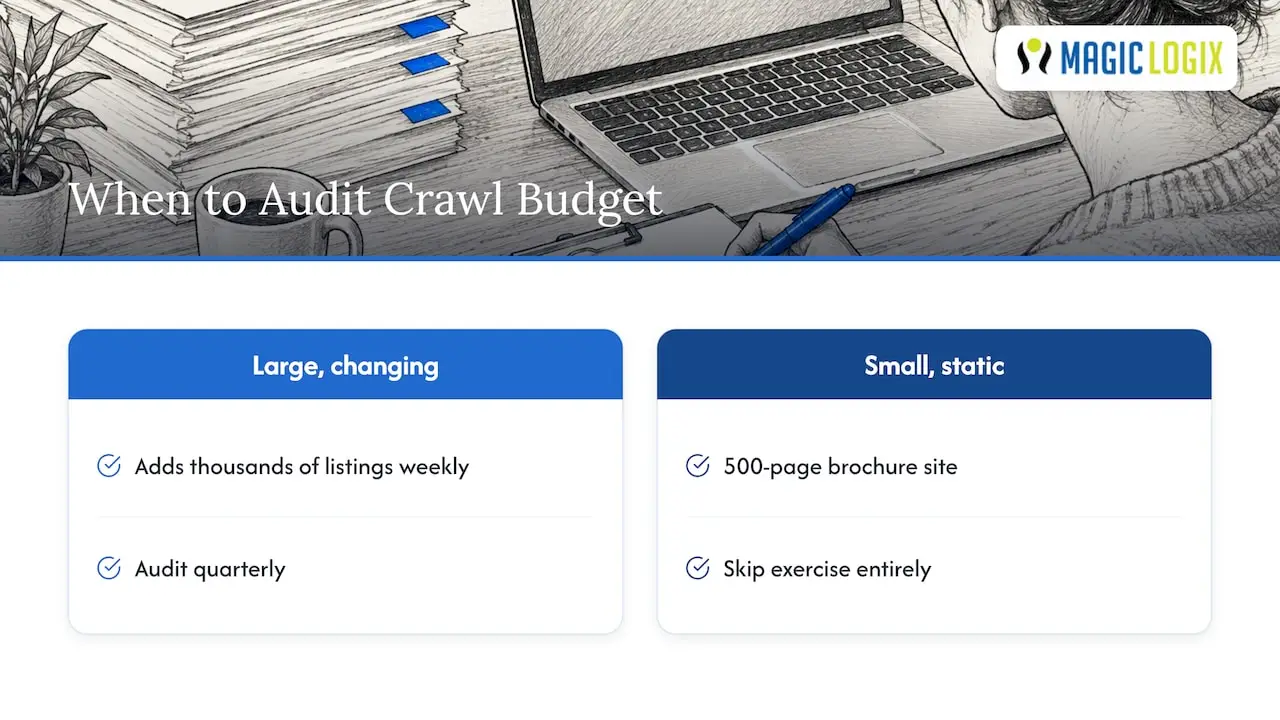
Crawl budget optimization earns its place on the roadmap once a site is large, changes often, or both. A 500-page brochure site rarely needs this work. A marketplace adding thousands of listings weekly cannot afford to skip it.
Our stance: audit quarterly on large, fast-changing sites and skip the exercise entirely on small, static ones. Escalate to performance engineering when TTFB or rendering time is the bottleneck, and escalate to content pruning when the real problem is a bloated, duplicate-heavy URL inventory. Most teams need some of both, but rarely in equal measure.
— Hassan
How We Help You Execute This Work
Crawl budget audits sound straightforward on paper and get messy fast once engineering, content, and SEO all need to move in sync. We handle that coordination directly: our Search Engine Optimization team runs the Crawl Stats and log analysis, our web development team fixes TTFB and rendering bottlenecks, and both work from the same audit timeline instead of three separate backlogs.

- Audit: mapping URL inventory, server health, and sitemap accuracy against Google’s crawl guidance.
- Pilot: fixing one section first, measuring crawl coverage and indexation change, then confirming the approach before scaling.
- Retainer: monitoring Crawl Stats and server logs to catch new issues before they affect indexed pages.
If your site has outgrown ad hoc fixes, reach out through our SEO services page and we will scope the audit against your current crawl data.
FAQ
How do you optimize for crawl budget?
Start by cleaning your URL inventory, fixing robots.txt rules, and keeping sitemaps accurate with correct lastmod values. Then stabilize server response times and resolve soft 404s, since Google crawls more on sites with healthy, fast servers.
What is the crawl budget formula?
There is no public formula. Google describes crawl budget as the result of two factors working together: crawl capacity limit, which reflects what your server can handle, and crawl demand, which reflects how much Google wants to visit your pages, as explained in its developer documentation.
What is a crawler budget?
A crawler budget, more precisely called crawl budget, is the set of URLs Googlebot can and wants to crawl on your site within a given period. Google generally treats this as a concern only for very large sites or ones that change frequently, not for small or rarely updated ones.
What are the two main factors that determine crawl budget?
The two factors are crawl capacity limit, which depends on your server’s health and response speed, and crawl demand, which depends on a page’s perceived inventory, popularity, and staleness. Google details both factors as working together rather than independently.
Does a bigger sitemap or compressed sitemap help crawl budget?
No. Google states directly that compressing a sitemap file does not increase how much Google crawls, and sitemap size alone does not influence crawl demand.
Sources
- Crawl Budget Management For Large Sites | Google Search Central
- Myths and facts about crawling | Google Developers
- Crawl Stats report – Search Console Help
- Managing crawling of faceted navigation URLs | Google Developers
Primary Sources and Tools to Consult
- Crawl Budget Management For Large Sites | Google Search Central
- Myths and facts about crawling | Google Developers
- Crawl Stats report – Search Console Help
- Managing crawling of faceted navigation URLs | Google Developers
- Robots.txt and crawling behavior | Google Developers
- Reclaim Crawl Budget for Large Sites: A 5-Step Audit in 2-6 Weeks