

Demand Gen is a Google Ads campaign type built for visually rich ads on YouTube, YouTube Shorts, Discover and Gmail. It helps you reach people who are not searching for you yet and move them toward a purchase, a lead or a visit. Google describes it as an AI-powered campaign for visual placements meant to help advertisers reach and engage new users. It replaced Discovery campaigns, so if you ran those, you already have a head start.
This guide covers where Demand Gen ads appear, how it differs from Discovery and Performance Max, which audiences to use, the creative specs, a setup walkthrough and how to judge results. It is written for owners and marketers who want to decide whether the campaign type fits their goals and how to run it without wasting budget.
TL;DR
- Demand Gen creates demand across Google’s visual surfaces (YouTube, Shorts, Discover, Gmail, Maps and the Google Display Network). It is not a search campaign.
- It succeeded Discovery campaigns and added native video, lookalike segments and channel controls.
- Start with first-party lists, lookalike segments and clear conversion actions. Give the algorithm clean data before you give it budget.
- Prepare image and video assets in several aspect ratios, including vertical 9:16, before you launch.
- Judge it as a prospecting channel, with channel-level reporting, not only by last-click results.
Table of Contents
- What Demand Gen campaigns are and where ads appear
- Demand Gen vs. Discovery: what changed
- Demand Gen vs. Performance Max vs. Search
- Audience targeting in Demand Gen
- Demand Gen creative specs
- How to set up a Demand Gen campaign
- Measuring Demand Gen performance
- Practical examples
- Common mistakes to avoid
- Our perspective
- Working with Magic Logix on paid media
- FAQ
- Sources
What Demand Gen campaigns are and where ads appear
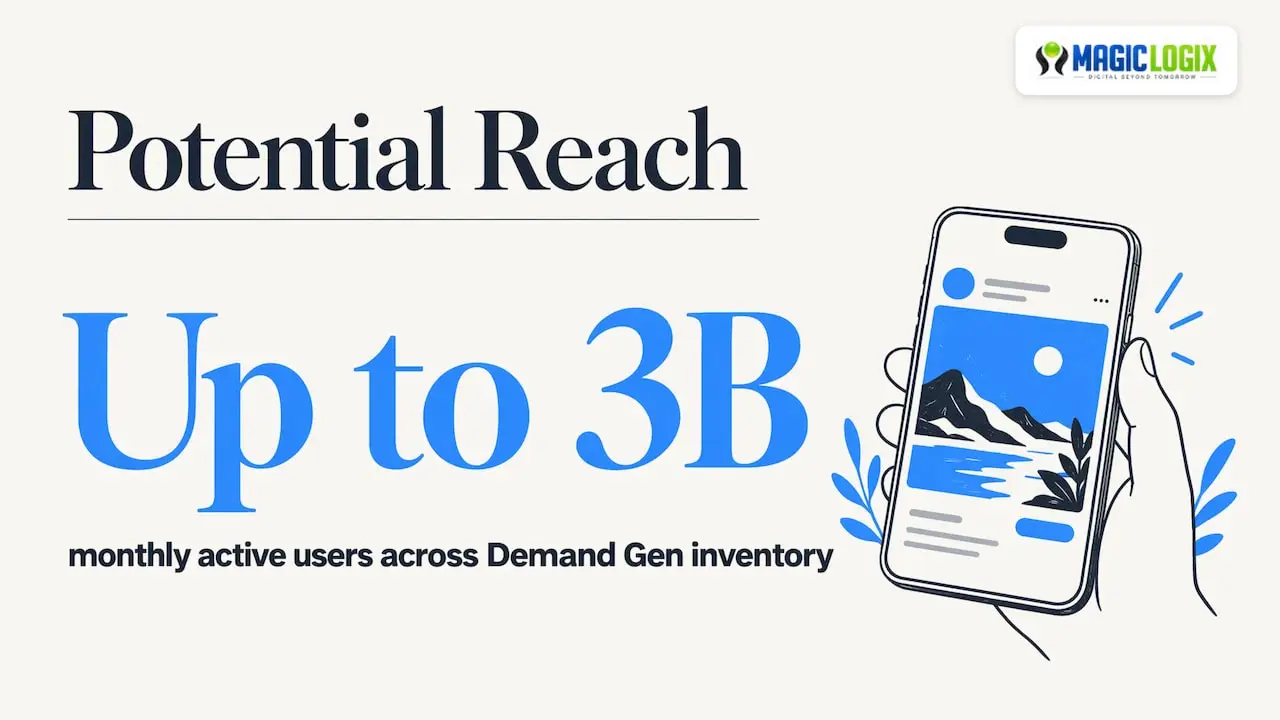
A Demand Gen campaign shows image, video and carousel ads in places where people browse, watch and read rather than search. According to Google Ads Help, it captures engagement and action across YouTube (including Shorts), Discover, Gmail, Maps and the Google Display Network, and can reach up to 3 billion monthly active users.
Think of search ads as a shop window on a street where people are already hunting for a specific item. Demand Gen is closer to a well-placed display in a mall: shoppers were not looking for you, but the right visual at the right moment gets attention.
Goals you can choose
When you create a campaign, Google lets you pick from goals such as Sales, Leads, Website traffic, App promotion, YouTube reach, views and engagements, and local store visits and promotions. The goal shapes the settings you see next, so choose the one that matches the business outcome, not the one that looks easiest to hit.
Who it suits
Demand Gen tends to fit businesses that:
- have a product or offer that is easy to show, not just describe;
- already have some conversion tracking and a customer list;
- want to build an audience ahead of the moments when people search;
- can produce a handful of video and image assets.
If you have no tracking in place or no creative, fix those first. The campaign type cannot make up for missing inputs.
Demand Gen vs. Discovery: what changed
Demand Gen is the successor to Discovery. Google introduced it and phased out the separate Discovery type, and industry reporting describes a staged transition from 2023 through March 2024, after which remaining Discovery campaigns were automatically upgraded. Existing Discovery campaigns became Demand Gen campaigns rather than vanishing, and the same reporting notes that historical data and learnings were retained, while the broader inventory could make performance metrics more volatile.
The practical differences:
| Area | Discovery (legacy) | Demand Gen (current) |
|---|---|---|
| Availability | No longer possible to create new ones | The current campaign type |
| Video | Limited | Native video formats on YouTube, including Shorts |
| Audiences | Audience signals and segments | Lookalike segments from first-party seed lists, plus custom segments and in-market audiences |
| Channel choice | Mostly fixed | Channel controls to pick surfaces |
| Reporting | Campaign level | Channel-level segmentation |
If you are searching for how to “migrate” from Discovery, there is little to do now. Open your Demand Gen campaigns, review the assets and audiences that carried over, and rebuild any that were built around old limits.
Demand Gen vs. Performance Max vs. Search
These campaign types do different jobs, and many accounts run more than one.
- Search captures existing intent. Someone types a query and you bid for it.
- Performance Max is a full-funnel campaign. Search Engine Land’s analysis says it tends to over-index on mid- and bottom-funnel traffic.
- Demand Gen focuses more on awareness and top-of-funnel demand creation, using visual placements to introduce you to new people.
A simple way to decide: if your search campaigns are limited by how many people look for you, Demand Gen is a way to enlarge that pool. If your problem is conversion rate on the site, fix the site first. Our guide to what a conversion funnel is helps you place each campaign type at the right stage.
Audience targeting in Demand Gen
Targeting is where Demand Gen earns its results or wastes money. Three audience types matter most.
Lookalike segments
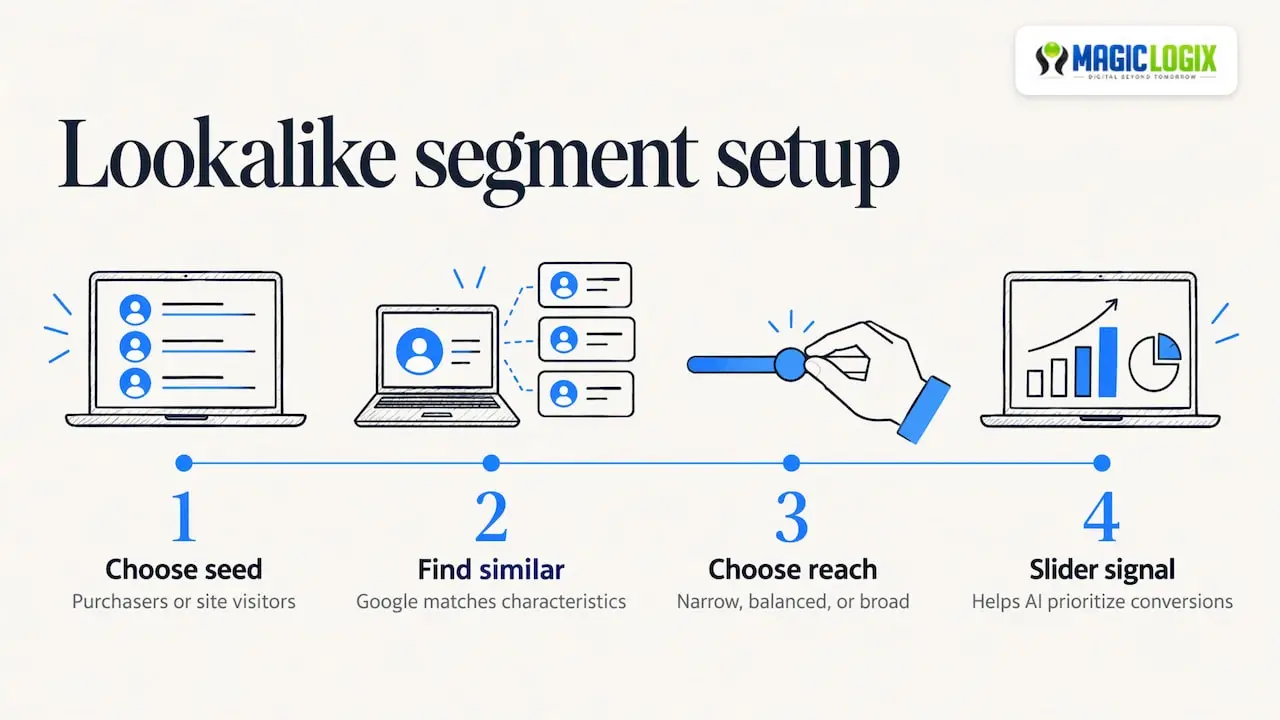
You upload or select a seed list, such as existing purchasers or website visitors, and Google finds people with similar characteristics. Per Google’s documentation, you can choose narrow, balanced or broad reach, and these segments are evolving toward suggestion mode by default. Google’s 2026 help page explains that the reach slider is becoming a signal that helps Google’s AI prioritize conversions, not a strict limit on who sees your ads.
What that means for you: treat the seed list as the most important input. A list of 1,000 recent, high-value customers teaches the system more than a list of every email address you ever collected. Targeting behavior in this area is changing, so check the current help page before you build.
First-party lists and remarketing
Customer Match lists and website visitors let you reach people who already know you. Google’s US guidance recommends prospecting with lookalike segments, first-party lists, custom segments and in-market audiences.
Custom segments and in-market audiences
Custom segments let you describe an audience by interests, searches or sites. In-market audiences group people showing purchase intent in a category. Use them when you have no customer list yet, and expect to refine as data comes in.
A simple audience plan
- Launch one campaign with two or three ad groups: a lookalike audience, a custom or in-market audience, and a first-party remarketing list.
- Keep creative the same across ad groups so audience is the only variable.
- After enough conversions have accumulated, compare cost per action by ad group and move budget toward the winners.
Demand Gen creative specs
Creative is the main lever you control, because the ads are visual. Prepare assets before you open the campaign builder.
Image specs
Per the Google Ads Help page for creating a Demand Gen campaign:
- 1.91:1 landscape, 1200 x 628 px
- 1:1 square, 1200 x 1200 px
- 4:5 portrait, 960 x 1200 px (optional)
- JPG or PNG, up to 5 MB
Google’s asset specification page also lists a 9:16 image format and sets video requirements: 16:9, 1:1, 4:5 and 9:16 video, a minimum of 5 seconds, and videos under 10 seconds are not eligible for YouTube in-stream ads.
Video guidance
- Make at least one vertical 9:16 video for Shorts. Google’s US guidance recommends vertical Shorts video to maximize reach and impact.
- Show the product or result in the first seconds, and keep the message simple.
- Aim for more than 10 seconds on at least one version so it can serve in-stream.
- Add captions, since many people watch without sound.
Creative checklist
- [ ] At least three images across landscape, square and portrait
- [ ] At least two videos, one vertical
- [ ] Headlines and descriptions that state one clear benefit
- [ ] Logo and business name set
- [ ] A landing page that matches the promise in the ad
Specs and policies change, so confirm against Google’s help pages on the day you build. Your landing page matters as much as the ad. If it loads slowly or does not match, the best targeting will not rescue it, and our website design and development work is built around that handoff from ad click to conversion.
How to set up a Demand Gen campaign
- Confirm conversion tracking. Set up the actions that matter (purchases, qualified leads, form submissions). Google’s US guidance suggests measuring actions such as add-to-carts, newsletter sign-ups and email subscriptions.
- Create the campaign. In Google Ads, choose a goal, then select Demand Gen as the campaign type.
- Pick a bid strategy. Options include Maximize Conversions, Target CPA, Target ROAS, Maximize Conversion Value and Maximize Clicks. Google’s US guidance recommends Target CPA or Maximize Conversions.
- Choose channels. You can select Discover, Gmail or the Google Display Network manually, or use All Google channels. If you are new, start with all channels and look at the data before narrowing.
- Build audiences. Use the plan above.
- Upload assets and write ads. Use image, video and carousel formats.
- Set budget. Give the campaign enough daily budget to produce a meaningful number of conversions in the learning period. A tiny budget across many ad groups usually teaches the system nothing.
- Launch and leave it alone for a short period. Edits during learning reset the signal. Decide ahead of time how long you will wait before judging.
For a deeper look at account structure and bidding discipline, see our guide on how to optimize PPC campaigns.
Measuring Demand Gen performance
Because Demand Gen introduces your brand to people who were not searching, last-click reports can undersell it. Use a mix of measures.
Start with the channel report
Google supports channel-level reporting, so you can segment performance by YouTube (further split by format), Discover, Gmail and the Google Display Network. If one surface eats budget without conversions, use channel controls to adjust.
Metrics to track
| Question | Metric | Why it matters |
|---|---|---|
| Are people engaging? | View rate, engagement rate, click-through rate | Tells you whether creative earns attention |
| Are we paying a fair price for action? | Cost per conversion, ROAS | Compares with your target and other campaigns |
| Is it feeding other channels? | Branded search volume, direct traffic, assisted conversions | Shows demand creation, not only direct response |
| Is the audience right? | Conversion rate by ad group | Identifies which segments to scale |
Our overview of digital marketing performance metrics explains how to set targets for each.
A review rhythm
- Weekly: check spend pacing, disapproved assets and channel mix.
- Every two to four weeks: compare ad groups and creative. Pause the weakest asset, add one new test.
- Quarterly: review whether Demand Gen is lifting branded search and assisted conversions, and whether the budget split with search still makes sense.
Expect more volatility than you see in search, especially in the first weeks. That is normal for a campaign type that serves across a broad inventory.
Practical examples
These are illustrative scenarios, not client results.
- Local service business: upload a customer list of recent clients, build a lookalike audience, and run a 15 to 30 second video showing the finished work. Goal: leads. Measure cost per qualified lead.
- Online store: use product images and a carousel, with remarketing for visitors who viewed items, plus a lookalike of past purchasers. Goal: sales. Measure ROAS and new customer share.
- B2B software company: target in-market and custom segments with a short explainer video and a demo offer, and remarket to trial users. Goal: leads. Measure cost per demo request and how many become opportunities.
In each case the pattern is the same: one clear offer, a seed list of your best customers, and enough conversion data to learn from.
Common mistakes to avoid
- Launching with only one image size, so Google has little to fit to each placement.
- Using a broad seed list of low-quality contacts.
- Judging the campaign after a few days.
- Sending traffic to a generic home page instead of a focused landing page.
- Optimizing for clicks when the business needs leads or sales.
- Splitting a small budget over too many ad groups.
Our perspective
We see Demand Gen as the part of paid media where creative, data and site experience have to work as one system. The targeting is increasingly automated, so your advantage comes from what you feed it: clean conversion tracking, strong first-party audiences and assets that look native to YouTube, Shorts and Discover.
At Magic Logix, we approach paid media as part of a wider growth system under our “Digital Beyond Tomorrow” positioning. That means connecting the campaign to analytics, the landing page and the follow-up, not treating it as a separate ad experiment. A Demand Gen click that lands on a slow or confusing page is wasted spend, so we plan the ad and the destination together.
We also advise owners to set honest expectations. Platform behavior keeps evolving, and no one can promise a particular result from a campaign type. What you can control is your measurement plan, your creative testing rhythm and your willingness to reallocate budget based on evidence.
Hassan Bawab
Working with Magic Logix on paid media
If you want help planning audiences, building assets or connecting Demand Gen to the rest of your funnel, our Digital Marketing & Paid Media services cover campaign strategy, management and measurement. You can also explore our wider Marketing & Growth Systems offer, or talk to our team about where Demand Gen fits in your plan.
FAQ
What is the difference between Demand Gen and Discovery campaigns?
Demand Gen is the successor to Discovery. Discovery campaigns were migrated into Demand Gen and new Discovery campaigns can no longer be created. Demand Gen added native video, lookalike segments and channel controls.
What is the difference between Demand Gen and Performance Max?
Demand Gen focuses on visual, top-of-funnel demand creation across YouTube, Discover and Gmail. Performance Max is a full-funnel type that tends to lean toward mid- and bottom-funnel traffic. Many advertisers use both, with Demand Gen introducing new people and other campaigns capturing the intent that follows.
Which audiences work best in Demand Gen?
Start with lookalike segments built from a strong first-party seed list, such as recent purchasers, and add a first-party remarketing list. Custom segments and in-market audiences help when you have little customer data. Compare results by ad group before moving budget.
What image and video sizes does Demand Gen need?
Images are commonly prepared at 1.91:1 (1200 x 628 px), 1:1 (1200 x 1200 px) and 4:5 (960 x 1200 px), as JPG or PNG up to 5 MB. Video supports 16:9, 1:1, 4:5 and 9:16, with a 5-second minimum, and videos under 10 seconds are not eligible for YouTube in-stream ads. Check Google’s help pages for current specs before you upload.
Which bid strategy should I choose?
Google’s US guidance recommends Target CPA or Maximize Conversions. Pick the one that matches your goal and your conversion volume, and give it time to learn before changing it.
Sources
- About Demand Gen campaigns, Google Ads Help
- Create a Demand Gen campaign, Google Ads Help
- Demand Gen: Engage Customers and Drive Results, Google Ads
- Move Over Google Discovery Ads, Get Ready For Demand Gen, Search Engine Journal
- Google Demand Gen campaigns: When to use them and best practices, Search Engine Land
- Use Lookalike segments in Demand Gen campaigns, Google Ads Help
- Use Lookalike segments to grow your audience, Google Ads Help
- Demand Gen asset specifications, Google Ads Help
- Channel controls in Demand Gen campaigns, Google Ads Help
- Maximize your customer journey from discovery to decisions, Google